360 product views on Wix: Add spin images to your website
 By Olha Kersting, Head of MarketingUpdated
Short answer
To add a 360 spin to a Wix site, open the Wix editor and click Add, More, then HTML Code. Click "Enter code" and paste the 2 lines of embed code from the spin in your Sirv account. Drag the box to size and place it, then add Wix's allowFullScreen code so fullscreen works.
After reading this you will know
- How to embed a 360 spin on a Wix site
- Why fullscreen doesn't work on iPhone inside Wix
 Wix is a popular website builder for non-developers. Enjoyed for its easy interface, anyone can build a website in minutes. To make your Wix site really stand out, try adding 360 product views. They’ll show your products at their absolute best, as you can see from these 360 spins on a Wix site.
How to embed spins in a Wix website
Section titled “How to embed spins in a Wix website”Follow these simple instructions to add a 360-degree product views to your Wix website. Other platforms work in a similar way, such as Shopify, Squarespace, WordPress and Facebook.
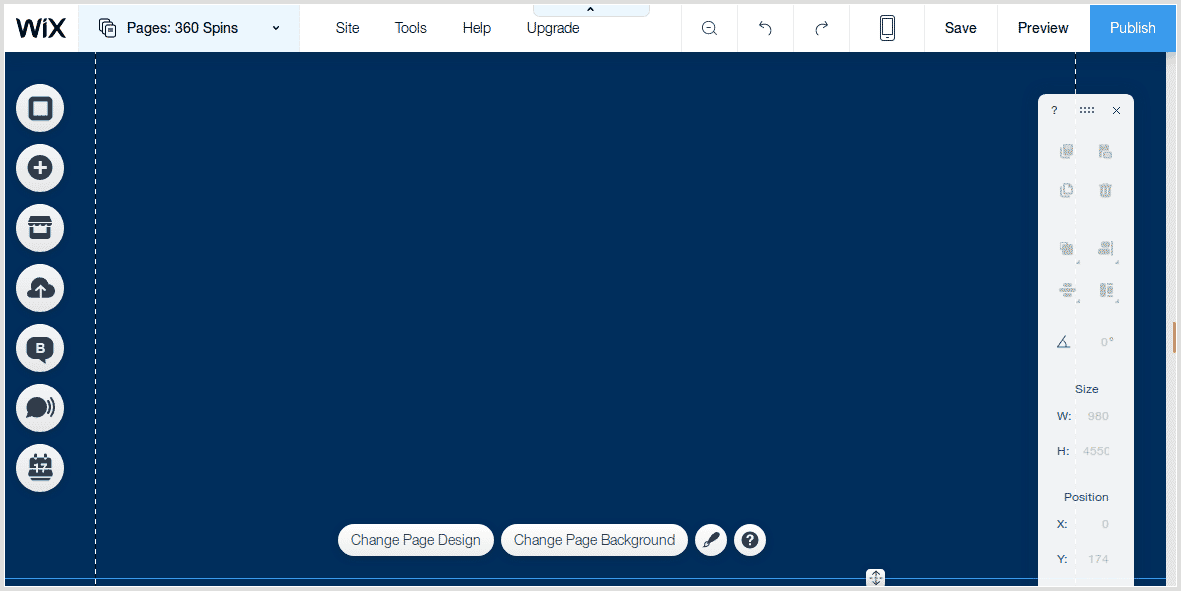
1. Open the Wix editor. If you created your website from a template, click the “Advanced editor” to the right. The Wix editor looks like this:
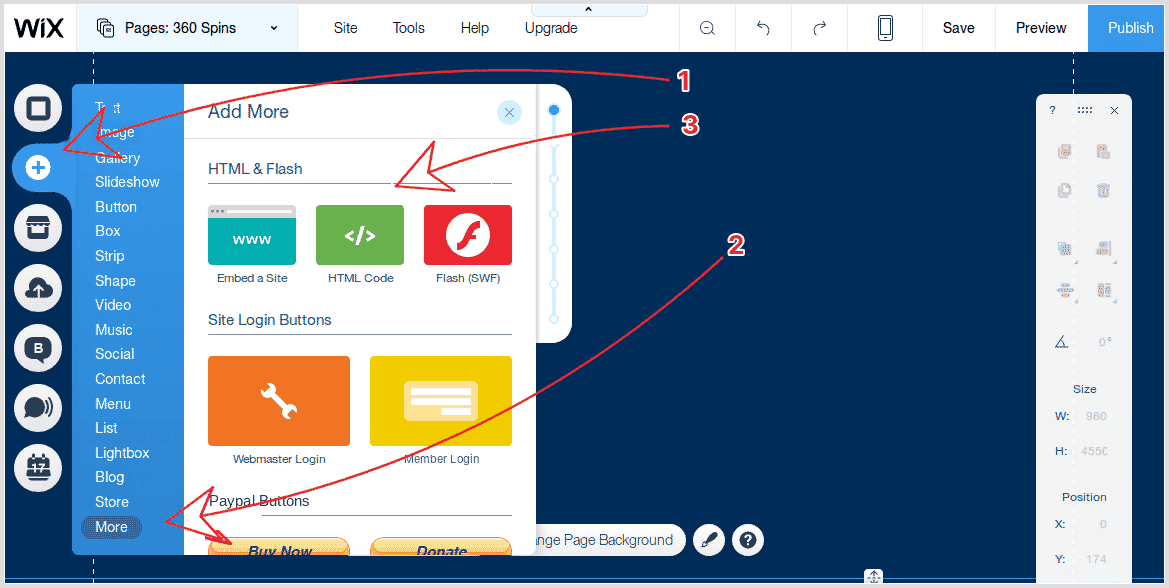
2. In the left menu, click “Add” (1), then click “More” (2), then click “HTML Code” (3):
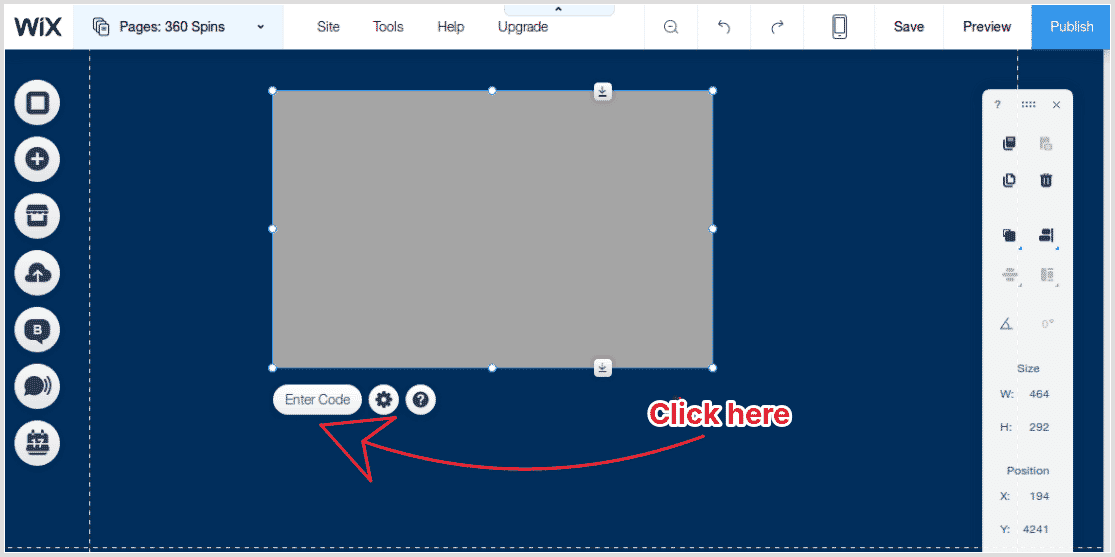
3. In the grey box, click the “Enter code” button:
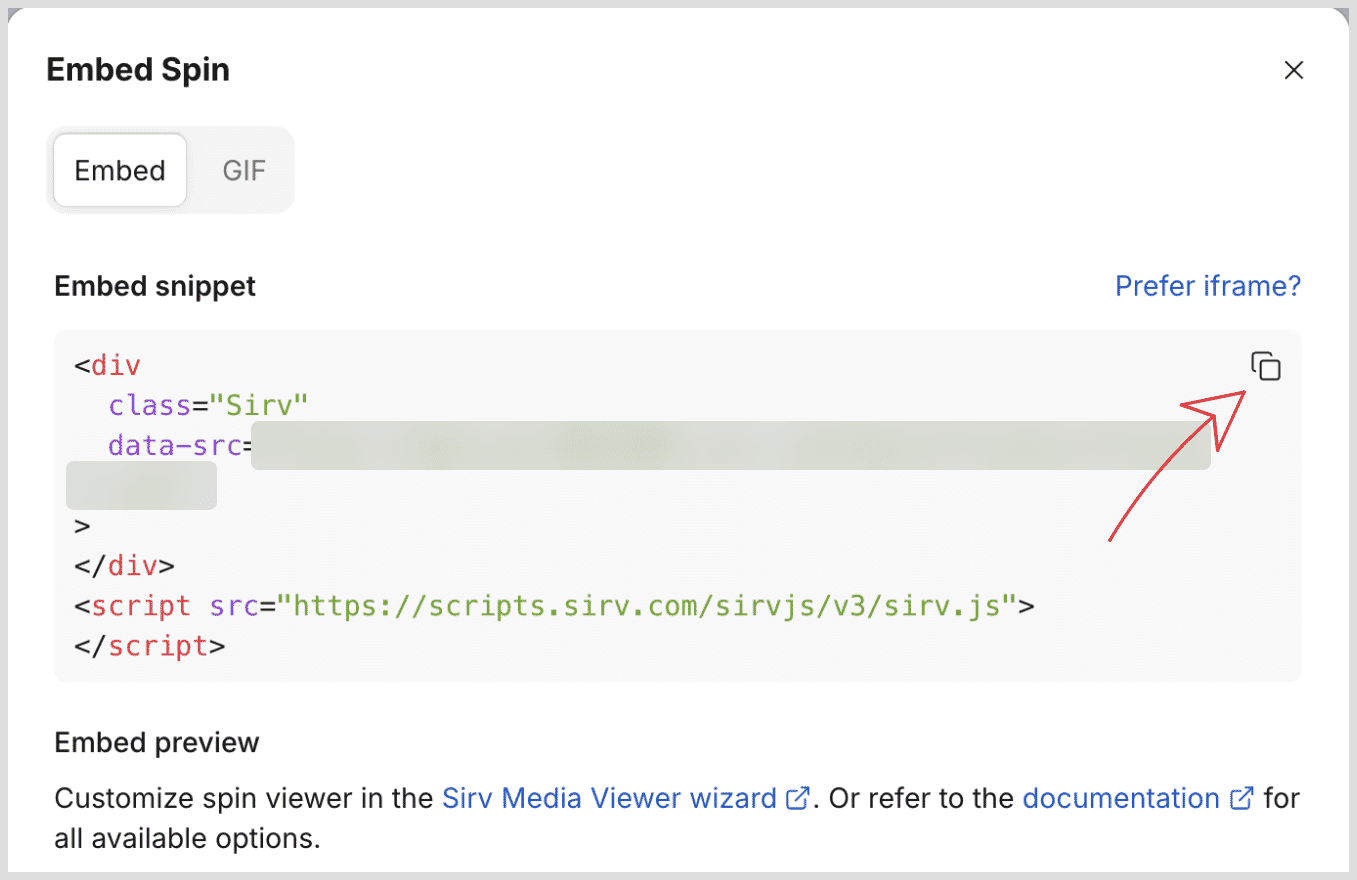
4. Go to your Sirv account and open the spin that you wish to embed. Click Embed and copy the code, a <div> and a <script>:
5. Double-click the grey box in Wix and paste the code, like so:
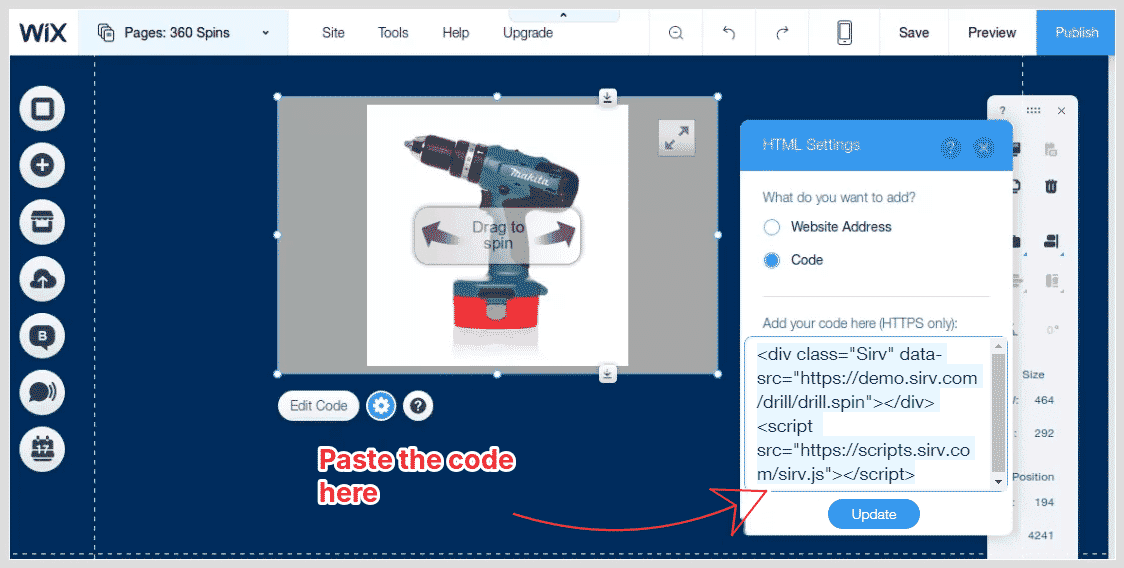
After inserting your Wix 360 spin, you can drag the grey border to resize it or move its location on the page.
6. Finally, add the following code to your page to permit fullscreen enlarge (Wix embeds your 360 spin in an iframe, which otherwise inhibits true fullscreen):
$w.onReady(function () { $w("#your_html").allowFullScreen();});Save the changes before you leave the page. Check how your website looks on mobile devices. Click the mobile icon at the top of the Wix editor to preview the page.
You can change the mobile design of your page - changes won’t affect the desktop design of your page.
Common questions
Section titled “Common questions”Why doesn't fullscreen work on iPhone?
Safari and other browsers do not support Fullscreen API on iPhone, which is required by Sirv Media Viewer when embedded via <iframe>.
Get started now! Create your free Sirv account. You’ll receive 5 GB for 30 days, after which you can choose a special $99/year Wix plan or use a free light usage ad-supported plan.