How to add 360 spins to PageFly
 By Anne-Marie Fletcher, Customer Success TeamUpdated
<div class="Sirv" data-src="https://demo.sirv.com/rayban/rayban.spin"></div>
<script src="https://scripts.sirv.com/sirvjs/v3/sirv.js"></script>3. Click Save & Close. The spin fits the space it is placed in. No account yet? Create one freeShort answer
To add a 360 spin to a PageFly page on Shopify, open PageFly from Apps, go to Pages, then Product Pages, and choose the page. Click where the spin should go, open the Code Editor and paste the spin's embed code from Sirv. You can style the spin first with the Sirv Media Viewer generator.
After reading this you will know
- How to add a 360 spin to a PageFly product page
- How to customize the spin before you add it
- Where to find a 360 photographer

PageFly is a popular Shopify drag-and-drop editor, to easily build landing pages and product pages. Take your Pagefly designs even further by adding 360 spins, as you can on any Shopify product page along with image zoom.
What is a 360 spin?
Section titled “What is a 360 spin?”A 360 spin is a product which has been photographed from multiple angles. When the images are uploaded to Sirv, an interactive 360 spin is created.
They’re an excellent way to show your customers exactly what they’re buying, on your own store, on BigCommerce or on marketplaces such as Amazon, Walmart and The Home Depot. Check out this 360 spin below:
The code is really simple - just the URL of your spin and the URL of the Sirv JS script:
<div class="Sirv" data-src="https://demo.sirv.com/rayban/rayban.spin"></div><script src="https://scripts.sirv.com/sirvjs/v3/sirv.js"></script>Adding a 360 degree spin is as easy as copying & pasting the Sirv spin code into your PageFly page. Here’s how…
Add 360 spins to PageFly products
Section titled “Add 360 spins to PageFly products”1. Go to Apps and search for ‘PageFly’:
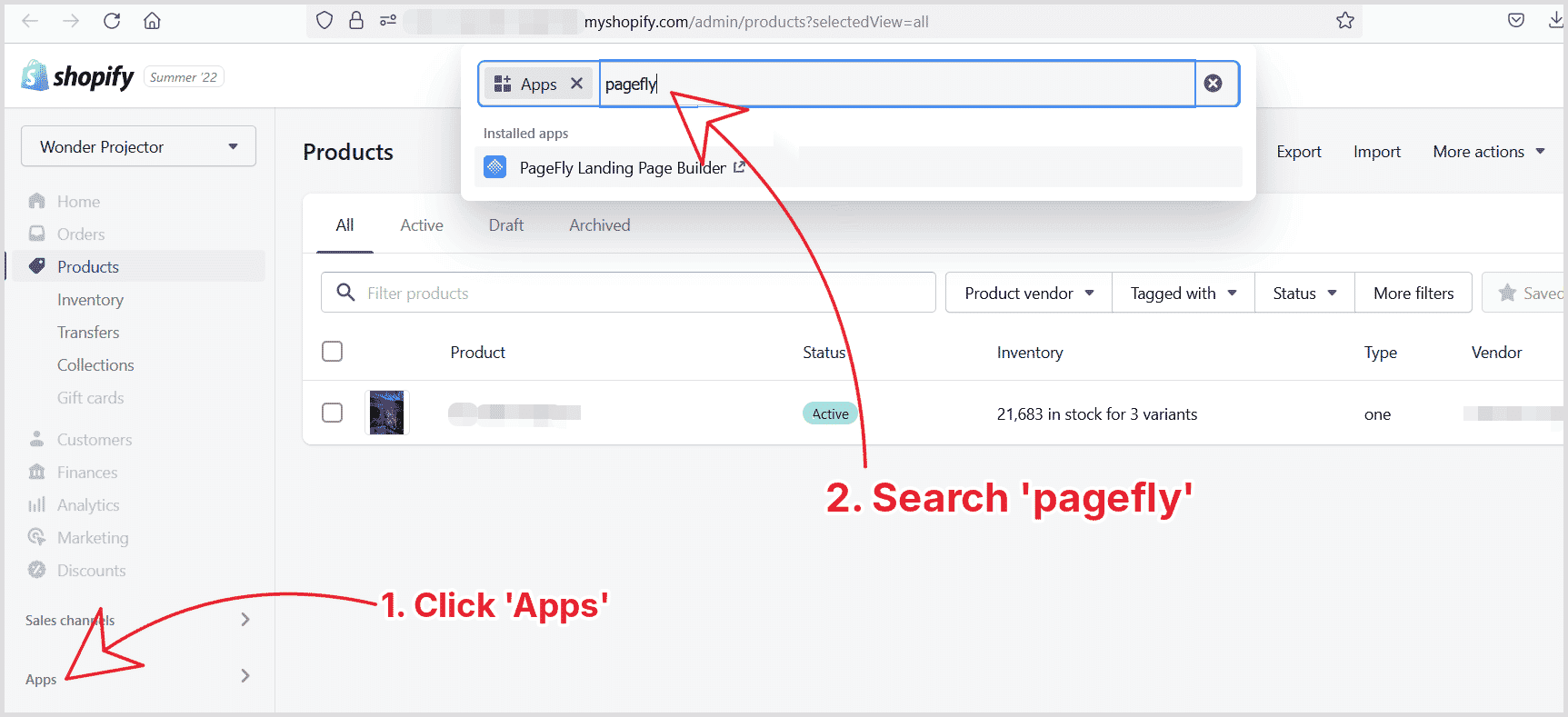
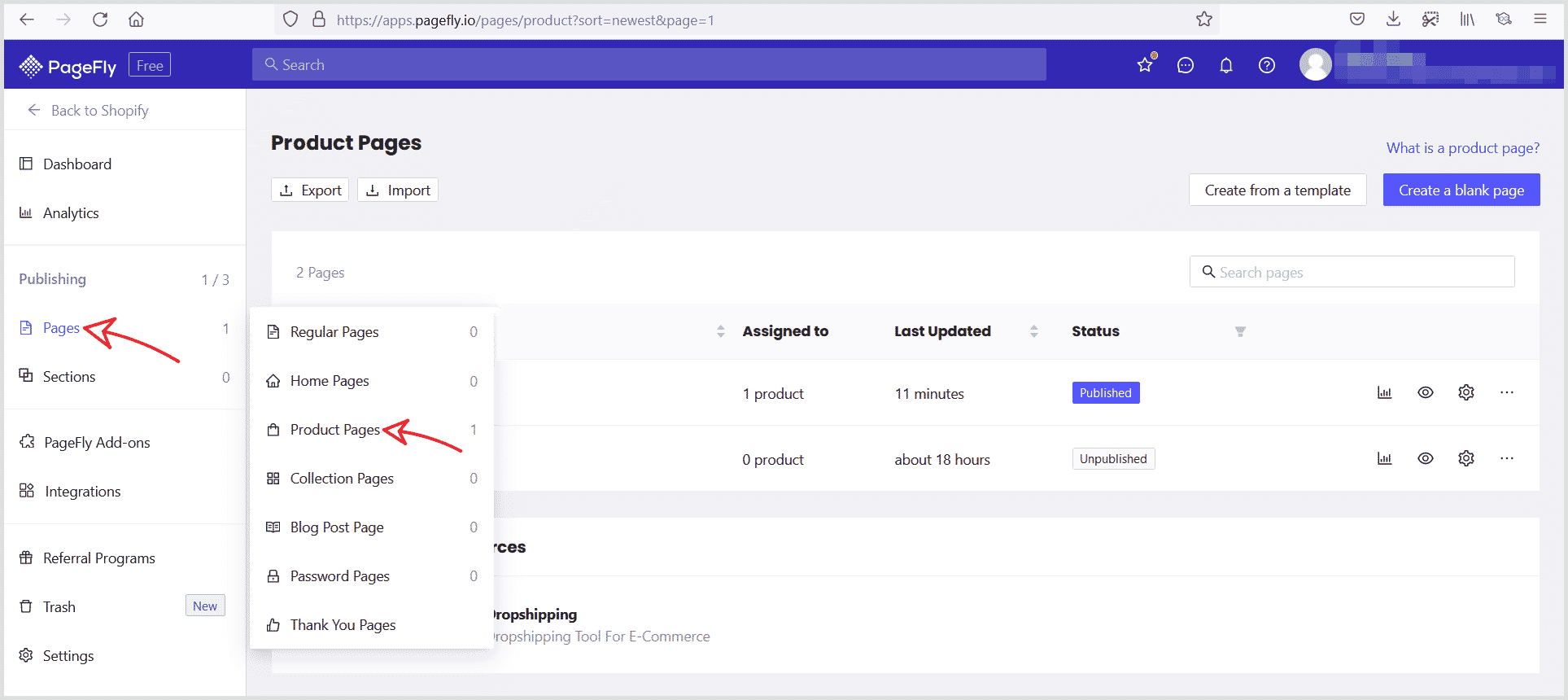
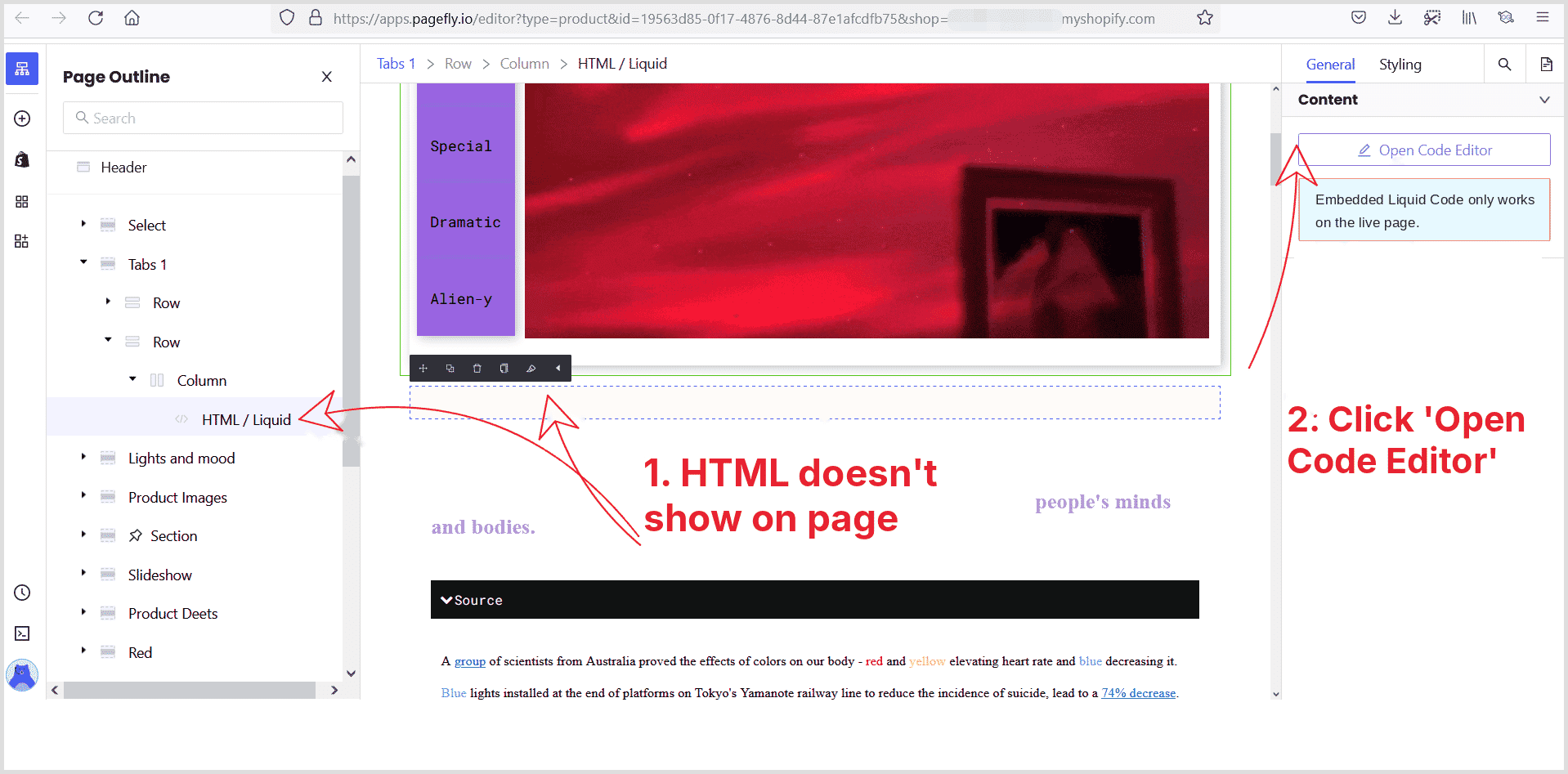
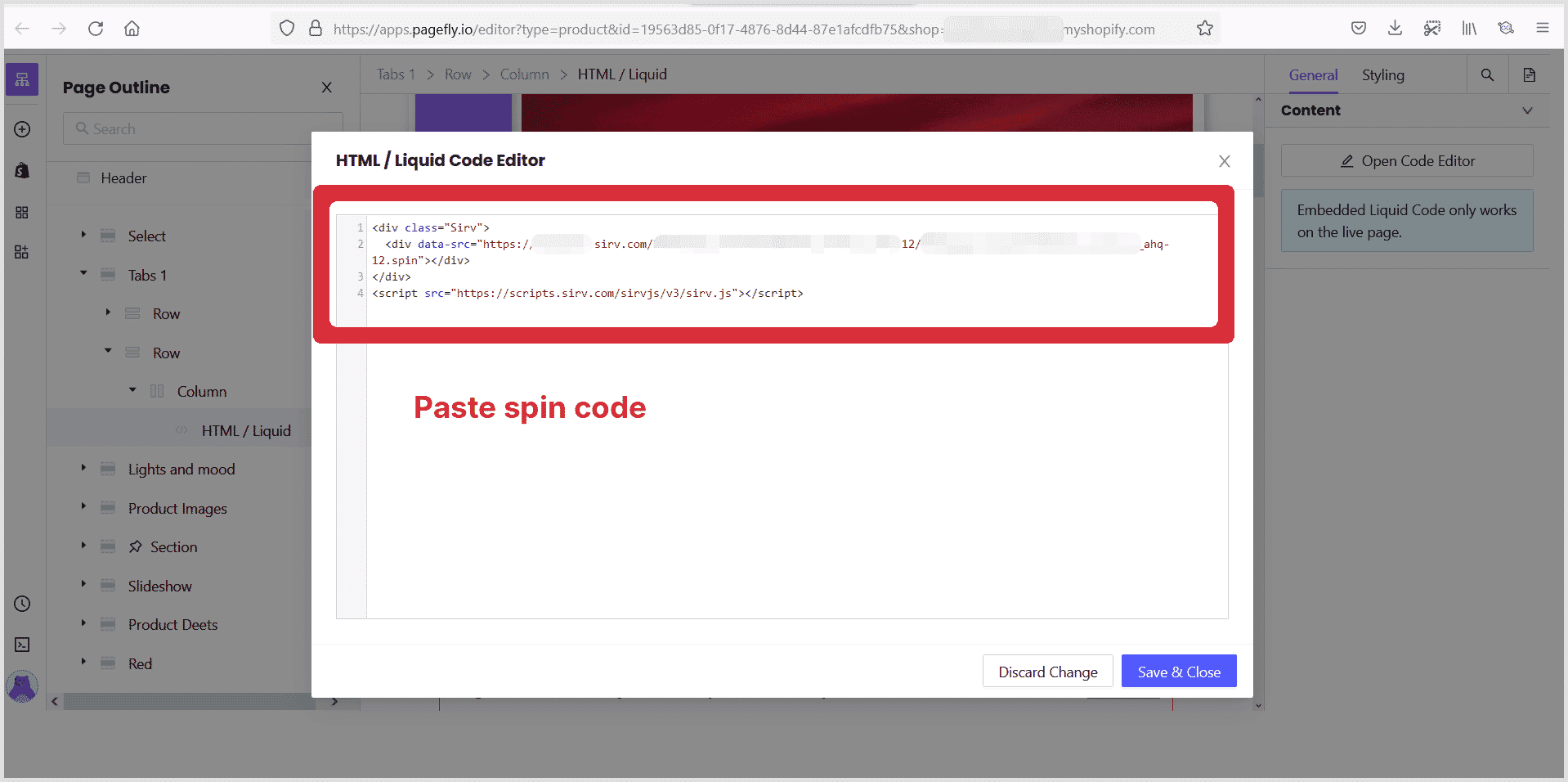
6. The spin will automatically scale to fit the available space on your screen. Alternatively, you can add width or height to the spin, in a style tag:
<div class="Sirv" data-src="https://demo.sirv.com/rayban/rayban.spin" style="width: 600px; height: 600px"></div>Customize your spins
Section titled “Customize your spins”Quickly customize your spins using the Sirv Media Viewer generator page. Choose from more than 30 different spin options and then copy the code provided.
360 photography
Section titled “360 photography”If you’d like to have 360 spins but don’t have the photos yet (a video can be turned into a spin too), check out the Sirv Experts directory. There’s a list of recommended photographers around the world.
Find one that suits you, then request a 360 photography quotation.