Switch Between Sirv Accounts
 By Jake Brumby, Customer Success DirectorUpdated
Short answer
If your login has access to more than one Sirv account, click your account name at the bottom left, choose Switch account and pick the account you want. Sirv then shows that account's files, settings and users until you switch again. Accounts you create or join all appear in this list.
After reading this you will know
- How to move between the Sirv accounts your login can open
- Where new and joined accounts appear
You can have many Sirv accounts, accessible using a single login. Other users can invite you to their account, with a role they choose, or you can ask to join one. You can also create additional accounts yourself.
To swap between your accounts:
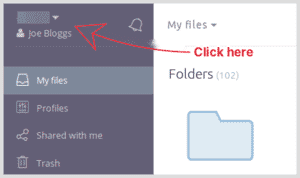
1. Click your account name at the bottom left:
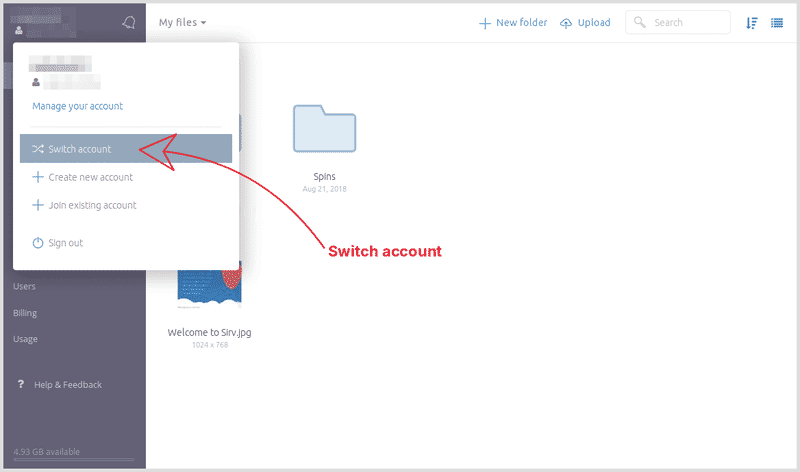
2. Click “Switch account”:
3. Click the account you wish to switch to:
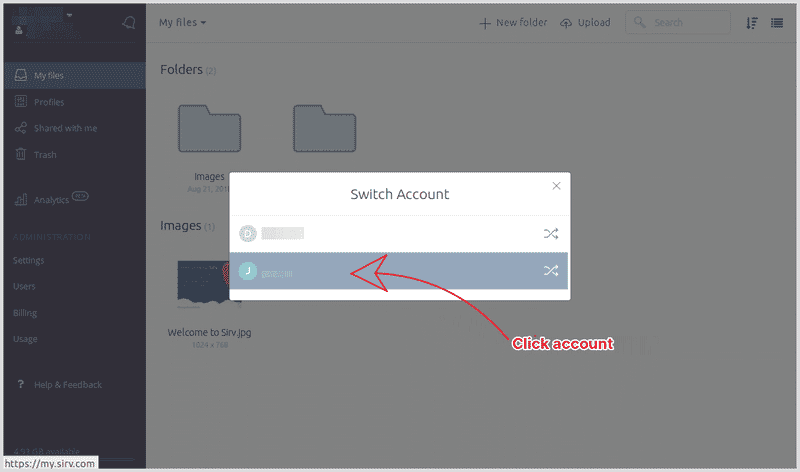
Sirv opens the account you chose, and your files, settings and users are those of that account until you switch again.