Export 360 and 3D Product Photography to Lowe's
 By Anne-Marie Fletcher, Customer Success TeamUpdated
Short answer
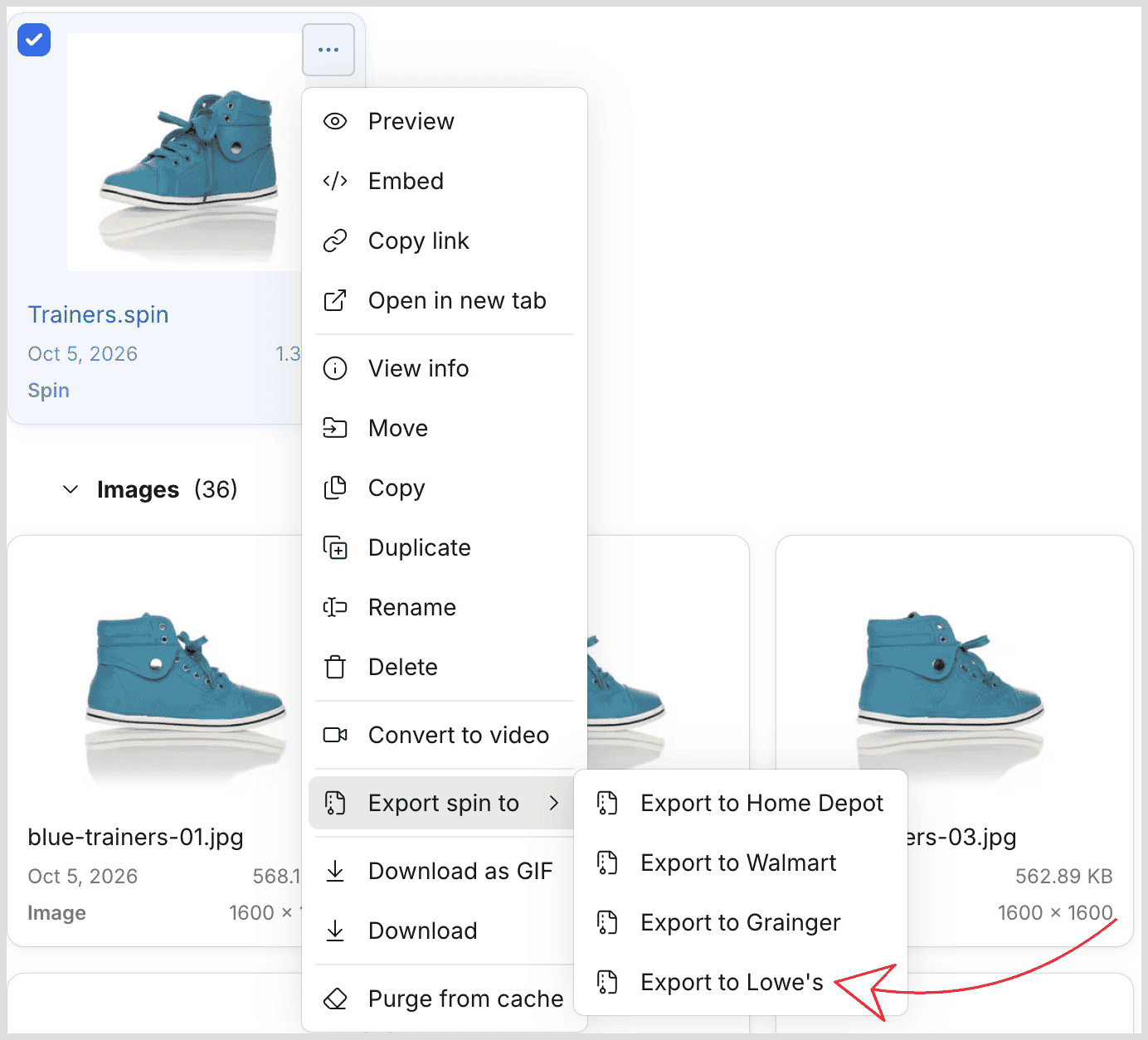
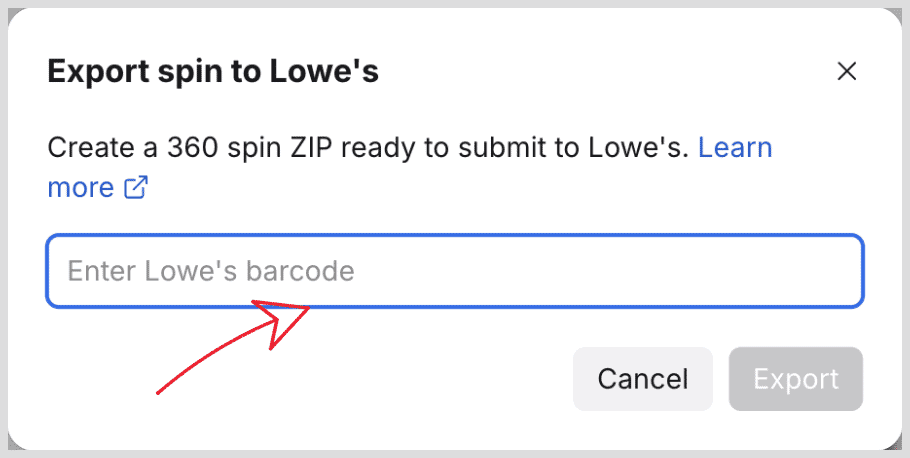
Sirv turns a 360 spin into a zip that meets Lowe's rules: JPEG images, 24 per row, 1 to 3 rows, 2500 × 2500 px, named by row and column. Right-click the spin in your Sirv account, choose Export spin to > Export to Lowe's, enter the Lowe's barcode and click "Export". Batch export and the API work too.
After reading this you will know
- How to export a 360 spin for a Lowe's listing
- How to export many spins at once
- What Lowe's requires, and how Sirv meets it

Sirv can prepare your 360 product photography to Lowe’s exact specifications, ready to publish to the Lowe’s website.
You just need to provide the Lowe’s barcode and Sirv will generate a zip file containing images with the appropriate naming convention, dimensions and format, just as it does for Amazon, Walmart, The Home Depot and Grainger.
Create 360 spins for Lowe’s
Section titled “Create 360 spins for Lowe’s”1. Go to your Sirv account. New users can create an account. 2. Right-click a spin, or click its ”…” menu, and choose Export spin to > Export to Lowe’s (Business 5 or higher) (tip: get a list of “All your spins” via the search box):
Batch create multiple Lowe’s zips
Section titled “Batch create multiple Lowe’s zips”To make many zips in one go, run a short script with the Sirv REST API. It sends each spin to the Export spin to Lowe’s command, the same export as in your account.
1. In your Sirv account, go to Settings > API access and create an API client. Keep its client ID and secret to hand.
2. Make a file called spins.csv with one spin per line: the spin’s path in your Sirv account, a comma, then its Lowe’s barcode:
/products/drill/drill.spin,1234567890/products/saw/saw.spin,12345678993. Save this script as export.mjs in the same folder:
// export.mjs: makes a Lowe's zip for each spin in spins.csvimport { readFileSync } from 'node:fs';
const api = 'https://api.sirv.com/v2';const auth = await fetch(`${api}/token`, {  method: 'POST',  headers: { 'content-type': 'application/json' },  body: JSON.stringify({ clientId: process.env.SIRV_CLIENT_ID, clientSecret: process.env.SIRV_CLIENT_SECRET }),});const { token } = await auth.json();
for (const line of readFileSync('spins.csv', 'utf8').split('\n').filter(Boolean)) {  const [filename, id] = line.split(',').map((s) => s.trim());  const res = await fetch(`${api}/files/spin2lowes360`, {    method: 'POST',    headers: { 'content-type': 'application/json', authorization: `Bearer ${token}` },    body: JSON.stringify({ filename, barcode: id }),  });  console.log(filename, res.status, await res.text());}
4. Run it with Node.js 18 or later, with your client ID and secret in the environment:
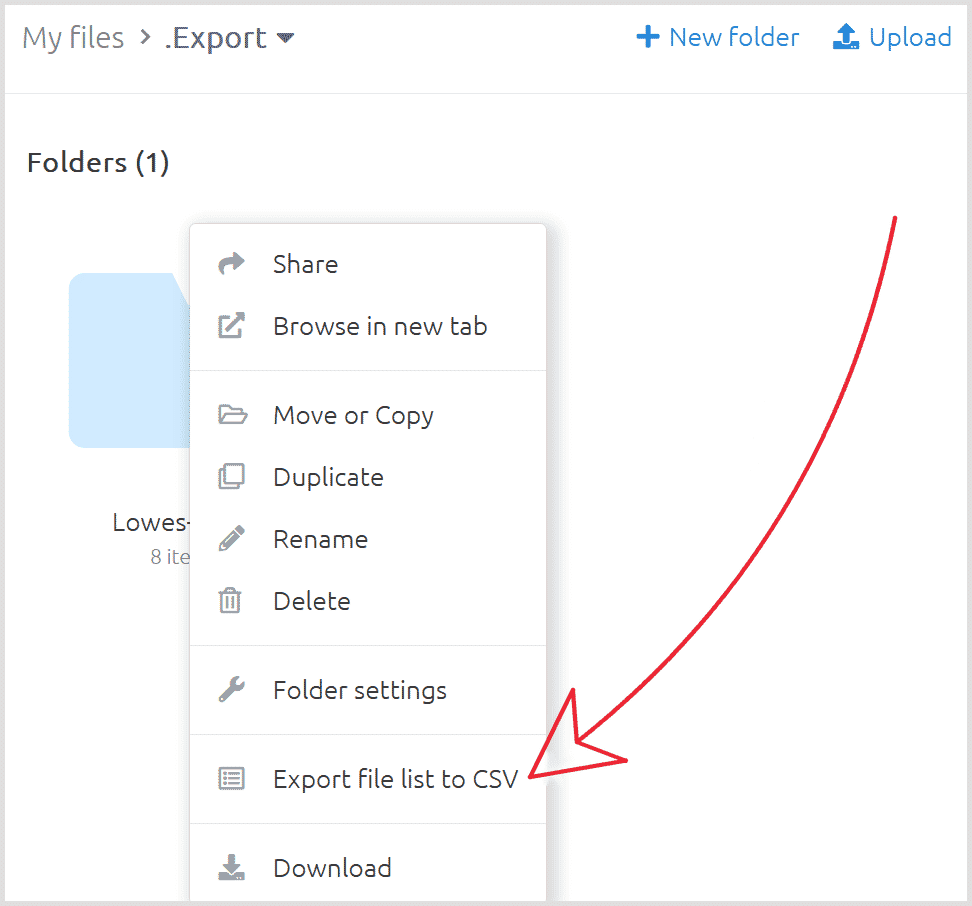
SIRV_CLIENT_ID=your-client-id SIRV_CLIENT_SECRET=your-client-secret node export.mjsEach line of the output names the zip Sirv made, saved in your account next to the spin. Rather not run a script? Send the same request one spin at a time from Postman.
Create Lowe’s 360 spins via API
Section titled “Create Lowe’s 360 spins via API”Alternatively, you can use Sirv’s REST API to create the zips ready for Lowe’s. Refer to the API method to prepare Lowe’s spins.
What are Lowe’s 360 spin requirements?
Section titled “What are Lowe’s 360 spin requirements?”Sirv applies the following processing options to meet Lowe’s 360-degree product photography requirements:
- JPEG format
- 24 images (columns) per row
- 1, 2 or 3 rows
- 2500px by 2500px width/height
- Name each image file based on the row and column of the 360° spin: {barcode}_spin_R01_C01.jpg, {barcode}_spin_R01_C02.jpg etc
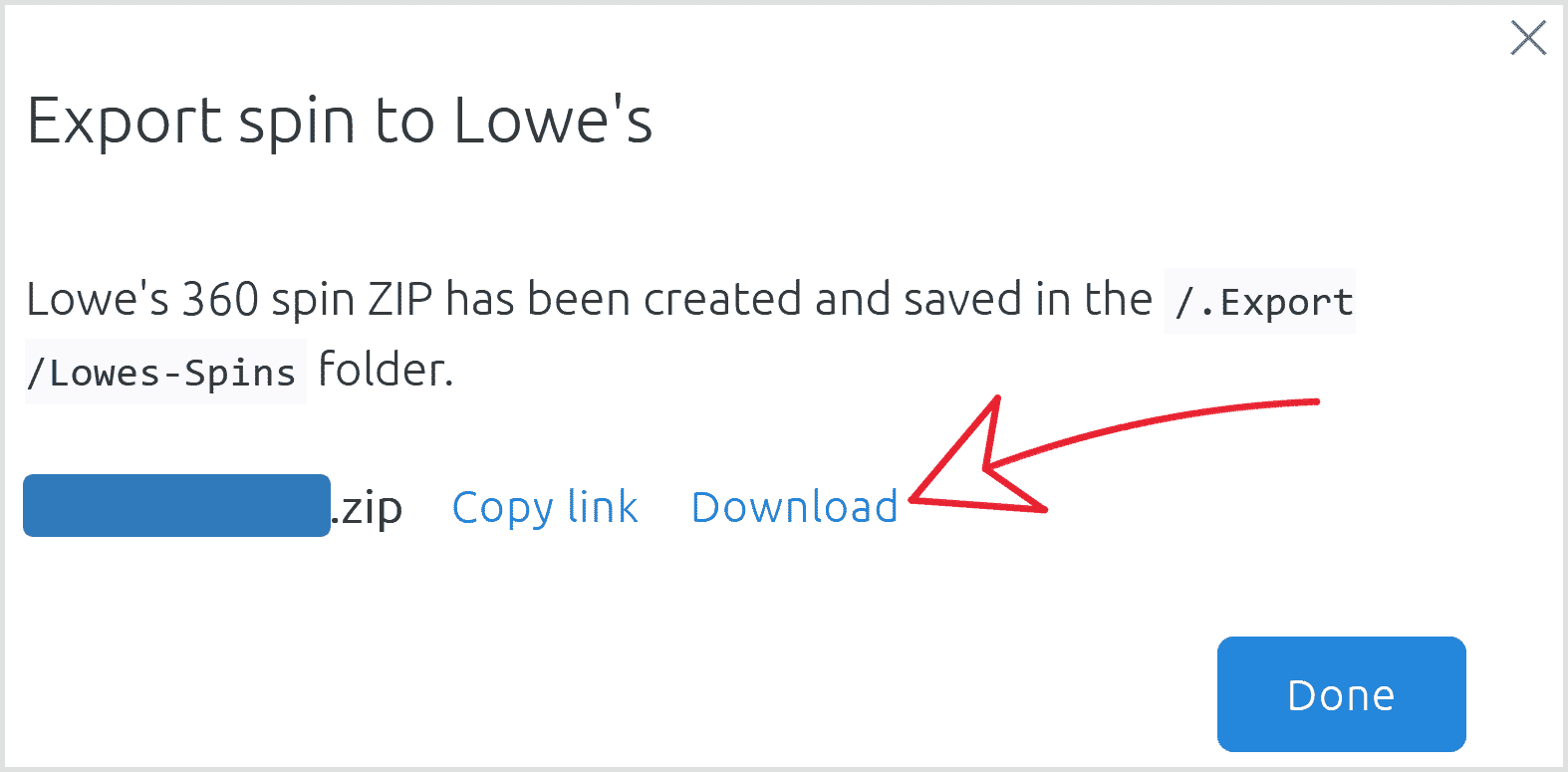
The API will provide a zip URL, ready for you to download. Upload your zips to Lowe’s using the process provided by your Lowe’s point of contact.