Custom Error Images
 By Jake Brumby, Customer Success DirectorUpdated
Short answer
When an image is missing, Sirv returns a 404 error. You can show your own placeholder image instead: open the Default profile and choose an image under Default image in Delivery settings. Other profiles can have their own placeholder. A custom error image turns off auto-fetch and hides 4xx error statistics.
After reading this you will know
- How to set a custom placeholder for missing images
- How to use different placeholders on different parts of a site
- Why custom error images can't be used with auto-fetch or error stats
When a requested image does not exist in your Sirv account a 404 error - file not found is returned.
No image will be returned but if you visit the image URL directly, you will see an error page - such as this - to help you identify and fix the problem. A frozen account, one that stayed over its allowances for too long, stops serving every image.
Instead of no image being returned, you can show an image of your choice.
Example 404 image:

Please note that by setting a custom error message, autofetch is unavailable and 4xx error stats won’t show. See below.
How to configure a custom 404 placeholder image
Section titled “How to configure a custom 404 placeholder image”-
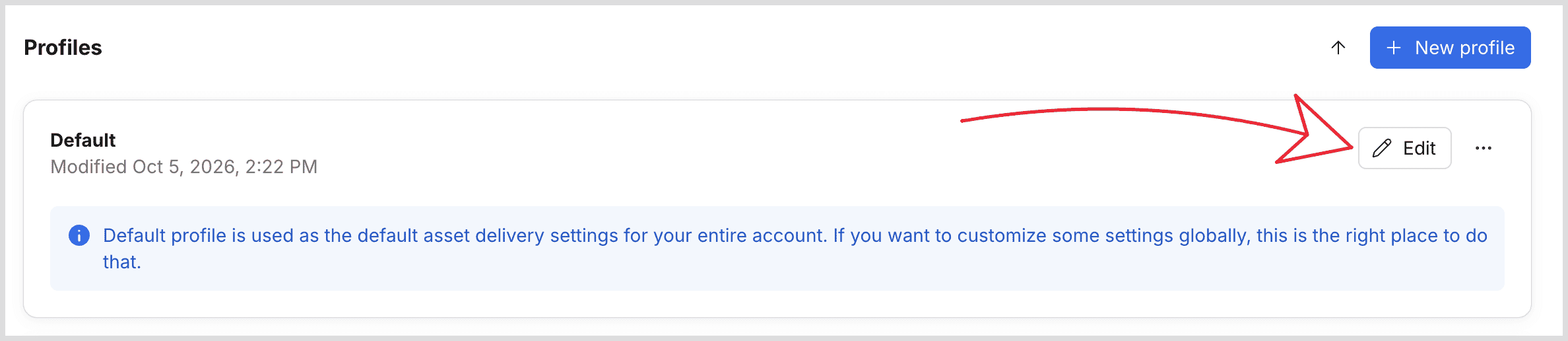
Go to the Profiles page and click Edit on the Default profile.
![Edit button of the Default profile on the Profiles page]()
-
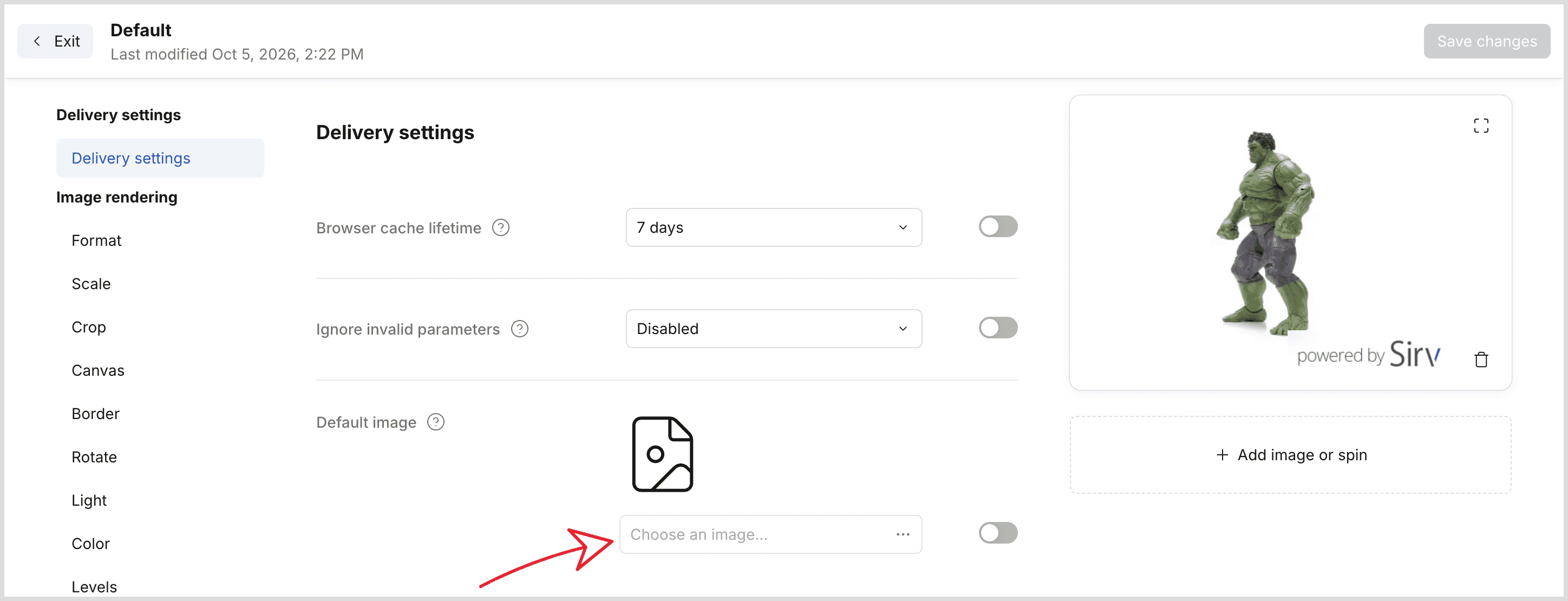
The profile opens on Delivery settings. Click “Choose an image…” next to Default image and pick your placeholder. It can be any image in your Sirv account:
![Default image field in the Delivery settings of a Sirv profile]()
-
Click Save changes at the top right.
-
Test the new image by visiting any fake image URL.

The image can also be scaled by appending w or h (width / height) parameters to the URL. Example:
https://demofree.sirv.com/nope-not-here.jpg?w=150
Multiple error images
Section titled “Multiple error images”You can also specify error images in any profile of your account, meaning you can display different placeholder images for different parts of your website.
https://demofree.sirv.com/products/123456/123456.jpg?profile=error-example
Open any profile, and choose its own image under Default image in Delivery settings.
Cannot be used with auto-fetch
Section titled “Cannot be used with auto-fetch”Custom 404 images cannot be used at the same time as Sirv’s auto-fetch feature.
Instead of returning a 404, auto-fetch attempts to download a copy of the file from the remote server/bucket that you have configured.
The same 404 response cannot trigger two different behaviours - you can either return a custom 404 image or you can use autofetch.
Error stats won’t be recorded
Section titled “Error stats won’t be recorded”If you use a custom error image, you will not see statistics for 400/403/404 errors (such as invalid query strings) on the Error responses analytics page in your Sirv account.
This is because Sirv returns your custom error image as a real image, with a 200 (OK) response.
It is not returned as a 404/403/400 HTTP response, so the response is recorded in the HTTP server logs as successful.
If Sirv were to return a custom image with a 404 response header, it would cause problems, such as browsers and scripts not displaying the image.
Therefore, it is not possible to use custom error images while also collecting HTTP error response statistics at the same time.