Create Image Thumbnail
 By Jake Brumby, Customer Success DirectorUpdated
Short answer
Add thumbnail to the image URL to make a square thumbnail, for example ?thumbnail=180 for 180 × 180 pixels. To set the size of the longer side instead, use s, such as ?s=240. Add scale.option=fill to apply that size to the shorter side, so portrait and landscape images match.
After reading this you will know
- How to make a square thumbnail from any image
- How to resize by the longest or shortest side
You can create square thumbnail images with the thumbnail option. Here is a 180px thumbnail image:
https://demo.sirv.com/look.jpg?thumbnail=180

Longest/Shortest dimension
Section titled “Longest/Shortest dimension”You can also scale images to fit a certain dimension, with the s option. The following will create an image up to 400px width or height (determined by the longer dimension):
https://demo.sirv.com/look.jpg?s=240
You make apply that size to the shortest dimension instead, by adding scale.option:
https://demo.sirv.com/look.jpg?s=240
These examples show how landscape and portrait images are resized, according to their shortest/longest dimension:

s=240

s=240&scale.option=fill
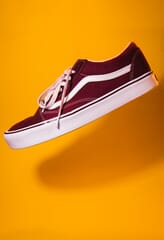
s=240
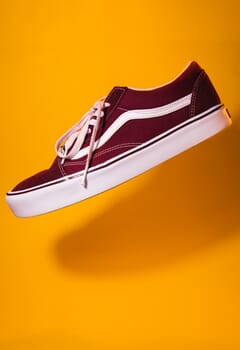
s=240&scale.option=fill
Use the shortest dimension for thumbnails that fill their box, and the longest dimension to show the whole image.