Join Another Sirv Account
 By Jake Brumby, Customer Success DirectorUpdated
Short answer
To join another Sirv account, click your account name at the bottom left, choose Join another account, enter that account's name and click Request access. The account owner gets your request and decides whether to let you in. Once they accept, the account appears in your account list and you can switch to it.
After reading this you will know
- How to ask for access to another Sirv account
- What you need to know before you send a request
If you’d like to join another account (rather than create a new one), you can send a request to the account owner. Owners can also invite you directly. You just need to know the name of that account.
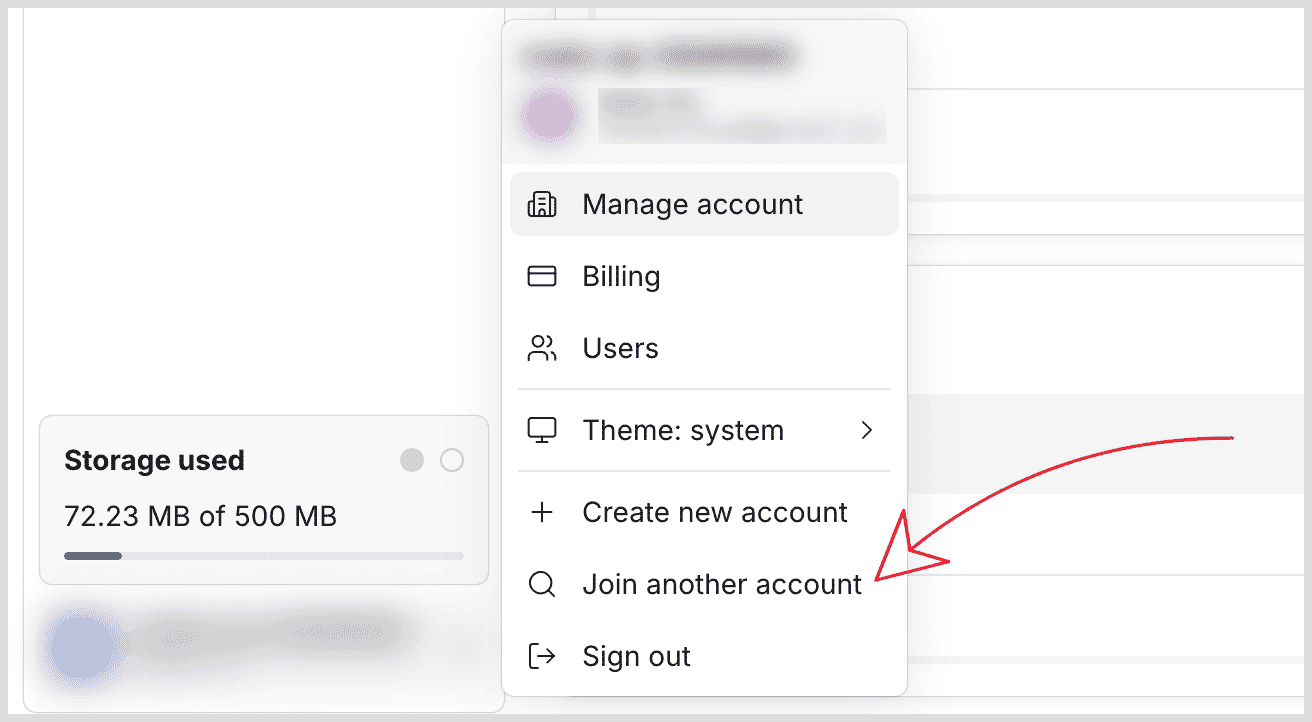
You will have access, with the role the owner gives you, once the owner accepts your request, then you can switch between your accounts. To request access to another account: 1. Click your account name at the bottom left, then “Join another account”:
2. Enter the name of the account you wish to join:
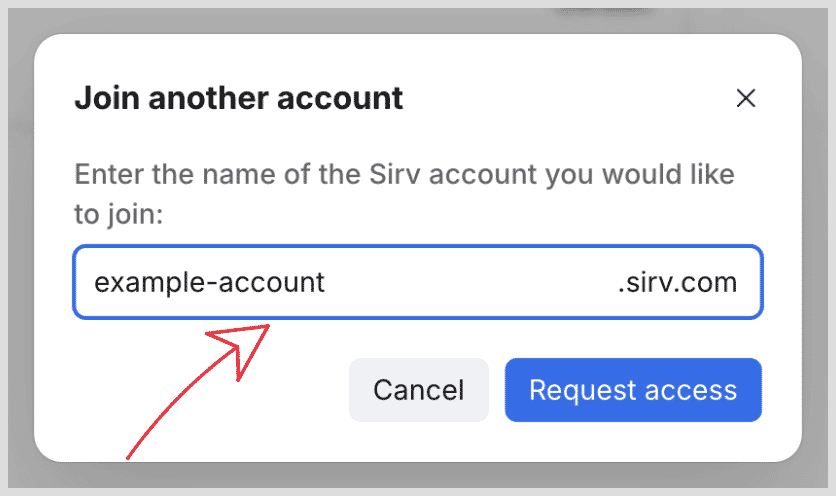
3. Click “Request access”.