How to convert 360 spin to video
 By Olha Kersting, Head of MarketingUpdated
Short answer
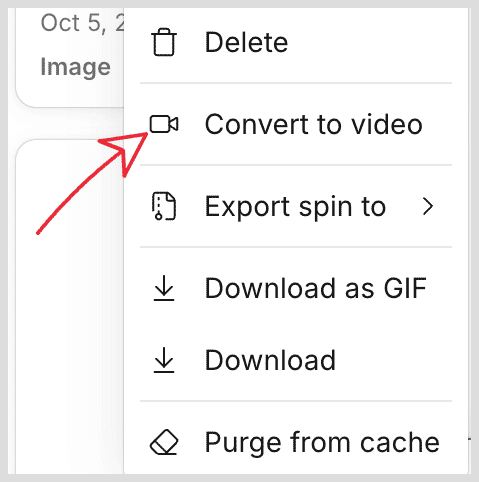
In your Sirv account, open the spin's menu and choose "Convert to video". Set the size, number of loops and loop duration, then click "Convert", and Sirv saves an MP4 file you can play and share almost anywhere. One rotation takes 3.6 seconds by default. It needs a Business 5 plan or higher.
After reading this you will know
- How to turn a 360 spin into an MP4 video
- How to change the video speed
- How to convert spins with the API, and its limits
Sirv makes it easy to create videos from your interactive 360-degree product spins, and spins from videos. It generates MP4 videos, which can be played on most devices and shared online.
Example
Section titled “Example”This 36 frame spin has been converted to a video (it could also be served as a GIF):
Original spin
Converted video
Conversion process
Section titled “Conversion process”Converting spins to video is part of the Business 5 plan and higher.
- In your Sirv account, click … on the spin (or right-click it) and choose Convert to video:
- Choose the video size under “Fit into”, or choose Custom and type the width and height. Then set the number of loops, the loop duration and, if you like, a profile:
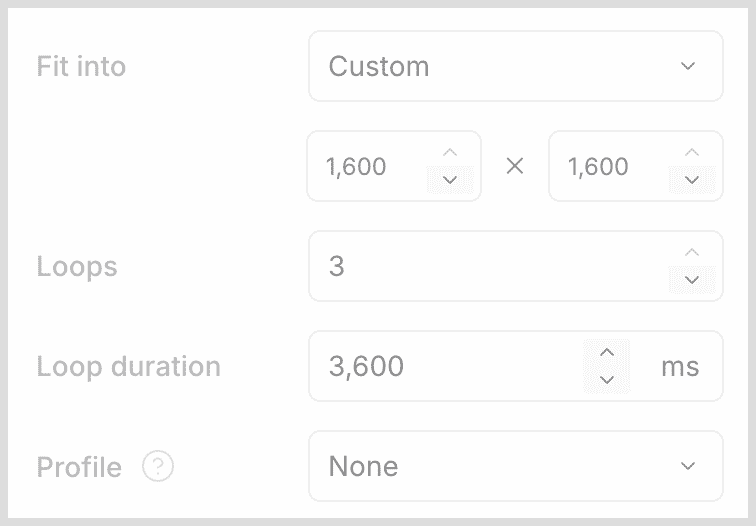
“Fit into” starts on Custom, with the spin’s own size in the width and height boxes. Its ready sizes are square: 640 × 640, 1080 × 1080 and 1920 × 1920. There are landscape and portrait sizes too, such as 1920 × 1080 and 1080 × 1920.
- Click “Convert”. After a few seconds the window says “Video created successfully” and shows the name of the MP4:
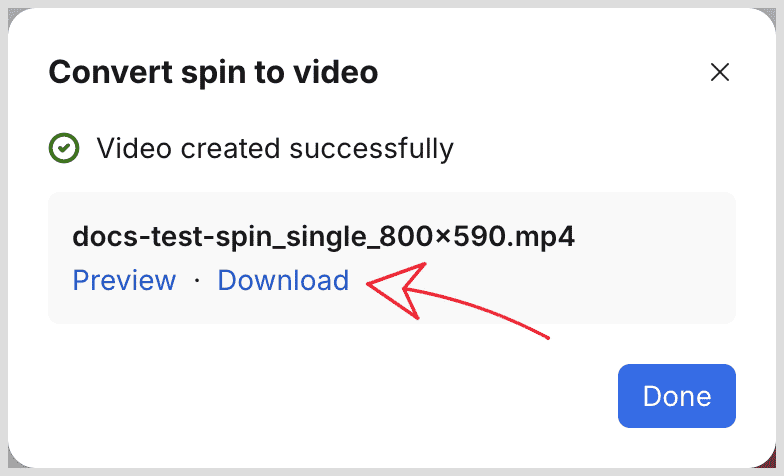
Click “Download” to save the MP4 to your computer, or “Done” to close the window.
- The MP4 is saved in the spin’s folder, under Videos below the images:
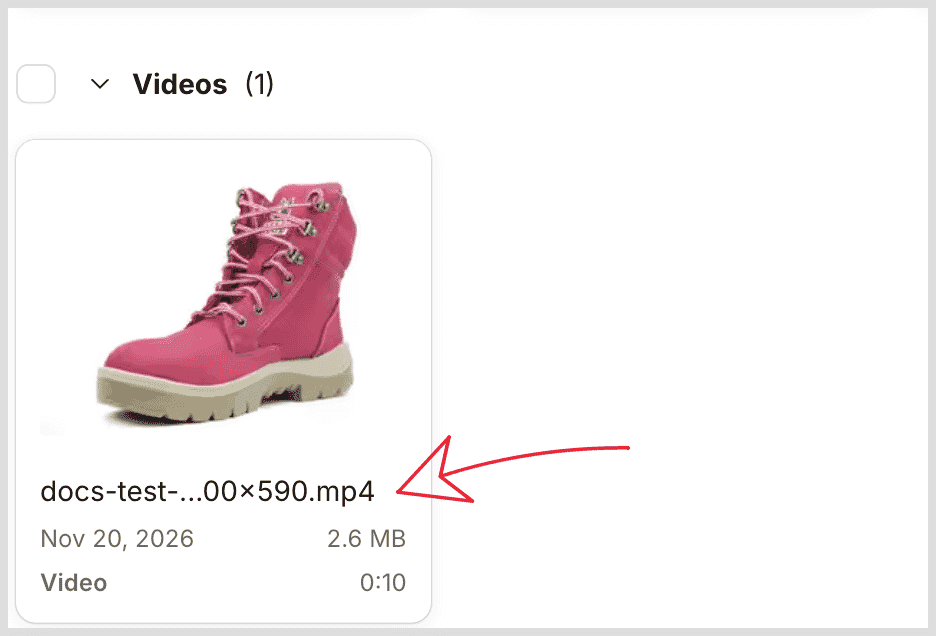
Its name is the spin’s name, then _single_ and the video size, such as docs-test-spin_single_800×590.mp4.
Change video speed
Section titled “Change video speed”To speed the video up or slow it down, change “Loop duration” in the same window: the time in milliseconds (ms) for one full rotation.
The default is 3,600 ms (3.6 seconds). A higher value slows the video down, a lower value speeds it up.
Conversion via API
Section titled “Conversion via API”You can also convert spins to videos via the Sirv REST API.
This lets you fully automate video creation and downloading - ideal if you’re building an app or integrating Sirv into your workflow. REST API method: v2/files/spin2video
API conversion limit
Section titled “API conversion limit”There’s an API limit on the number of spin to video conversions per hour:
- Enterprise accounts: 400 per hour
- Business accounts: 200 per hour
- Free accounts: 20 per hour
If you need a higher limit, ask us about Sirv’s pre-processing API with higher limits and other benefits.
If you don’t have a Sirv account yet, register now to get 5GB free for a 30-day trial.