Serve Files from Multiple Subdomains
 By Jake Brumby, Customer Success DirectorUpdated
Short answer
One Sirv account can serve files from several domains, each a sirv.com subdomain or your own domain through a CNAME record. Each extra domain can point to its own folder and use its own Default profile, for example to add a watermark. Every domain gets a free SSL certificate. Extra domains cost $5 a month.
After reading this you will know
- How to add extra sirv.com subdomains or your own domains
- How to point each domain to a folder and give it its own settings
- What extra domains cost
Your Sirv account can serve images from multiple domains/subdomains, enabling you to personalize your file URLs.
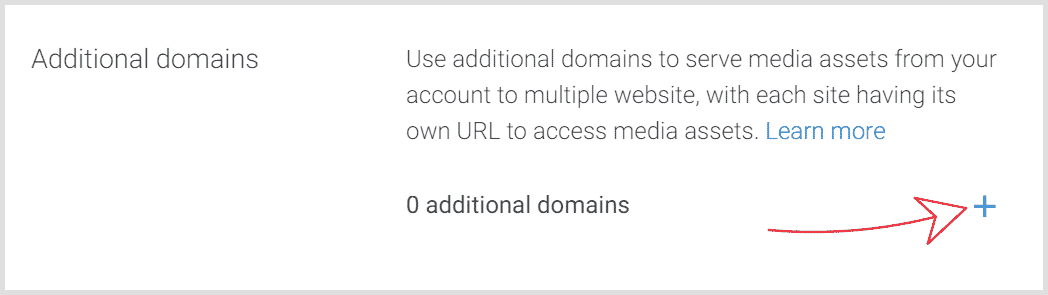
For example, you could serve images to different websites, with each site having its own custom image URLs. Add more domains in Settings > Delivery of your Sirv account, with “New configuration” (Business 5 plan or higher):
Custom domain and sirv.com domain
Section titled “Custom domain and sirv.com domain”Additional domains are configured, like your main account name, as a subdomain of sirv.com e.g. my-extra-domain.sirv.com. The name can contain letters, numbers and hyphens (6-32 characters length).
Your additional domain can also point to your own domain e.g. cdn.my-domain.com.
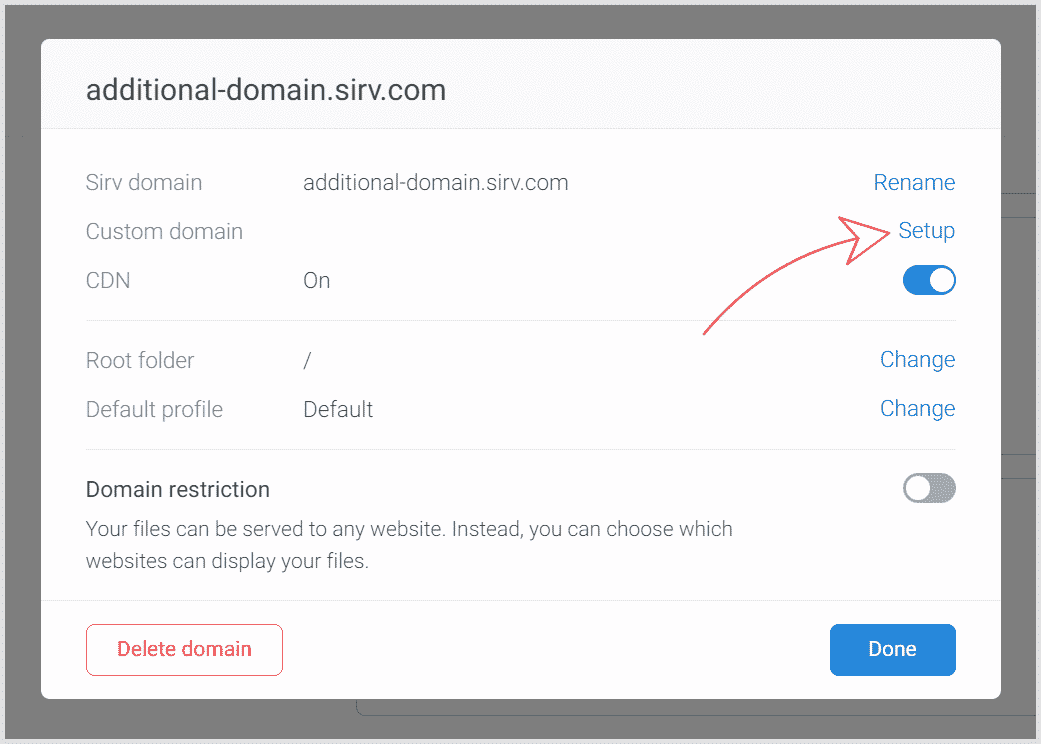
To configure a custom domain, add a CNAME record via your domain name control panel. Refer to the CNAME setup instructions if you need help.
Custom folders
Section titled “Custom folders”Each additional domain can be configured to point to a particular subfolder of your account. (By contrast, your primary domain can only point to your root folder).
Let’s say you had a custom domain of cdn.arkwright-furniture.com, you could map that to a specific folder such as /arkwright in your Sirv account.
An image located at /arkwright/example.jpg would be served from https://cdn.arkwright-furniture.com/example.jpg.

Custom profiles
Section titled “Custom profiles”Each subdomain can have its own Default profile. The Default profile contains the standard settings applied to all your images.
A different default profile could be used to apply a watermark to images from a certain subdomain or change the TTL file caching time or any of the other 100+ default settings.
Before setting a different default profile for a subdomain, create a new profile in your Profiles folder, with the custom default settings you wish to have.
SSL certificate
Section titled “SSL certificate”All additional domains and their custom domains will receive a free SSL certificate, so files can be served over HTTPS. This will be automatically renewed by Sirv for as long as you keep using it.
Pricing
Section titled “Pricing”Additional domains are charged at $5/month.