Integrate Sirv Spin with Google Analytics and Facebook pixel
 By Igor Varyvoda, Head of Sirv StudioUpdated
Short answer
Add Sirv's event code to your product pages, after sirv.js and your Google Analytics or Facebook pixel code, and each spin interaction is sent as an event. Then turn those events into goals in Google Analytics, or into a Custom Audience in Facebook, to measure conversions and retarget shoppers who spun a product.
After reading this you will know
- How to send 360 spin events to Google Analytics and Facebook
- How to turn spin events into goals
- How to build a Facebook audience of people who used a spin
You can measure the impact that 360 spins have on your conversion rate by tracking user interactions with your spins.
You might also want to set up remarketing campaigns in Google and Facebook ads, to target users who have previously interacted with your 360 spins.
Tracking code
Section titled “Tracking code”First, make sure that your tracking code is working correctly. This is important - if your tracking code isn’t correctly implemented your data won’t be of use.
Refer to the official Google Analytics guide for configuring tracking. You can also send the events through Google Tag Manager.
For Facebook pixel installation, follow the Facebook pixel guide.
Set up Sirv callbacks
Section titled “Set up Sirv callbacks”Add Sirv Event tracking code to your product pages, using this integration code:
<script>/* Triggers when the spin is loaded. */Sirv.on('spin:ready', (spin) => { ga('send', { hitType: 'event', eventCategory: 'Sirv', eventAction: 'Spin loaded', eventLabel: 'event.sirv.spin.loaded' }); /* Send a custom event to Facebook */ fbq('trackCustom', 'Sirv Spin Loaded');});/* Spin rotated event pushed to GA */Sirv.on('spin:rotate', (spin) => { ga('send', { hitType: 'event', eventCategory: 'Sirv', eventAction: 'Spin interaction', eventLabel: 'event.sirv.spin.interaction' }); /* Send a custom spin event to Facebook */ fbq('trackCustom', 'Sirv Spin Interaction');});</script>Place that code after the references to sirv.js, Google Analytics and/or your Facebook pixel.
You are not limited to these two Sirv Spin events - here’s the full list of event callbacks.
Set up event based goals in Google Analytics
Section titled “Set up event based goals in Google Analytics”Now you can turn your events into goals. This will help you clearly see how your users interact with your spins.
We recommend you follow the official Google goal guide.

Additionally, you can import these goals to Google Ads and retarget visitors based on this information.
For example, you can show ads to people who have interacted with your spins, or vice versa.
Set up Custom Audiences in Facebook
Section titled “Set up Custom Audiences in Facebook”In Facebook, you can create a custom audience of people who have interacted with your spins. Then you can target your ads to those people, or exclude them from your ad campaigns.
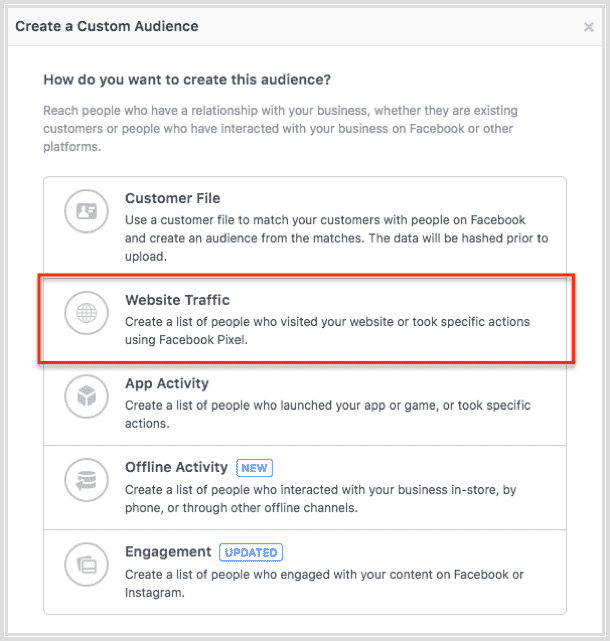
Follow the official Facebook guide to creating a custom audience. Choose people who triggered (or didn’t) Sirv Spin events. That’s it.
You can use that audience to create remarketing campaigns, with personalized images for each person.