Host Gigapixel Images
 By Marc Bonne, Customer Success TeamUpdated
Short answer
Upload your gigapixel image to Sirv and embed it as a zoom. Visitors can zoom deep into every detail. Master images can be up to 128 MB and 50,000px wide or high, and Sirv pre-processes images over 16 MB so new sizes are created quickly.
After reading this you will know
- How Sirv serves gigapixel images as fast zooms
- What the size limits are for gigapixel images
- How to prepare and troubleshoot large images
Sirv can serve giant gigapixel images as much as 50,000px width/height. This image of The Last Supper painting is 25,000px by 9,499px:
Use Sirv for your gigapixel images
Section titled “Use Sirv for your gigapixel images”It’s easy to host and serve your big images from Sirv.
1. Upload your images to your Sirv account. If you don’t have an account yet, create a free account now.
2. Click … on your image (or right-click it) and choose Copy link.
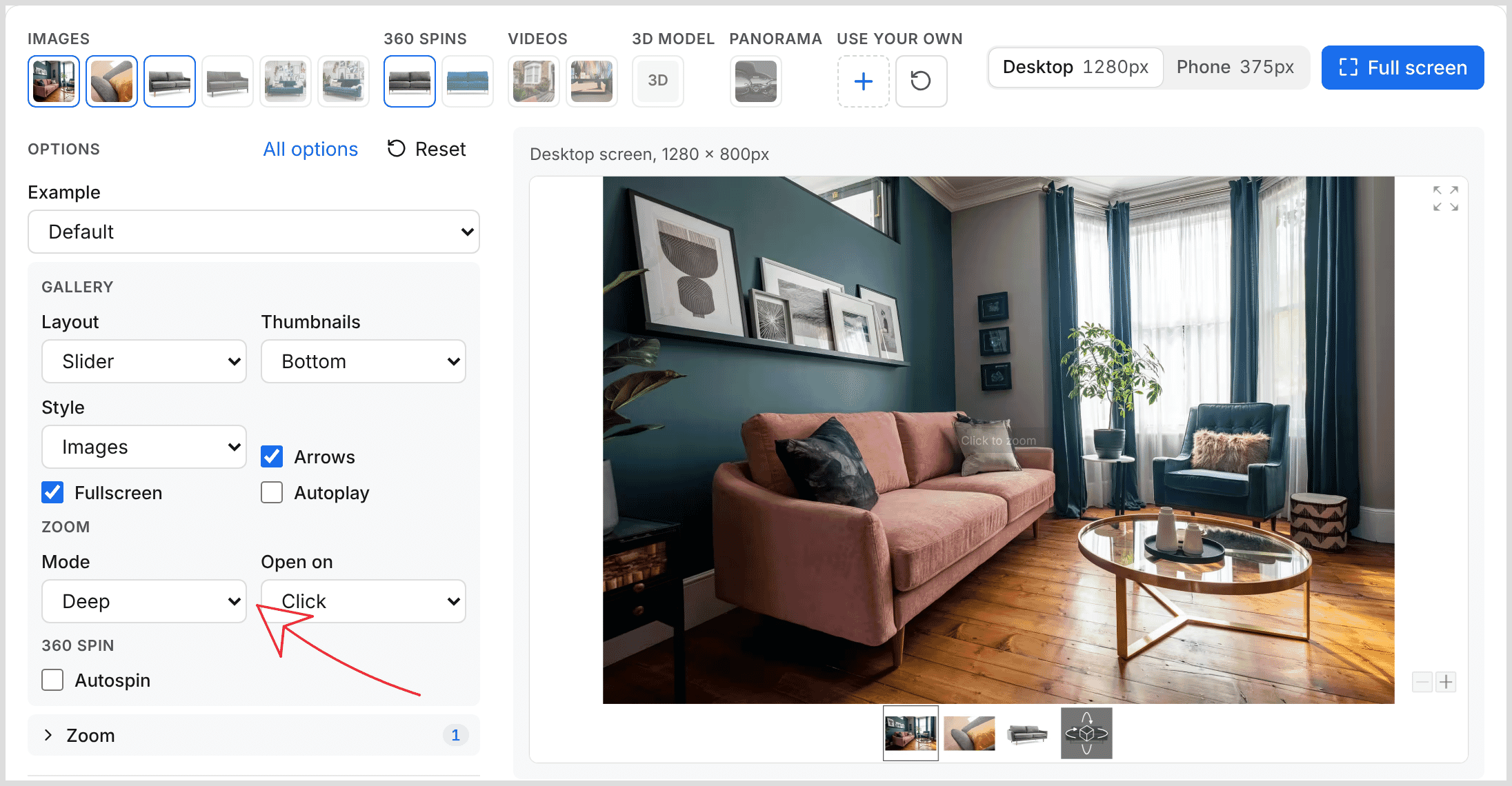
3. Open the Sirv Media Viewer Configurator click + under Use your own, paste the URL and click Use these files.
4. Under Zoom, set Mode to Deep, then copy and paste the code into your web page.
Highly configurable zooms
Section titled “Highly configurable zooms”As well as deep zoom on click, you can choose hover zoom or magnify zoom. Many other popular options exist - learn more in the documentation for Sirv image zoom viewer.
The following demo shows a watch image of 11,492px by 8,621px. It has been configured to open fullscreen on click and show a contextual map in the corner while zoomed:
File size limit
Section titled “File size limit”Sirv is extremely fast at optimizing and serving files on-the-fly. Like magic, your master image can be instantly requested in limitless sizes and styles.
To keep Sirv fast, some limitations are placed on the size of gigapixel zoom images. Limits on the master image (the one you upload):
- 128 MB maximum file size
- 50,000px maximum width/height
Limits on served images:
- 50,000px maximum width/height if JPEG
- 16,383px maximum width/height if PNG or WebP
Automatic pre-processing
Section titled “Automatic pre-processing”If your image is between 16 MB and 128 MB, Sirv will create a pre-processed version behind-the-scenes.
This pre-processed image will help ensure that future versions of the image are generated really quickly.
Image preparation advice
Section titled “Image preparation advice”If your image is larger than 50,000 px width/height or 128 MB, prepare it before uploading. Recommendations:
- JPEG is the best format for fast processing
- Try 85% JPEG compression - it’ll be high quality yet smaller file size
- Try using a better image compression program e.g. Caesium (free for Windows and Mac)
- Try reducing the image dimensions slightly
Troubleshooting
Section titled “Troubleshooting”If your file won’t serve, visit the image URL directly to see what error is returned. Possible errors:
-
415 - Image is too large
This means the image exceeds the 65,534px width/height limit. Try resizing it to 50,000px and uploading it again.
-
415 - This xx.xx MB image exceeds the 33.55 MB processing and 128 MB pre-processing limits.
Send a message to the Sirv team so we can resolve the issue.
-
The image “https://example.sirv.com/example.jpg” cannot be displayed, because it contains errors.
Processing this image took too long. It usually only happens if serving an extremely large entire image. Try again or display the image as a deep-zoom image instead.
