Create SEO Friendly URLs for Images
 By Olha Kersting, Head of MarketingUpdated
Short answer
Add a slash and the name you want after the image URL, for example adidas-01-01.jpg/adidas-predator-black-football-boot.jpg, and Sirv serves the same image from that descriptive URL. The original file keeps its name, so no links break, and dynamic imaging options such as ?w=300 still work. It doesn't work if auto-fetch is on in your account.
After reading this you will know
- How to give any image a descriptive URL without renaming it
- How to combine it with resizing and other options
- Best practices for image file names
Sirv can deliver an image from a descriptive URL even when the original file has a generic name such as adidas-01-01.jpg.
Image file names help search engines understand your images, but only if they accurately describe the product.
Use SEO friendly image URLs when:
- Your files already exist in Sirv with camera or system-generated names.
- You want descriptive image URLs for products, categories or landing pages.
- Renaming the files would break feeds, templates, integrations or API jobs.
If you are preparing new images before upload, it’s usually better to rename the files first.
Image SEO example
Section titled “Image SEO example”Consider this Adidas football boot image:
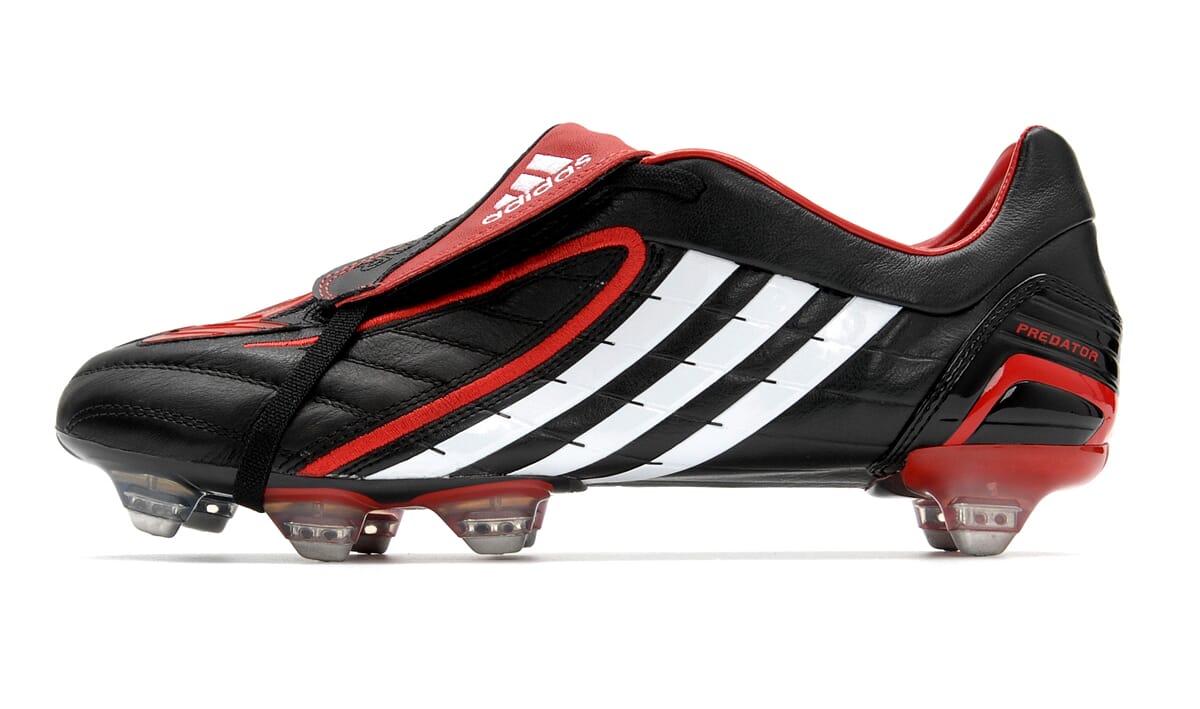
The master image in Sirv is named adidas-01-01.jpg, which says nothing about the product beyond the brand.
In an ideal world, an optimal image file name would be something like adidas-predator-black-football-boot.jpg, but it might take considerable time and effort to rename all your images to such ideal names.
That’s why Sirv provides an easy way to use SEO friendly image name URLs without actually renaming your images.
Optimal image file names (without renaming)
Section titled “Optimal image file names (without renaming)”When it is not convenient to rename your images, add the name you’d like to use to the end of the image URL. Sirv will deliver the image with its “new” name. For example, this image:
https://sirv.sirv.com/website/demos/adidas/adidas-01-01.jpg
can be served as:
https://sirv.sirv.com/website/demos/adidas/adidas-01-01.jpg/adidas-predator-black-football-boot.jpg
Add any image name to the end of your image URL, after a slash:
https://your-account.sirv.com/your-image.jpg/seo-friendly-file-name.jpg
Dynamic imaging support
Section titled “Dynamic imaging support”You can freely use all dynamic imaging options with SEO friendly URLs. Put the descriptive name before the ?:
https://sirv.sirv.com/website/demos/adidas/adidas-01-01.jpg/adidas-predator-black-football-boot.jpg
The URL above adds a descriptive image name and resizes the image to 300px width. Here’s the result:
Usage with autofetch
Section titled “Usage with autofetch”SEO friendly image names let you publish descriptive URLs while keeping the original file name in Sirv. Be aware that they won’t work if you’ve enabled Sirv’s auto-fetch feature.
Both features depend on the same trigger - what action to take if the requested file doesn’t exist. Your account can use either auto-fetch or SEO friendly names, not both.
What makes a good image file name?
Section titled “What makes a good image file name?”- Use short, accurate names such as
adidas-predator-black-football-boot.jpg. - Put hyphens between words.
- Keep the real file extension at the end of the name you add.
- Avoid keyword stuffing and repeated words.
- Use alt text and image metadata as well as descriptive URLs. See image metadata and automatic alt text.