Domain Protection
 By Jake Brumby, Customer Success DirectorUpdated
Short answer
Domain restriction blocks requests for your files unless they come from domains you approve, which stops other sites using your bandwidth. Turn it on in Settings > Delivery of your Sirv account and add each allowed domain. You can also block direct requests and search engines. Strict profiles, passwords and tokens give extra protection.
After reading this you will know
- How domain restriction works and what it blocks
- How to turn it on and add allowed domains
- How to block direct requests and search engines, and other protections
Your Sirv files can be requested by anyone who knows the URL. Sirv offers multiple ways to limit file access, if you wish to protect some or all of your files.
Domain restriction is one of those protections. It needs a Business 5 plan or higher; on a lower plan, the switch offers an upgrade.
How domain restriction works
Section titled “How domain restriction works”Domain protection will block access to your files, unless the request comes from a whitelisted (approved) domain.
This can prevent leeching of your bandwidth - when your images are served to web pages that don’t belong to you. You can also block direct requests and search engine bots.
When a request is blocked, a 403 response will be returned. For example, this file belongs to an account using domain protection:
https://demo-protected.sirv.com/important-image.jpg
Enable domain restriction
Section titled “Enable domain restriction”1. Go to Settings > Delivery in your Sirv account and click Manage. If you don’t have a Sirv account, create a free account now. 2. Turn on the “Domain restriction” toggle:
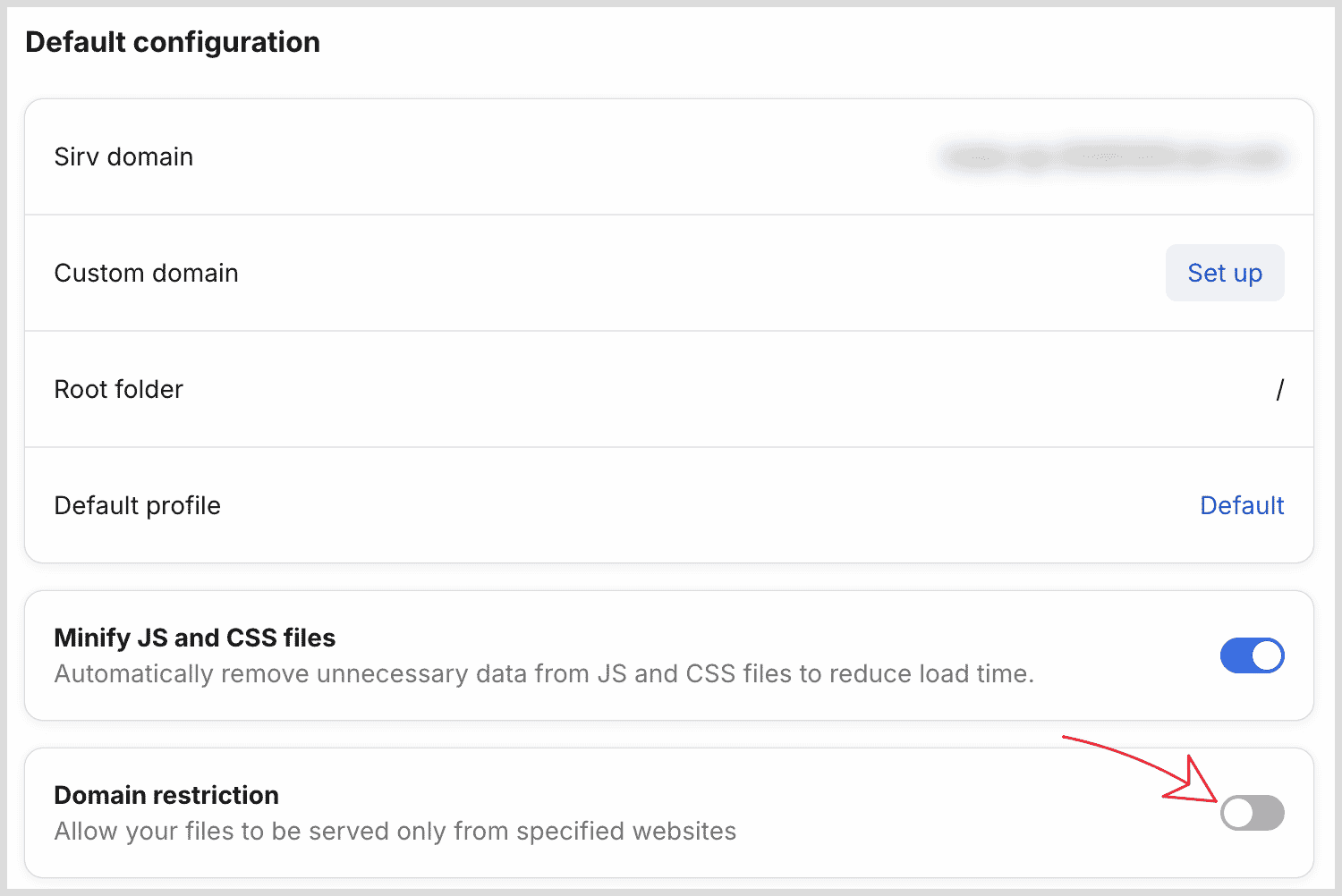
3. Click the + icon to add a domain you wish to allow:
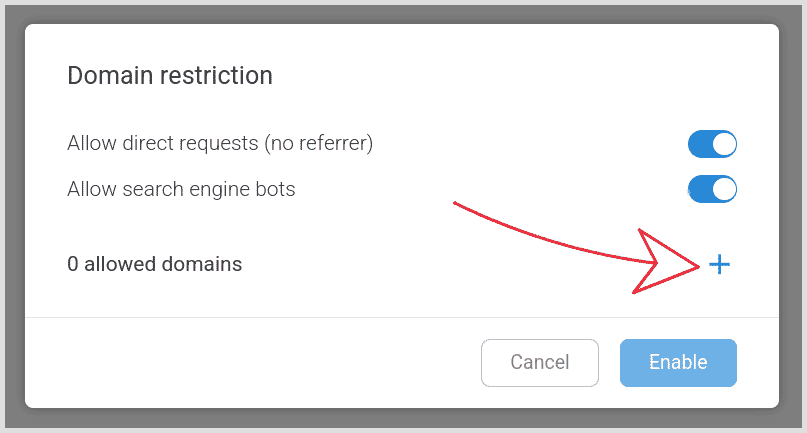
4. Enter the domain name to be whitelisted:
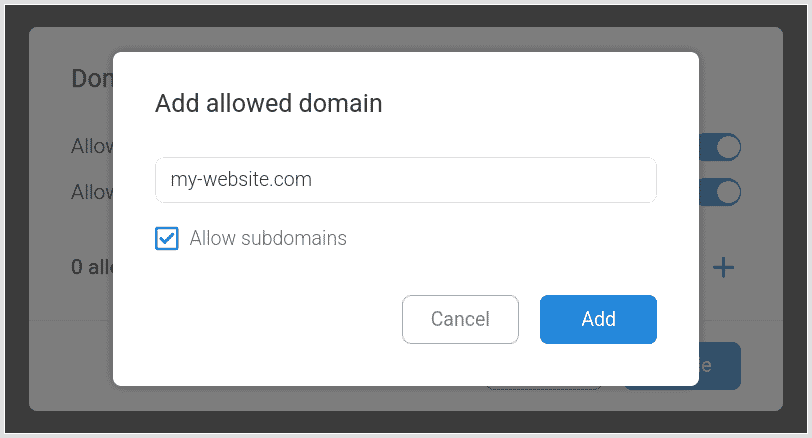
5. Add as many domains as you wish:
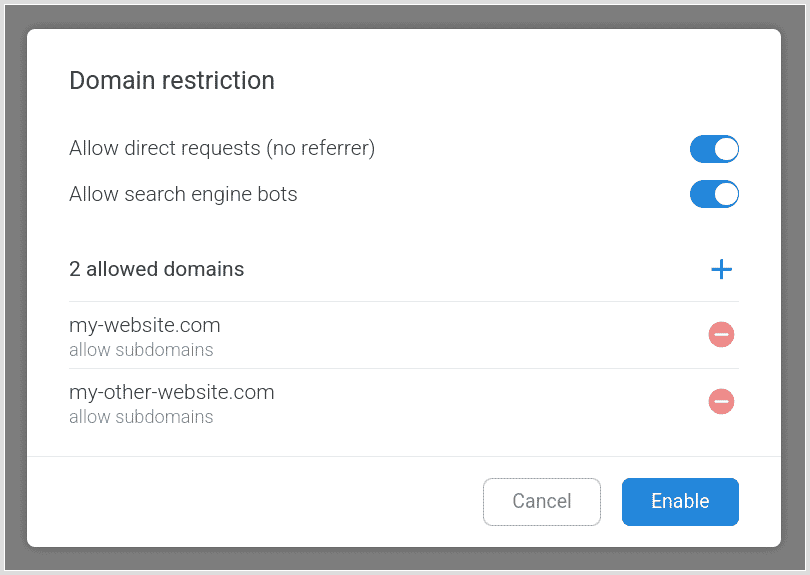
Prevent direct requests and search engines
Section titled “Prevent direct requests and search engines”You can deactivate “direct” requests too - when an image URL is requested directly by a browser or program.
Search engines can also be blocked from indexing your images. This will stop them from appearing in Google Images search results (and other search engines).

More image protections
Section titled “More image protections”Sirv also provides other ways to protect your files:
- Strict profile - apply watermarks and other settings to all images in a folder and its subfolders.
- HTTP authentication - protect all the contents of a folder with a username and password.
- Token authentication - block requests for your files unless they contain a valid token in the URL.