Master Account with Sub-accounts
 By Jake Brumby, Customer Success DirectorUpdated
Short answer
A master account can have sub-accounts, each with its own files and analytics, all paid on one invoice. Each sub-account costs $10 a month, or $100 a month on Enterprise, and they share the master account's storage and transfer. Owners create them in Settings > Sub-accounts.
After reading this you will know
- Who sub-accounts suit and how they are billed
- How storage, transfer and analytics work across accounts
- How to create, manage and transfer sub-accounts
Your Sirv account can be upgraded to a master account, with sub-accounts. This can be suitable for:
- Businesses with multiple brands/divisions (if they can share one account, extra domains may be enough)
- Digital agencies and photography studios with many clients
- Multiple environments (e.g. development and production), each with its own sirv.com subdomain or custom domain
- Multi-stores for PrestaShop and Magento
Billing
Section titled “Billing”Your master account will be billed. Sub-accounts will not receive a bill and they won’t see your payment history or card details. Payment information will be shown only on the master account Billing page.
Each sub-account will be charged at $10/month or $100/month for Enterprise accounts.
Storage and bandwidth allowance
Section titled “Storage and bandwidth allowance”The storage and transfer allowances of your master account will be shared between all your accounts.
The master account will display the total amount of storage used and the storage per account, on your Usage page:
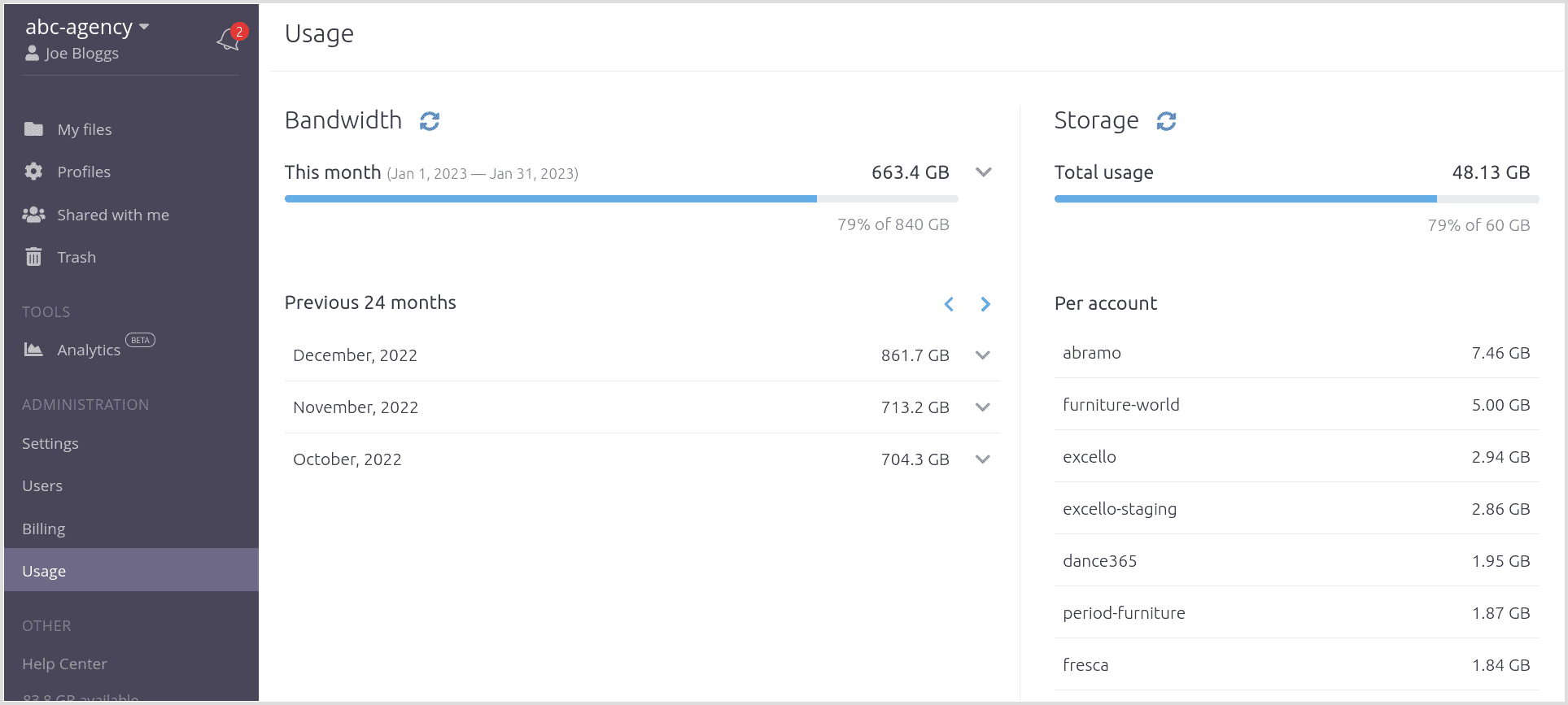
Each sub-account will display the storage and bandwidth used by that account, plus the total amount still available to use.
If the total storage or transfer usage of all combined accounts exceeds the master allowance, notification emails will be sent to all owners and admins of the master account.
The master account should be upgraded to a larger plan within the time frame specified (30 days if storage allowance is exceeded).
If the master account becomes frozen for exceeding an allowance, all sub-accounts will also be frozen.
Analytics
Section titled “Analytics”Each account will display its own Analytics for traffic, performance, errors, spin views and storage. This includes the master account - visitor analytics are for that account only.
Create a sub-account
Section titled “Create a sub-account”Owners can create sub-accounts - Admins and other user roles cannot.
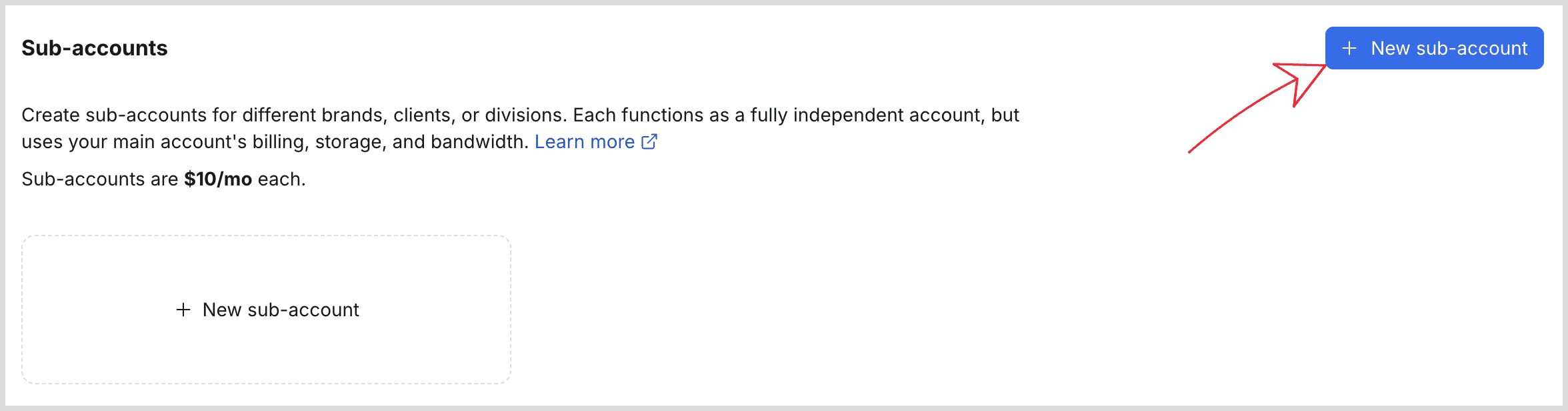
1. Go to Settings > Sub-accounts and click “New sub-account”. The page also shows the price, $10 a month each:
2. Choose a name for your new account. It becomes its address, NAME.sirv.com, so use 6 to 30 letters, numbers or hyphens.
3. Click Create to finish creating the new sub-account.
Manage your sub-accounts
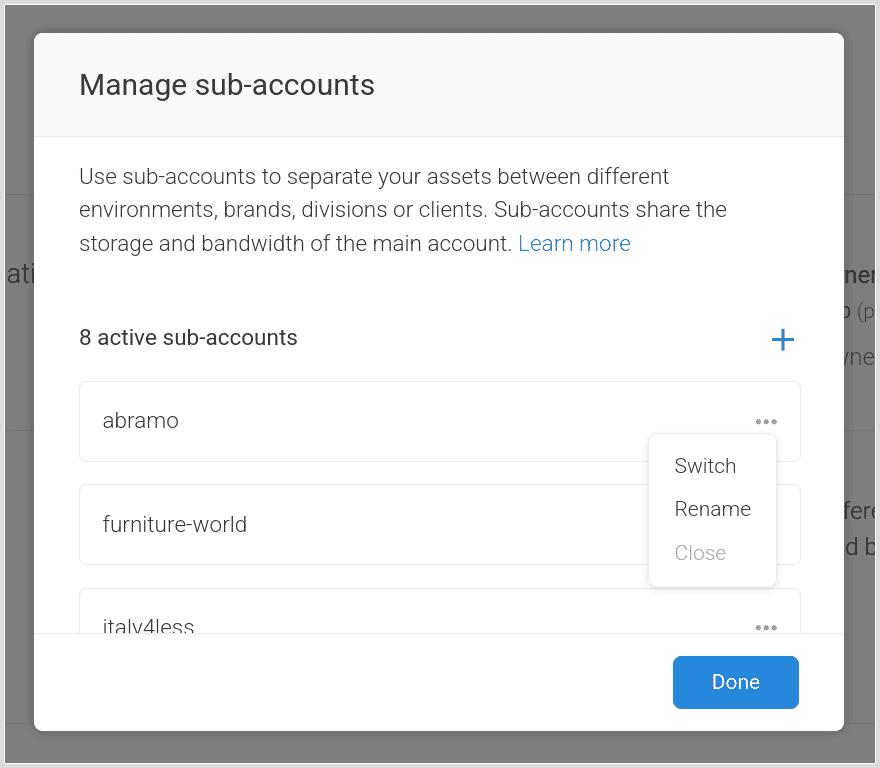
Section titled “Manage your sub-accounts”From your master account, you can rename or close your sub-accounts, and switch between them. Manage them in Settings > Sub-accounts.
Create an independent account
Section titled “Create an independent account”As well as creating sub-accounts, it is also possible to create additional accounts that are independent.
Each account will have its own billing settings and allowances. Follow the simple process to create multiple separate Sirv accounts, with your existing user login.
Transfer a sub-account
Section titled “Transfer a sub-account”To transfer a sub-account to another master account, contact the Sirv support team with the sub-account name, the original master account name and the new master account name.