Download Files
 By Jake Brumby, Customer Success DirectorUpdated
Short answer
In the Sirv web app, right-click a file or folder, or select several, and click Download to get a zip. Instant downloads go up to 4,000 files or 512 MB. Larger downloads become a background download, split into several zips that stay available for 5 days. You can also download by FTP, S3, API or URL.
After reading this you will know
- How to download files and folders from the web app
- How background downloads work for very large amounts
- How to download by FTP, S3, the REST API or a URL
There are many ways to download files from your Sirv account. The simplest is to use the Sirv web app. Either right-click a file/folder or select multiple files/folders and click “Download”.
Sirv will package all the files into a zip file and commence the download. To get a list of your files rather than the files themselves, export it as a CSV.
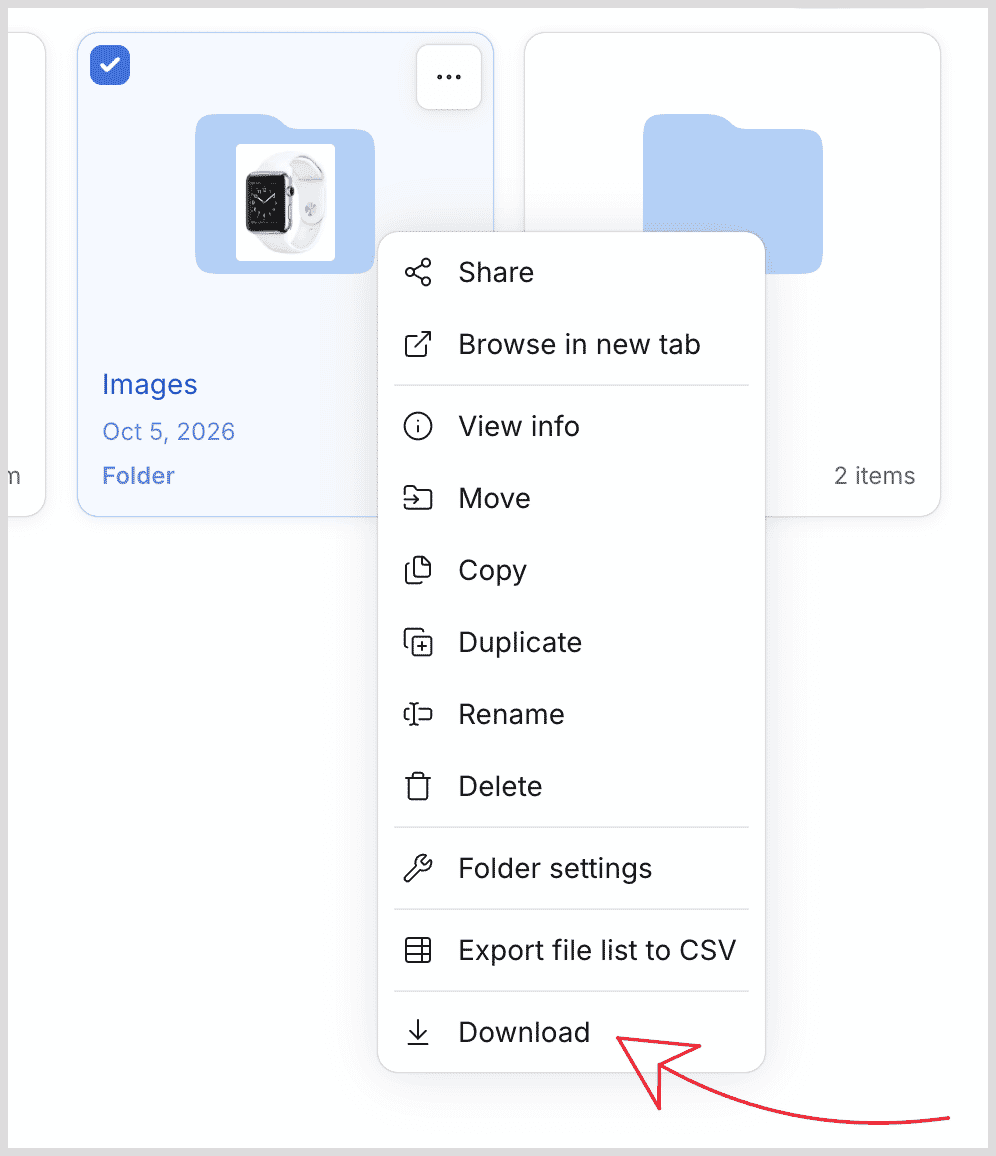
Download limit
Section titled “Download limit”Instant downloads are limited to 4,000 files or 512MB per zip file (whichever is greater). If you reach the limit, the “Background download” option will display (for Business 100 accounts and above).
Background download
Section titled “Background download”If your download exceeds your limit for an instant download, a “Background download” option will appear.
This will prepare a multi-volume zip archive - a set of zip files with a master .zip file that can be extracted once the other zips have downloaded.
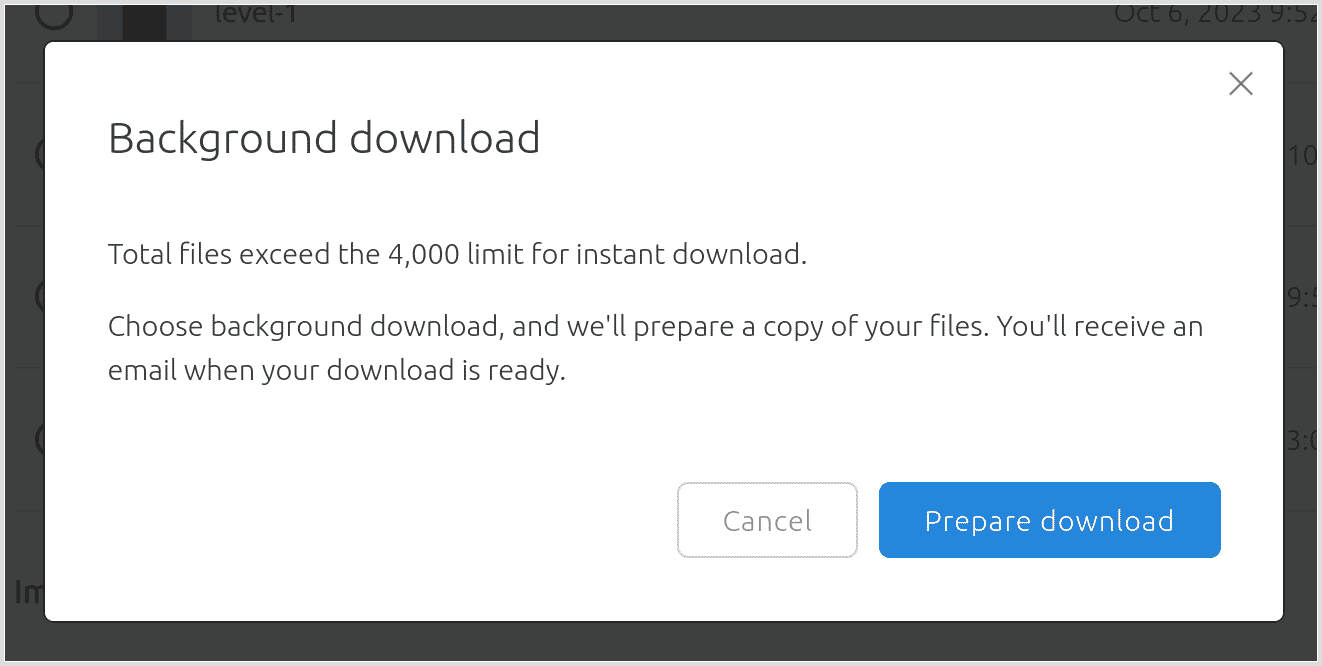
The larger the download, the longer it will take to prepare. It could take a few hours for very large amounts of data. The zip files do not count towards your account storage limit.
You will receive an email with the zip links once ready for download.
Link expiry
Section titled “Link expiry”The URLs for your multi-volume zip will expire after 5 days, so please download the files before then. If files are needed after that date, a new background download should be created.
How to download the zips
Section titled “How to download the zips”This video tutorial explains how to download and unzip multi-volume zips:
Recommended multi-volume zip programs
Section titled “Recommended multi-volume zip programs”Your default zip program might not be capable of unzipping multi-volume zip archives. If your program fails, we recommend these free multi-volume zip programs:
- Windows: 7Zip
- Mac: Unarchiver
- Linux: p7zip
Background download limit
Section titled “Background download limit”Very large amounts of data can be downloaded, though there are limits on both total file size and total number of files. If you hit a limit, reduce the number of files that you’re trying to download:
| Plan | Size limit | File limit |
|---|---|---|
| Enterprise | 500 GB / hour | Dynamic* |
| Business 100+ | 100 GB / hour | Dynamic* |
| Business 5 - 60 | 50 GB / hour | Dynamic* |
| Trial | 1 GB / hour | Dynamic* |
| Free | 1 GB / hour | Dynamic* |
* The total number of files is limited to an amount that can be safely handled. The amount is dynamic and very large - typically hundreds of thousands of files.
FTP or S3 download
Section titled “FTP or S3 download”You can also download files by FTP or S3. Your login credentials are shown in the Uploads settings of your Sirv account.
If you’re setting up for the first time, you could follow instructions to connect by FTP with Filezilla or by S3 with Cyberduck.
API download
Section titled “API download”You can easily download files with Sirv’s REST API. Sirv provides two API download methods:
- Download single file - download files one by one. Follow the standard REST API documentation to obtain a bearer token, then use the file download API command.
- Download many files in a zip - download lots of files or folders in a zip file. Follow the bulk download documentation.
Download via URL
Section titled “Download via URL”Another download method is simply to request the file from its URL. Append ?dl to trigger downloading. Example:
https://demo.sirv.com/example.jpg
You can download the image in a particular format or size, by appending dynamic imaging parameters.
For example, this URL will download the image in JPEG format at 1200px width:
https://demo.sirv.com/example.jpg
Note: The unmodified master image cannot be downloaded from a URL.
All images will pass through image optimization, which will modify the image slightly (depending on which image format and quality settings you use).
To download the original master image, use either the REST API, S3, FTP or app.sirv.com.