Speed up WordPress with Sirv Image CDN
 By Anne-Marie Fletcher, Customer Success TeamUpdated
 Sirv for WordPress1. In WordPress, go to Plugins › Add New, search “Sirv”, then Install and Activate.2. Open the Sirv settings page and log in with your Sirv account, or create a free one right there.3. Click Enable, then Sync to copy your media library to Sirv.Open on WordPress.org
Short answer
Install the Sirv plugin and your WordPress images are served from the Sirv CDN in the best size and format, such as WebP, with retina versions for sharp screens. Lazy loading loads each image only when it is needed, and Sirv profiles let you tune format and quality for every image.
After reading this you will know
- How the Sirv plugin speeds up WordPress images
- How lazy loading works with Sirv
- How to tune image quality with Sirv profiles
Speed up your WordPress website by serving the most optimal image for each user, only when images are needed.
Sirv automatically converts images (preserving the originals in your media library), serving them in the most efficient dimensions and image format (WebP, JPEG, PNG, or PNG).
It’ll apply compression and other optimizations to minimize file size. For hi-res screens, Sirv will serve retina images.
Finally, it’ll cache the images ready for rapid delivery across Sirv’s fast global CDN from the nearest of 20 server locations.
WordPress CDN enabled by default
Section titled “WordPress CDN enabled by default”
Sirv server locations
Sirv has dedicated servers located on all continents, all of your static assets are distributed between them and when your site visitors request them - we load them from the nearest Sirv location.
A CDN is vital if you have visitors from all over the world. Sirv WordPress image CDN is automatically enabled to instantly accelerate your WordPress site.
All featured images, gallery images, WooCommerce and other plugin embedded images (including Elementor) are optimized and delivered by Sirv.
If you’d like to serve your theme assets too, please refer to this guide.
Not only will Sirv serve your images faster, it also takes the pressure off your own server so it can dedicate more resources to serving your other page files faster.
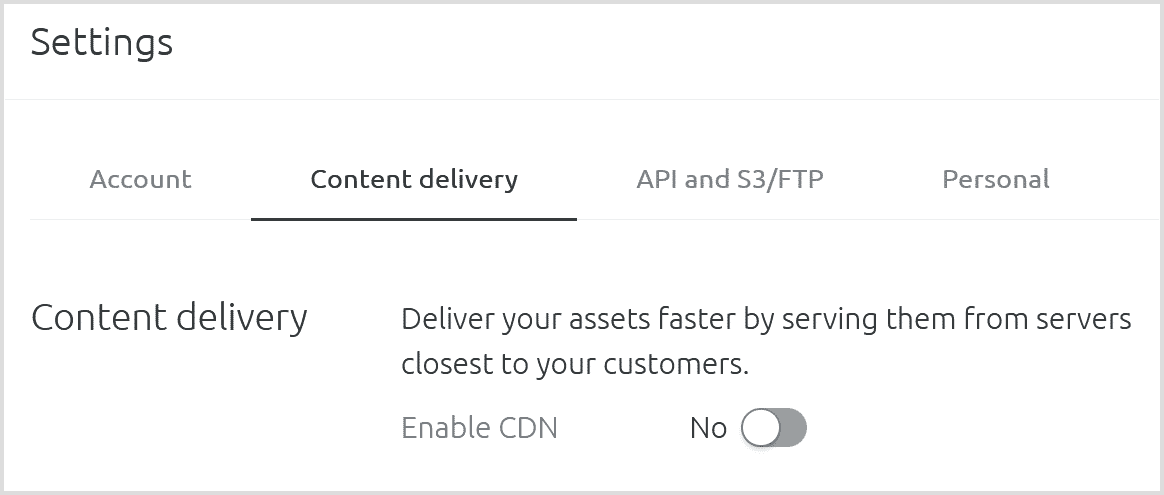
Should you wish to disable the CDN (not recommended), change ‘Enable CDN’ option to ‘No’ in your account:
Speed up WordPress by lazy loading images
Section titled “Speed up WordPress by lazy loading images”Lazy loading is a technique that defers loading of your WordPress images until they are needed. It also works for spins and galleries you add to posts and pages.
Sirv loads images when they’re visible in the viewport, and automatically resizes and optimizes them on-the-fly for fastest load times and the best user experience.
It usually takes milliseconds to process a single image. This technique has proven itself to be the best way to treat WordPress image optimization.
Enable lazy loading for WordPress like so:
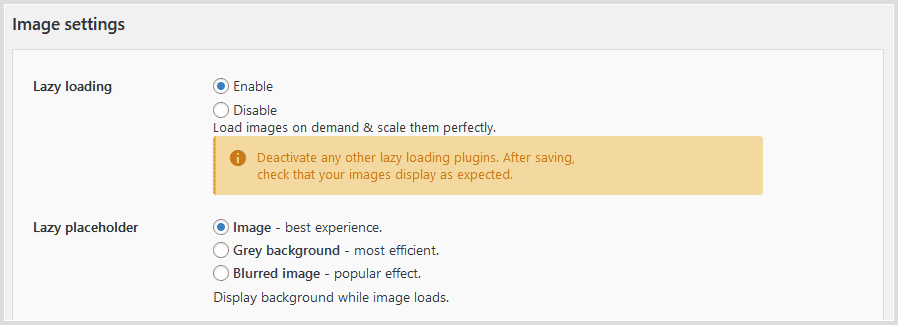
While images are loading, a placeholder will be shown in place of your images. Choose one of the three options.
Optimize image settings with Sirv profiles
Section titled “Optimize image settings with Sirv profiles”Use Sirv profiles to tweak the format and quality of your images. (If images don’t change as expected, see troubleshooting WordPress issues.)
You can make changes globally, by editing the default profile, or you can create a separate profile and apply it to Sirv shortcodes. First, tweak your quality settings:
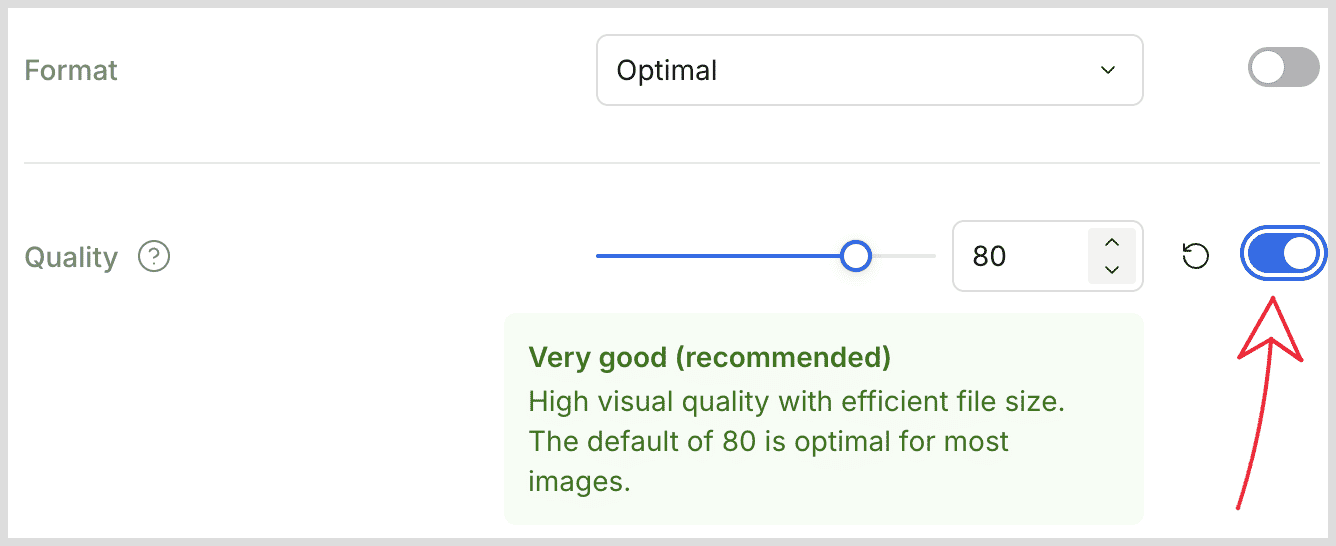
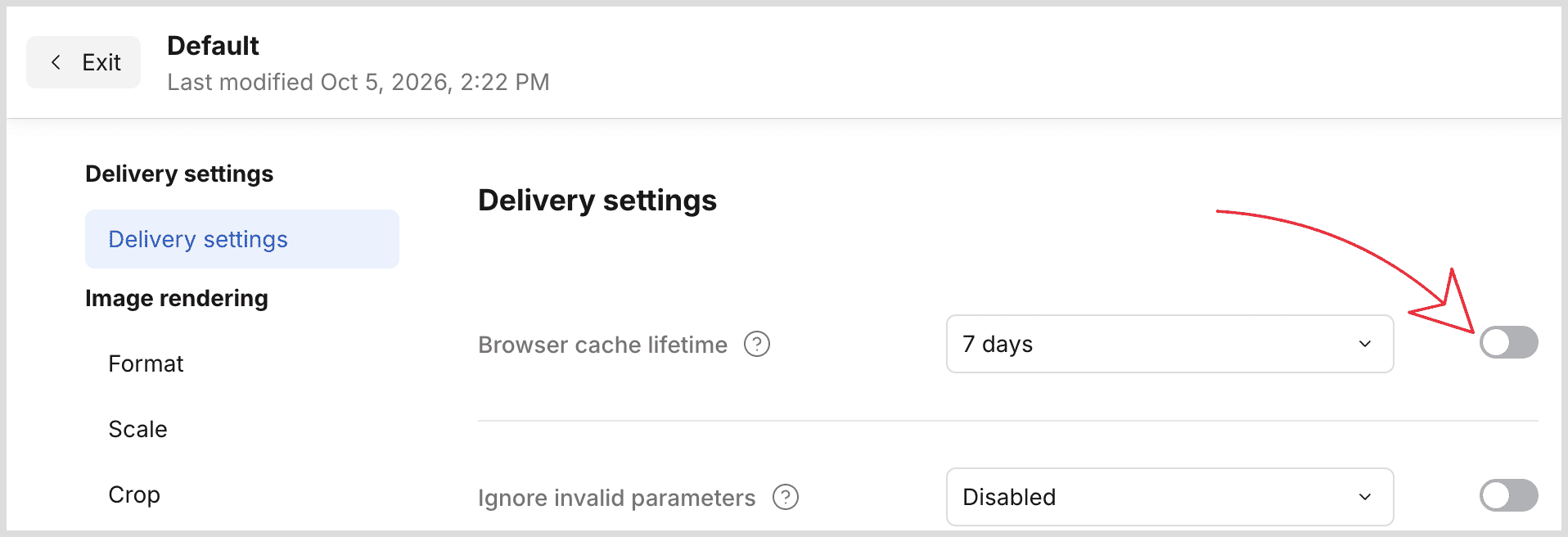

Save your settings, and your WordPress images load from the Sirv CDN with the new quality and cache settings.