Optimize Images for Faster Loading
 By Jake Brumby, Customer Success DirectorUpdated
Short answer
Images load faster when their files are smaller and travel a shorter distance. Lower the image quality slightly, use a modern format such as AVIF or WebP, serve images at the size they are shown, and deliver them over the Sirv CDN with HTTPS. Sirv handles each file request in about 0.001 seconds.
After reading this you will know
- Five ways to make your images load faster
- How quality, format and dimensions affect file size
- Why a CDN and HTTPS speed up delivery
Faster loading websites perform better. Keep your users happy with a quick site; improve your conversions; lengthen the time on site and; improve your search ranking.
All these benefits come from faster loading pages. Sirv handles file requests in lightning speed - just 0.001 seconds on average.
With that taken care of, your remaining opportunities for rapid page loading are smaller file sizes and faster delivery across the internet.
If you’re using 360 degree product views, fast image loading is even more critical. With so many images to download, these are the actions you should consider:
- Reduce image quality
- Change image format
- Reduce image dimensions
- Use the Sirv CDN
- Serve images over HTTPS
1. Image quality
Section titled “1. Image quality”Sirv compresses every JPEG, WebP and AVIF it serves to reduce the file size.
Since this reduces image quality, Sirv applies a default of 80% quality - a happy medium between low file size and good quality. Compare JPEG quality to see what level you find acceptable.
Reduce your image file size even further by lowering the quality below 80%, for example, to 75%. Simply append ?q=75 to an image URL and Sirv will generate a 75% quality image.
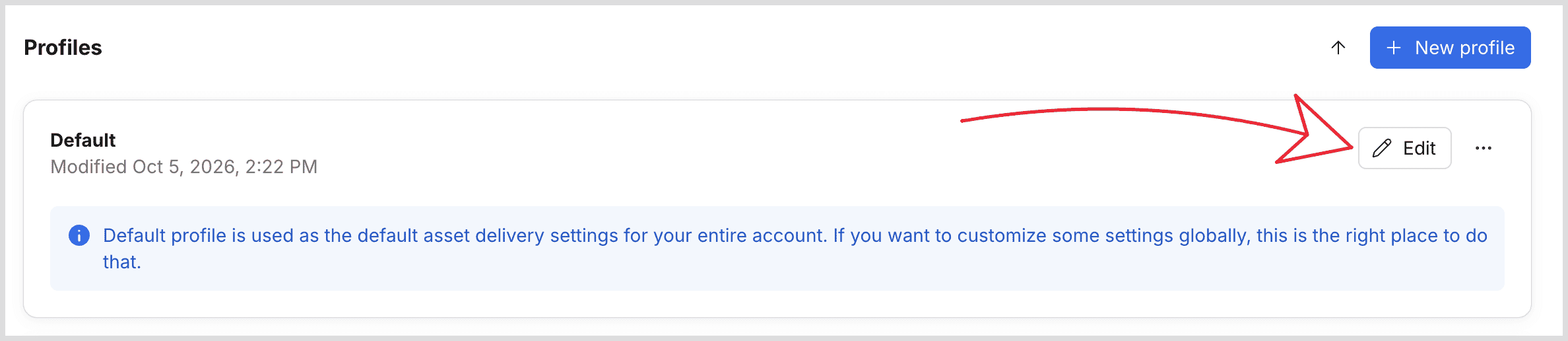
To change the default for all images served from your account, edit your Default profile.
1. Go to the Profiles page and click Edit on the Default profile:
2. Open Image rendering > Format. Switch on Quality with the switch on the right, then move the slider to the value you want:
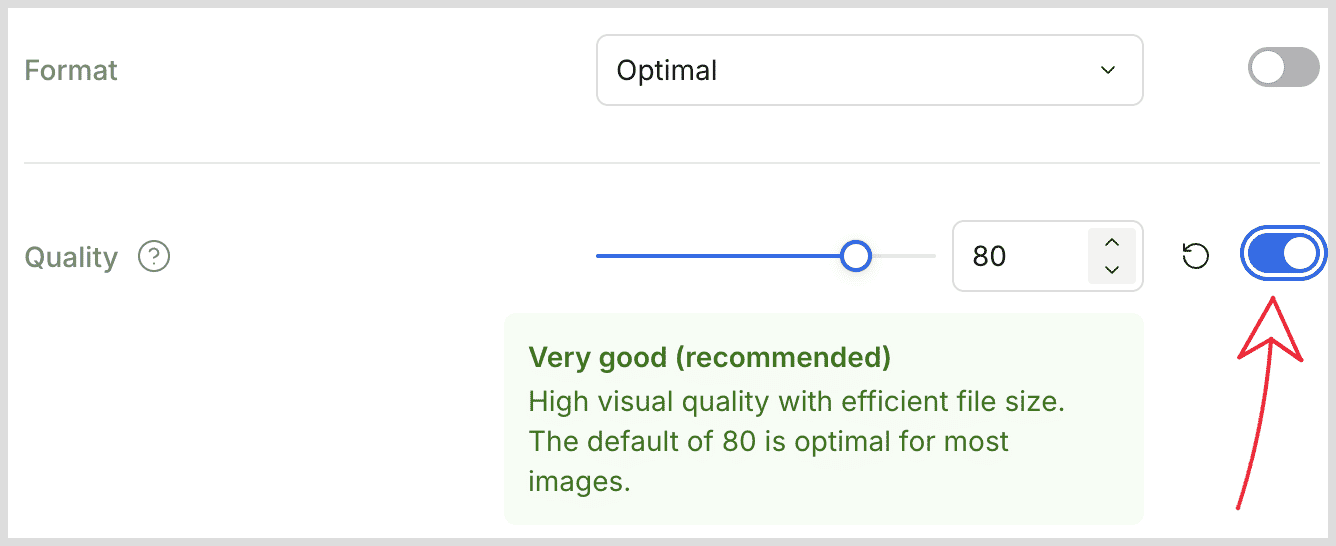
3. Click Save changes at the top right.
Any changes made to your Default profile will instantly affect all your live images, so check your website to ensure that you’re happy with the new default.
2. Image format
Section titled “2. Image format”Sirv serves each image in the best format the visitor’s browser supports, from the same URL. This is the “Optimal” format, and it’s on by default.
Browsers that support AVIF get AVIF, the next best get WebP, and the rest get JPEG or PNG.
In our test (19 Nov 2026), the same 900px photo was 43 KB as JPEG, 28 KB as WebP and 16 KB as AVIF.
AVIF and WebP both support transparency, so they also replace PNG for faster image loading.
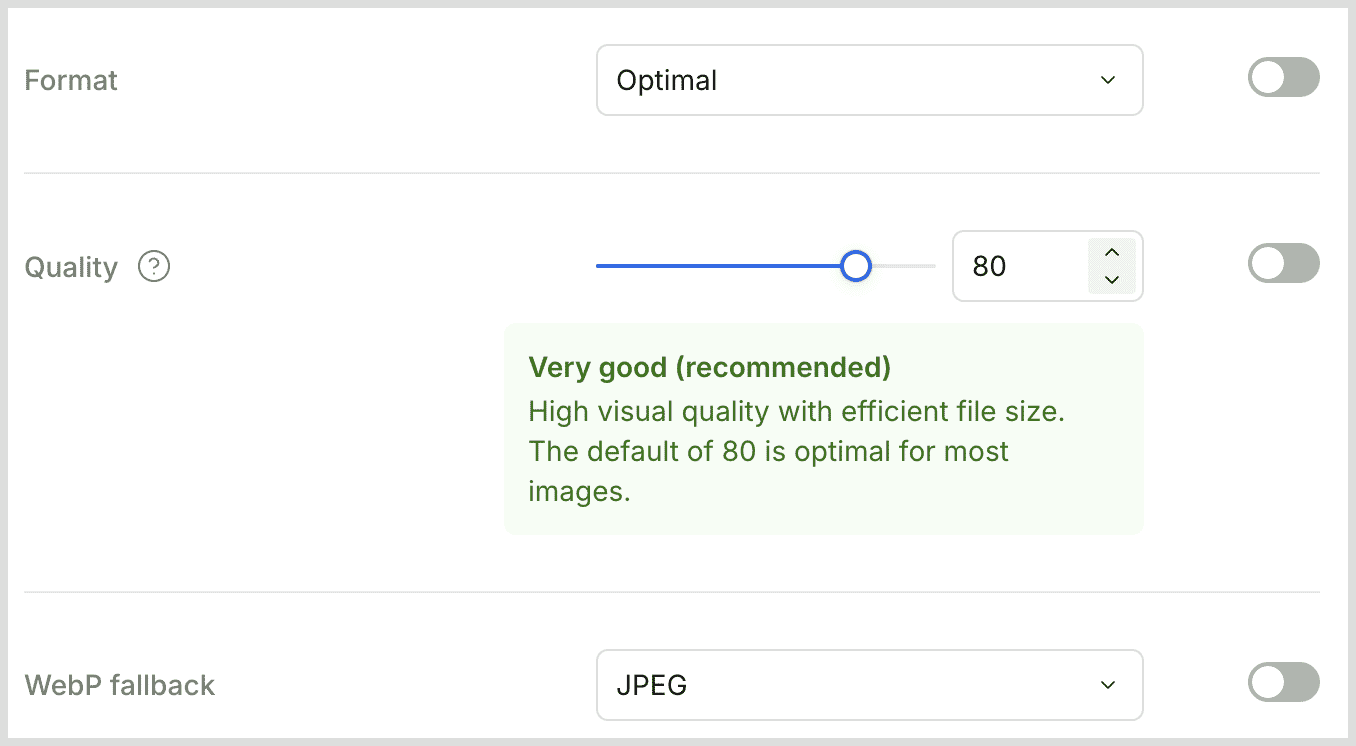
For browsers that support neither, “WebP fallback” in the same Format section sets the format (JPEG by default):
If you’re serving PNG images, “Optimal” also optimizes them, cutting PNG file size by up to 75%.
To keep an image as PNG and still optimize it, add format=png&png.optimize=true to its URL. See PNG optimization.
3. Image dimensions
Section titled “3. Image dimensions”Even a small reduction in image dimensions can make a big difference in file size and page load time.
360 spinning images are where the highest impact optimizations can be made as they typically comprise of 24-36 separate images.
Sirv serves 360 spins in 3 image sizes: main, full-screen and zoom:
-
The main image size is the crucial one because these will load for all your users.
Typical size is usually 300-400px width but very much depends on the design and layout of your site and the impact you want to make.
-
The full-screen images will only load if the user clicks the fullscreen icon on your spin. Try reducing this to 500-600px for a smaller but still decent size spin.
-
A zoom image is shown when the user clicks to zoom into the spin. As only 1 image is downloaded, it’s OK to make it a big image to show close-up detail. Try using 1500px or even 2000px.
4. Use Sirv CDN
Section titled “4. Use Sirv CDN”Our CDN caches your images on servers in 24 locations around the world, ready for fast delivery to your visitors.
Your images are automatically served from the closest server to each user, thereby reducing the latency of each request traveling across the internet.
Depending on the location of your user, the CDN can achieve faster image loading of as much as 500ms per image. All users benefit from an image CDN.
The greatest improvements will be experienced by users in the west of North America, Asia, Australasia and South America.
5. Serve images over HTTPS
Section titled “5. Serve images over HTTPS”Your pages and their content will normally load faster over HTTPS than HTTP.
HTTPS requires a few extra milliseconds before images are displayed because requests require decryption on the user’s device.
However, Sirv typically wins back this time and more by delivering files over HTTP/2.
By serving a whole stream of files over a single TCP connection (using HTTP/2 multiplexing), Sirv serves many files simultaneously, with faster loading than HTTP/1.1.
HTTPS is used by default in all Sirv URLs, though you may choose to use HTTP or protocol relative URLs instead. HTTPS protocol (recommended):
https://example.sirv.com/example.jpgProtocol relative:
HTTP protocol (not recommended):
http://example.sirv.com/example.jpgIf your web pages are still served over HTTP, consider switching your entire website to HTTPS.
Not only will you and your users benefit from improved security, Google uses it as a ranking factor. You’ll be rewarded with a small improvement in your organic search ranking.
Next steps
Section titled “Next steps”Go to your Sirv account to start trying these techniques for faster image loading. Not a Sirv user yet?
Create your Sirv account and start using Sirv immediately.