Create Another Sirv Account
 By Jake Brumby, Customer Success DirectorUpdated
Short answer
One Sirv login can open many accounts. To create another one, click your account name at the bottom left, choose Create new account, enter a name and click Create. The new account opens straight away, with its own files, users and billing, and you can switch between accounts from the same menu.
After reading this you will know
- How to create another Sirv account with your existing login
- How the new account relates to your other accounts
Your Sirv login has the ability to access many accounts. You can create new accounts, receive invitations or request to join an account.
Once you have more than one account, its easy to switch between accounts.
Note: If you’re brand new to Sirv, either create a new account or ask a co-worker to invite you to their account. To create an additional Sirv account, follow these steps.
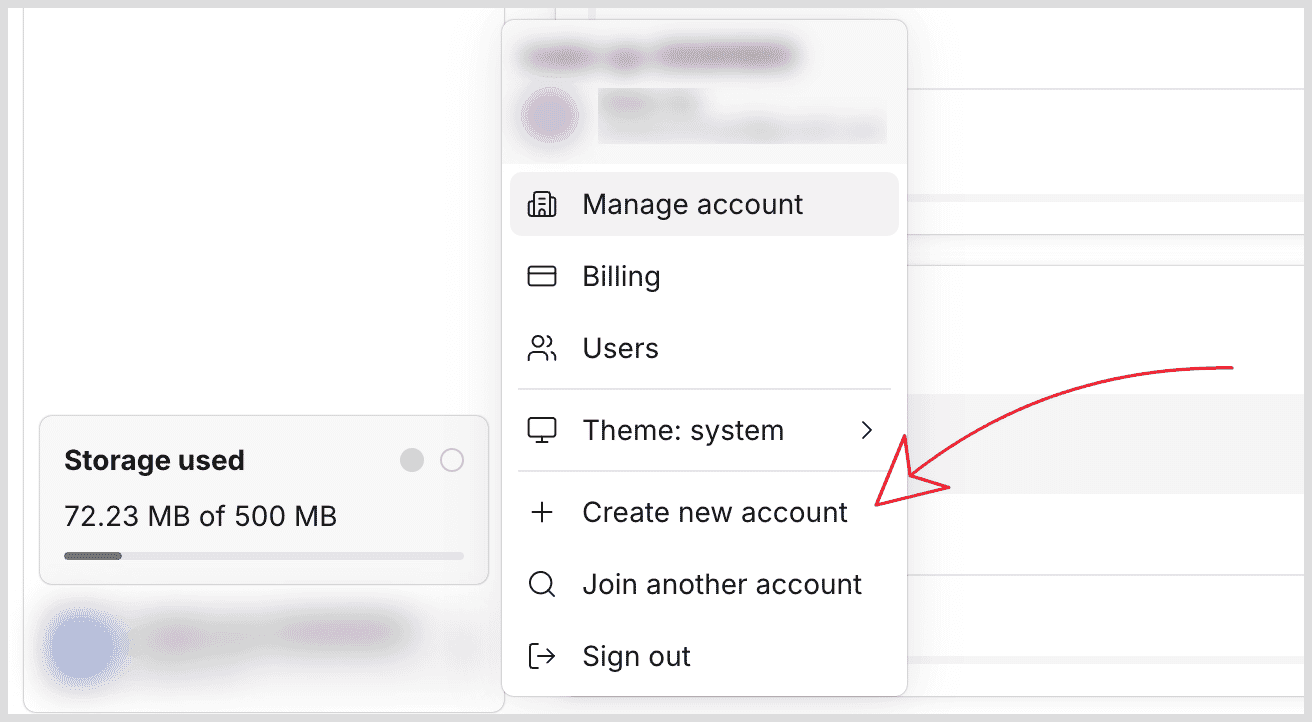
1. In your Sirv account, click your account name at the bottom left, then “Create new account”:
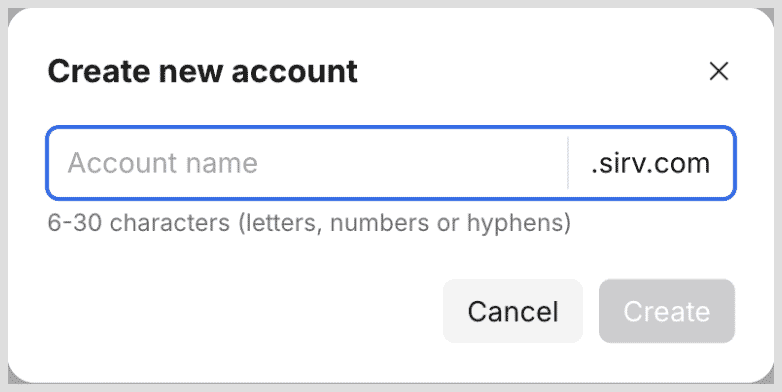
2. Type a name for your account. It becomes your address, NAME.sirv.com, so use 6 to 30 letters, numbers or hyphens:
3. Click “Create”.
Your new account opens straight away, with you as its Owner, so you can invite people or share folders with them. You can switch between your accounts at any time from the same menu.