Using Postman with Sirv API
 By Jake Brumby, Customer Success DirectorUpdated
Short answer
Install Postman, add the Sirv REST API collection with the Run in Postman button, then enter your API client ID and secret. The collection holds ready-made requests for the Sirv API, so you can get a token and try any method without writing code first.
After reading this you will know
- How to add the Sirv collection to Postman
- How to connect Postman to your Sirv account
- Where to find more API documentation
Postman is a great way to quickly test and play with an API, such as Sirv’s API.
To get you started fast, we provide a Postman collection - a set of pre-written requests for the Sirv REST API.
Setup Sirv on Postman
Section titled “Setup Sirv on Postman”1. Download and install Postman for Windows / Mac / Linux (or try it in your browser). 2. Click “Run in Postman” below. It will add the Sirv REST API collection to your Postman:
3. Get these 3 variables from your Sirv account:
- alias - your Sirv account name.
- clientId - shown on your API client page.
- clientSecret - shown on your API client page.
Add them by right-clicking the “Sirv REST API” collection and clicking “Edit”. Enter your 3 variables in the Variables tab under Current Value:
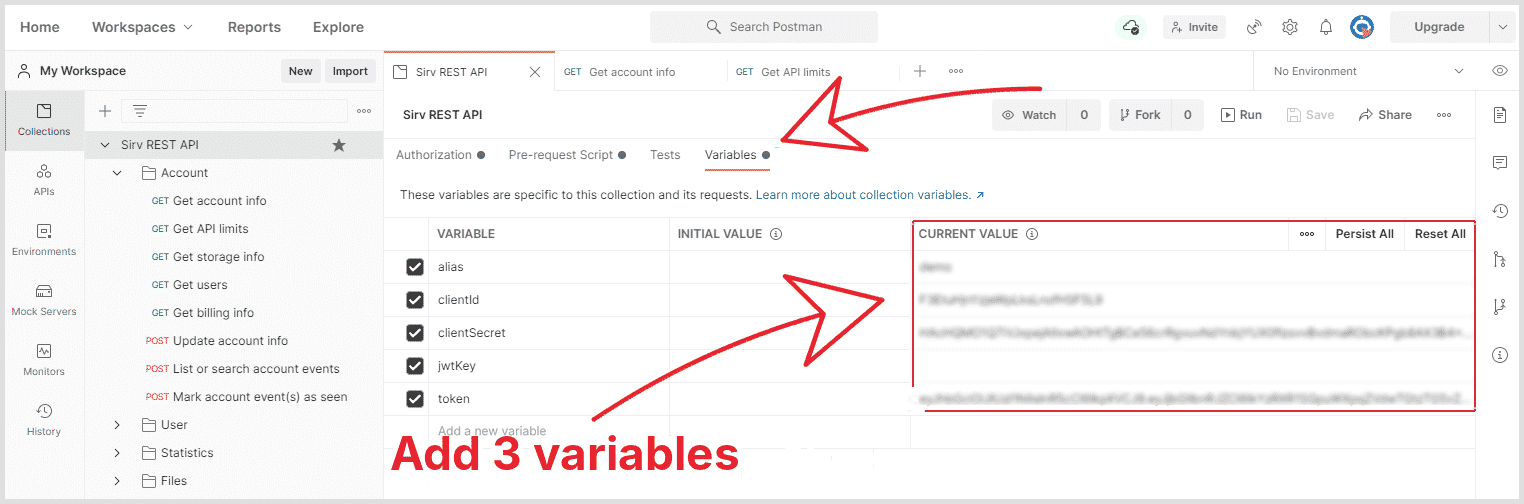
The variables are referenced throughout the collection with {{varName}}.
4. Try running various API requests by clicking the blue Send button.
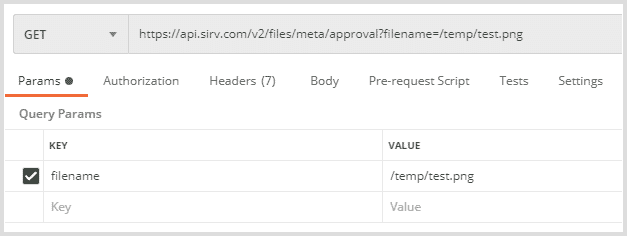
Some requests - especially GET requests - require Parameters. These are items added to the request, such as ?filename or ?dirname:
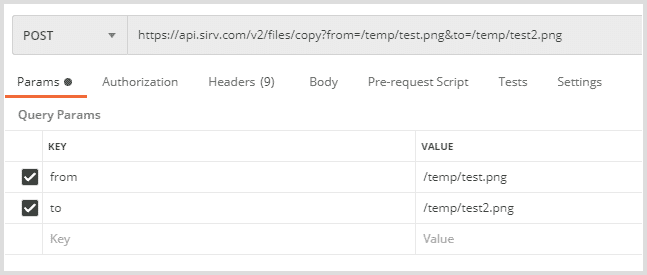
Some POST requests also require parameters:
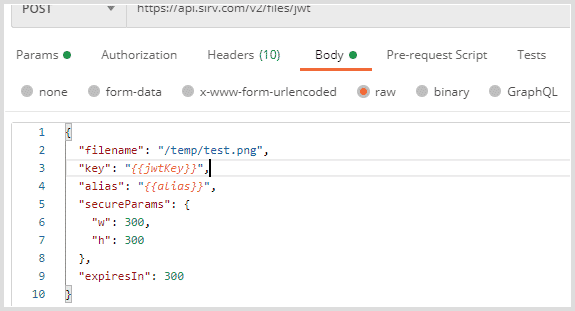
Other POST requests don’t require parameters, they use raw data from the Body tab:
Further documentation and help
Section titled “Further documentation and help”Get more help with the Sirv REST API:
- Sirv REST API documentation - full list of more than 60 API methods.
- Example scripts - scripts for connecting and running various commands.