9 Ways to Reduce Data Transfer
 By Anne-Marie Fletcher, Customer Success TeamUpdated
Short answer
Lower your image quality slightly, sharpen images, serve the best format, lazy load and serve responsive images. You can also block other sites from using your files, stream videos instead of serving whole files, and stop automated scripts. If traffic keeps growing, a plan with a higher data transfer allowance may suit you better.
After reading this you will know
- Nine ways to cut the data transfer your Sirv files use
- How format, quality and lazy loading reduce bandwidth
- When a bigger plan makes more sense
If your site has lots of visitors and is sailing throughyour data transfer allowance, the following advice will help reduce your bandwidth usage.
1. Reduce image quality
Section titled “1. Reduce image quality”Find the balance between low file size and good image quality for your website. Sirv serves images at 80% quality by default, which gives good quality yet small file size.
If 80% is more than your website needs, you can reduce bandwidth usage by lowering the quality percentage.
If 80% doesn’t look high quality enough, try increasing it. Don’t go higher than 90%, because file size increases dramatically without any noticeable quality improvement:




Try more comparisons to help decide which image quality best meets your needs.
Try changing your image quality simply by adding the q parameter to your image URL. Or open an image in your Sirv account, click Edit and try a different Quality:
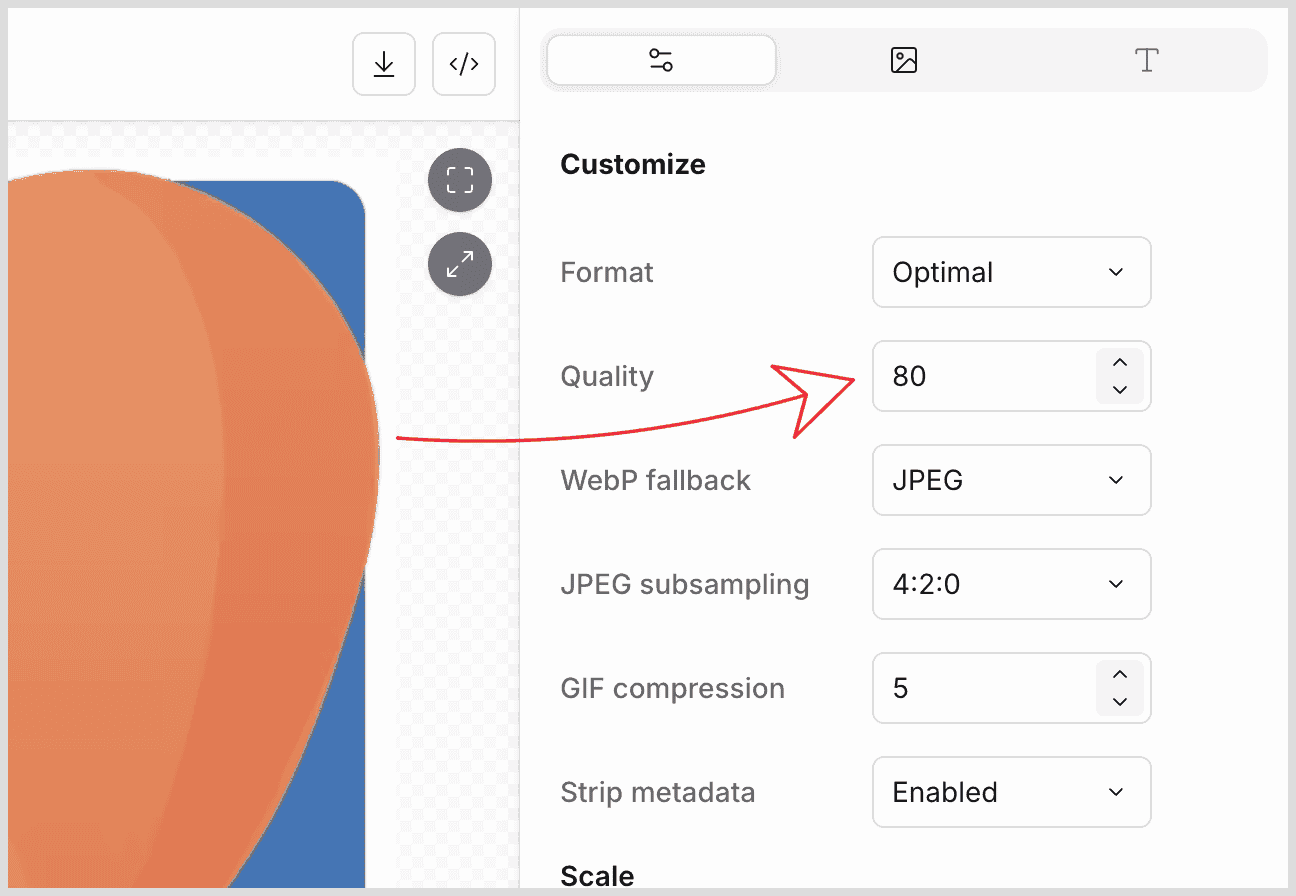
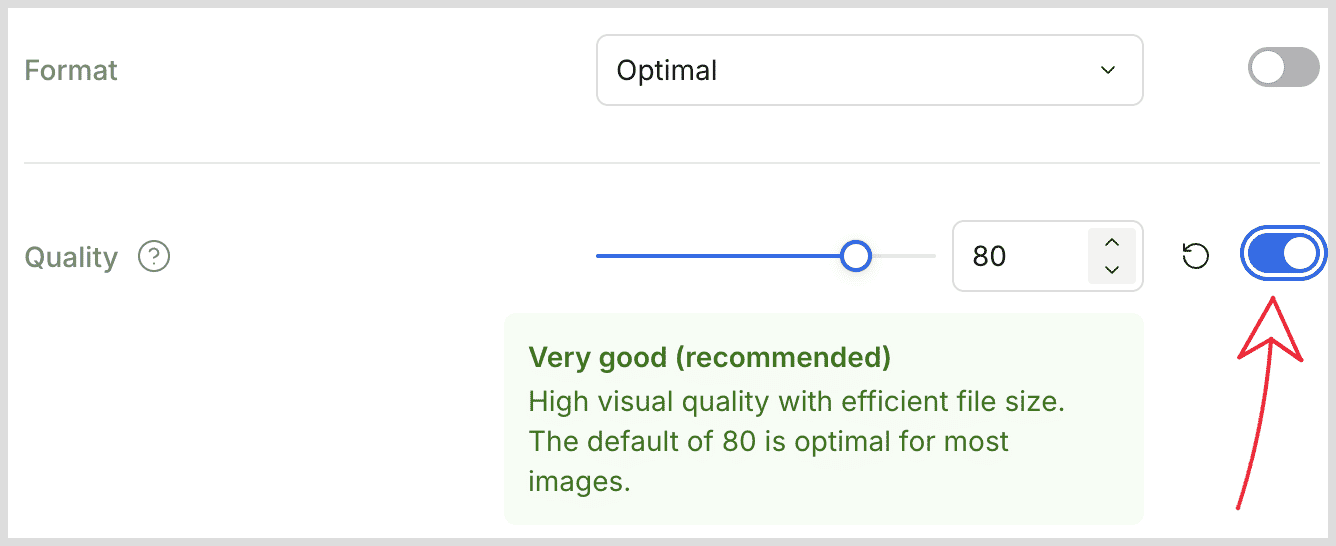
All images will inherit the default value, which can be overridden by setting q in the image URL or a custom profile.
2. Try sharpening
Section titled “2. Try sharpening”If your images feel slightly dull or blurred, the sharpen parameter can recover some of the detail, making the image look “sharp”.
While improving the appearance of an image, sharpen also manages to output a relatively low file size.
It uses its own logic for manipulating each pixel, so the quality parameter is ignored.

80% quality, no sharpening

Sharpen = 5
3. Use optimal image format
Section titled “3. Use optimal image format”Keep the “optimal” image format as your default, to obtain the smallest file size.
When the “optimal” format is used, Sirv will serve the most efficient format for each user’s web browser, using next-gen formats - such as WebP - where possible.
WebP mimicks the same quality as JPEG or PNG, with significantly smaller file size. Our blog article explains more about the optimal image format.
4. Use lazy loading
Section titled “4. Use lazy loading”Lazy loading means any images which are ‘below the fold’ on your website (out of sight) won’t load when the page loads.
This can dramatically reduce your data transfer, especially if you have long pages.
Images, videos and 360 spins will only load if your visitor scrolls down the page and the image enters the viewable area.
Lazy loading is automatically applied by Sirv JS, whether you embed responsive images, 360 spins, videos or galleries.
Sirv Spin (part of Sirv JS v2) doesn’t apply lazy loading. If you use it for 360 spins, switch to the newest version for 360 spins, which uses Sirv JS v3 for automatic lazy loading.
The Sirv JS v3 script URL is:
https://scripts.sirv.com/sirvjs/v3/sirv.js5. Serve responsive images
Section titled “5. Serve responsive images”Serve the exact image dimensions to suit each user’s device. This prevents unnecessarily large images from being served, reducing your data transfer.
Follow the instructions to configure responsive imaging in either Sirv JS v3 or Sirv JS v2.
6. Block leeching
Section titled “6. Block leeching”Check the Top 10 referral domains shown in your Traffic Analytics.
If there is a domain listed which you don’t recognize, that site may be hotlinking to your images without permission, increasing your data transfer.
You can enable domain restriction to whitelist the domains you trust, thereby blocking all other domains from displaying your files.
7. Enable video streaming
Section titled “7. Enable video streaming”Videos are often very large files, which use a lot of data transfer. Either compress your videos before uploading them or request the Sirv team to enable video streaming on your account.
Video streaming compresses the original video and resizes it to a variety of different resolutions (in the same way YouTube does).
3 optimized and resized streams will be generated (640p, 854p, 1072p). The most optimal stream is loaded for each user’s screen and network speed.
For example, a video uploaded to Sirv had an original size of 15 MB, but was only 3.4 MB when served. Follow the video streaming instructions to embed videos in your web pages.
8. Automated scripts
Section titled “8. Automated scripts”If you have any scripts that check your images on Sirv, be sure not to request the original images. This would use a lot of data transfer.
To check if an image exists or to get its information, send a head request.
Here’s an example head request using Curl: curl -I https://demo.sirv.com/example.jpg Which would return this response:
HTTP/2 200date: Thu, 14 Oct 2021 10:26:36 GMTcontent-type: image/jpegcontent-length: 829560last-modified: Tue, 18 Feb 2020 21:55:12 GMTetag: "5e4c5d40-ca878"server: Sirv.Imaginationx-sirv-server: c1-extra1-fireball-15x-sirv-cache: HITaccess-control-allow-origin: *access-control-allow-headers: *expires: Sat, 13 Nov 2021 10:26:36 GMTcache-control: max-age=2592000x-sirv-meta-width: 3456x-sirv-meta-height: 2304x-sirv-shard: c1-riak1x-account-id: sdulth0oi0t9zxpxqtxwkwvgipjgv6udx-file-versionid: w8raNM0SxX6KWnNukvfCfT91V4E6vKos:1x-account-serial: 2021-03-11T11:01:51.890Zaccept-ranges: bytesThat response uses less than 1 KB of data.
9. High data transfer plans
Section titled “9. High data transfer plans”If your website generates a lot of data transfer, we have special plans with a higher transfer to storage allowance.
They’re not available on our site yet but you can ask our team if they would suit your needs. There are 10 to choose from.