
Short answer
On the Users page, click Invite new user, enter their email and choose a role. They accept the invitation within 7 days. To hand the account over, the Primary Owner invites the new person, then clicks the 3 dots next to their own name and chooses Transfer ownership. If the owner has left, contact Sirv support.
If someone else needs to upload files or pay the bills, give them their own login instead of sharing yours.
How do I add a user?
-
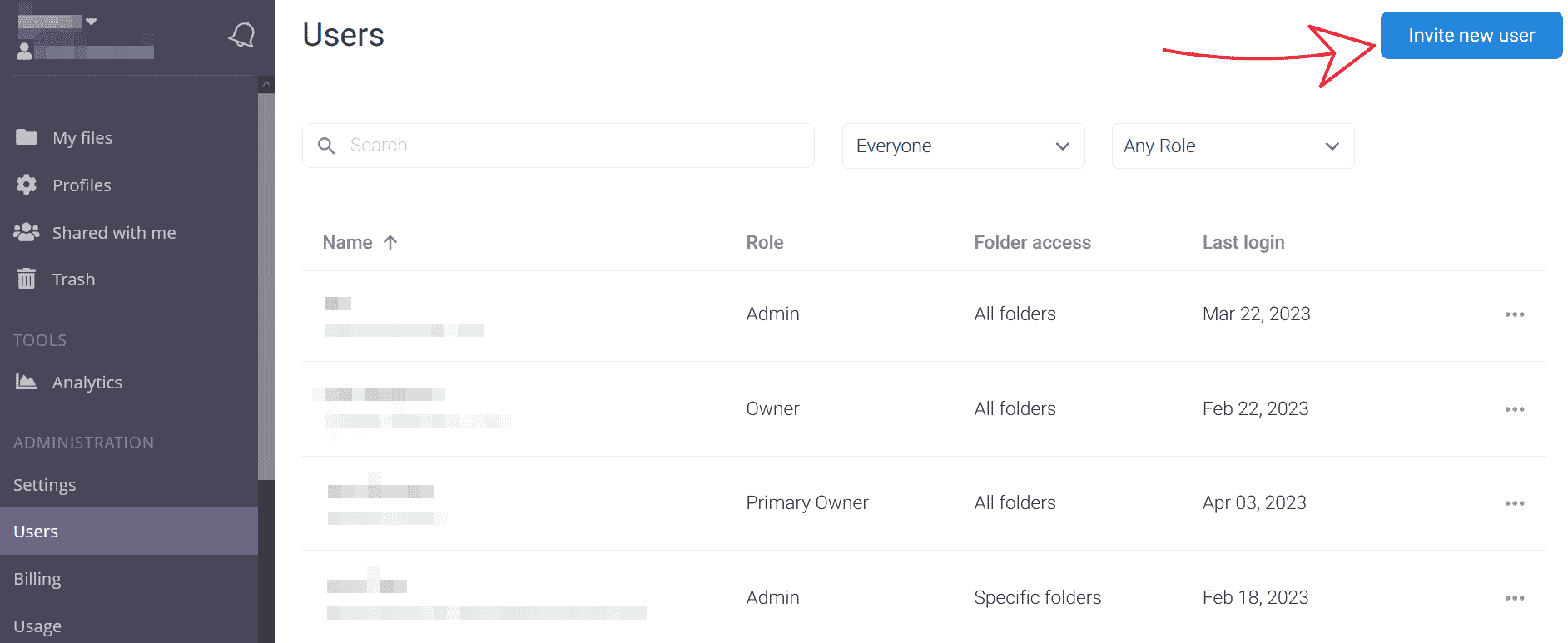
Open the Users page. You need the Primary Owner, Owner or Admin role to add users.
-
Click “Invite new user”.
-
Enter the person’s email address, choose a role and click “Invite”.
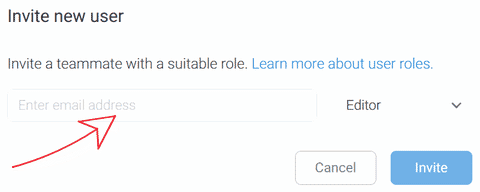
Give the smallest role that does the job: Editor for an agency that uploads photos, Billing Manager for your accounts team.
-
The person accepts the invitation within 7 days, creates their own password and can then use the account.
Free plans include up to 3 users and Business plans up to 20. Extra users cost $3 a month each (Sirv pricing page, checked 23 Oct 2026).
Read more about adding and removing users and the roles and permissions.
How do I change the owner?
- Only the Primary Owner can do this. First, invite the new owner as a user and wait until they accept.
- Click the 3 dots next to your own name, choose “Transfer ownership” and select the new owner.
- You stay on as a user. The new Primary Owner can remove you once the handover is done, from the same 3 dots menu.
What if the invitation doesn’t arrive or the owner has left?
Ask the person to search their inbox and spam folder for “invited you to”. The invitation only works from the address you typed, so check it for typos.
Invitations last 7 days. If it has expired, invite them again from the Users page.
If the owner has left the company, contact Sirv support and say who should take over. Support invites them and makes them the Primary Owner.
Still stuck?
Our support team replies within 24 hours. For plans and pricing, talk to sales.
Was this answer helpful?