
Short answer
To stop paying but keep your files, switch to the Free plan on the Plan page, once your account uses less than 500 MB of storage and 2 GB of transfer a month. To delete everything, the Primary Owner clicks Close account on the Settings page and confirms by email. Unused days become credit, and Sirv doesn't give refunds.
If you want to stop paying for Sirv, you can keep your files on the Free plan or delete everything by closing the account.
How do I switch to the Free plan?
-
Open the Usage page. The Free plan includes 500 MB of storage and 2 GB of transfer a month.
-
If storage is over 500 MB, delete the files you don’t need. Files in the Trash don’t count.
-
Transfer must have stayed under 2 GB in each of the last 2 months. Deleting files doesn’t change that.
-
Change your site first if it uses a custom domain, 3D models or videos over 20 MB. The Free plan shows Sirv branding on spins and zoom.
-
On the Plan page, click “Select” on the Free plan and confirm.
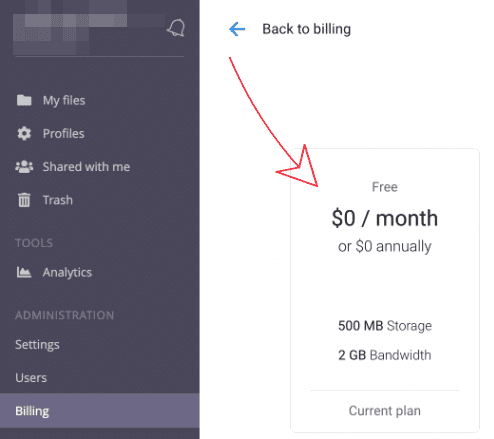
Sirv doesn’t give refunds. Every unused day becomes credit that never expires, toward any plan you choose later. Annual plans are a one-year contract.
The Help Center explains how billing works.
How do I close my account?
-
Download the files you want to keep. Every image, spin and video stops showing on your sites as soon as the account closes.
-
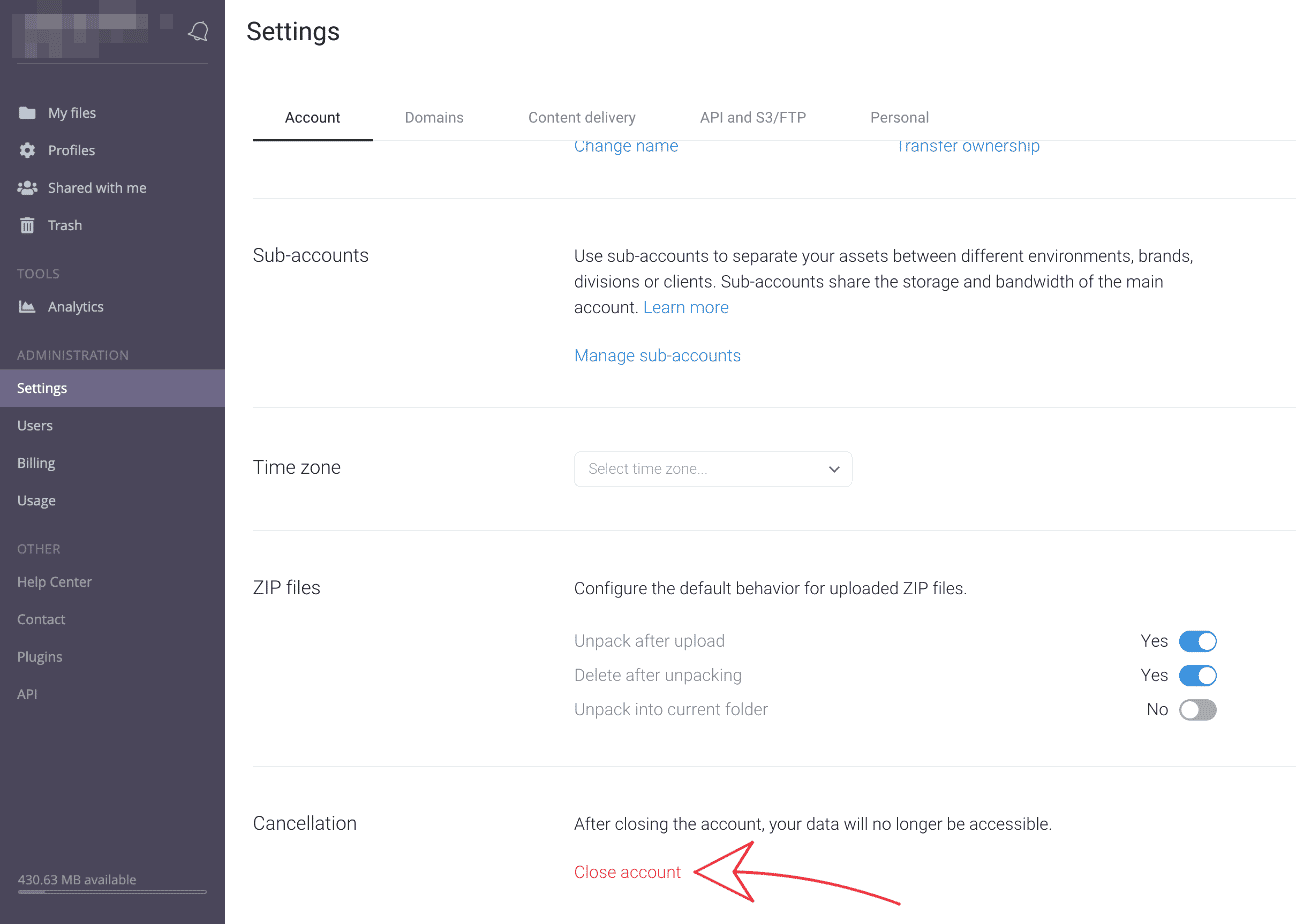
The Primary Owner clicks the red “Close account” link at the bottom of the Settings page, under Cancellation.
-
Open the email “Closure of your Sirv account”, click “Continue to account closure” and follow the steps.
Sirv keeps a closed account for 6 months, and support can reopen it in that time. After that, Sirv deletes the account and its files.
What if I can’t switch to Free or close the account?
Sirv updates storage every 60 seconds, so after deleting files, wait a minute and reload the Plan page.
If last month’s transfer was over 2 GB, wait until 2 quiet months have passed. Only the Primary Owner, Owner and Billing Manager roles can change the plan.
If you can’t see the Close account link, you aren’t the Primary Owner. Ask them, or become the Primary Owner.
If the Primary Owner has left your company, contact Sirv support from your company email address.
Still stuck?
Our support team replies within 24 hours. For plans and pricing, talk to sales.
Was this answer helpful?