Why did my card payment to Sirv fail?
 Answered by Jake Brumby, Customer Success DirectorLast checked 20 Nov 2026
Short answer
Almost always, the bank that issued your card declined it. Call the number on the back of your card and ask the bank to allow payments to Sirv, or add another card. Then click Pay now next to the invoice on your Payment history page. Sirv retries every night and freezes the account after 30 days unpaid.
If Sirv has emailed to say a card payment failed, your images keep showing for 30 days while you fix it.
What do I do now?
-
Read the error in Sirv’s payment email. The Help Center lists every card payment error with its fix.
-
Call your bank and ask them to allow payments to Sirv. The bank decides, and Sirv’s payment processor can’t override it.
Banks often block software subscriptions, payments abroad (Sirv is a UK company that charges in US dollars) or payments they suspect are fraud.
-
If the card has expired, been replaced or hit its limit, add another card on the Billing details page and make it primary.
-
Go to the Payment history page and click “Pay now” next to the unpaid invoice.
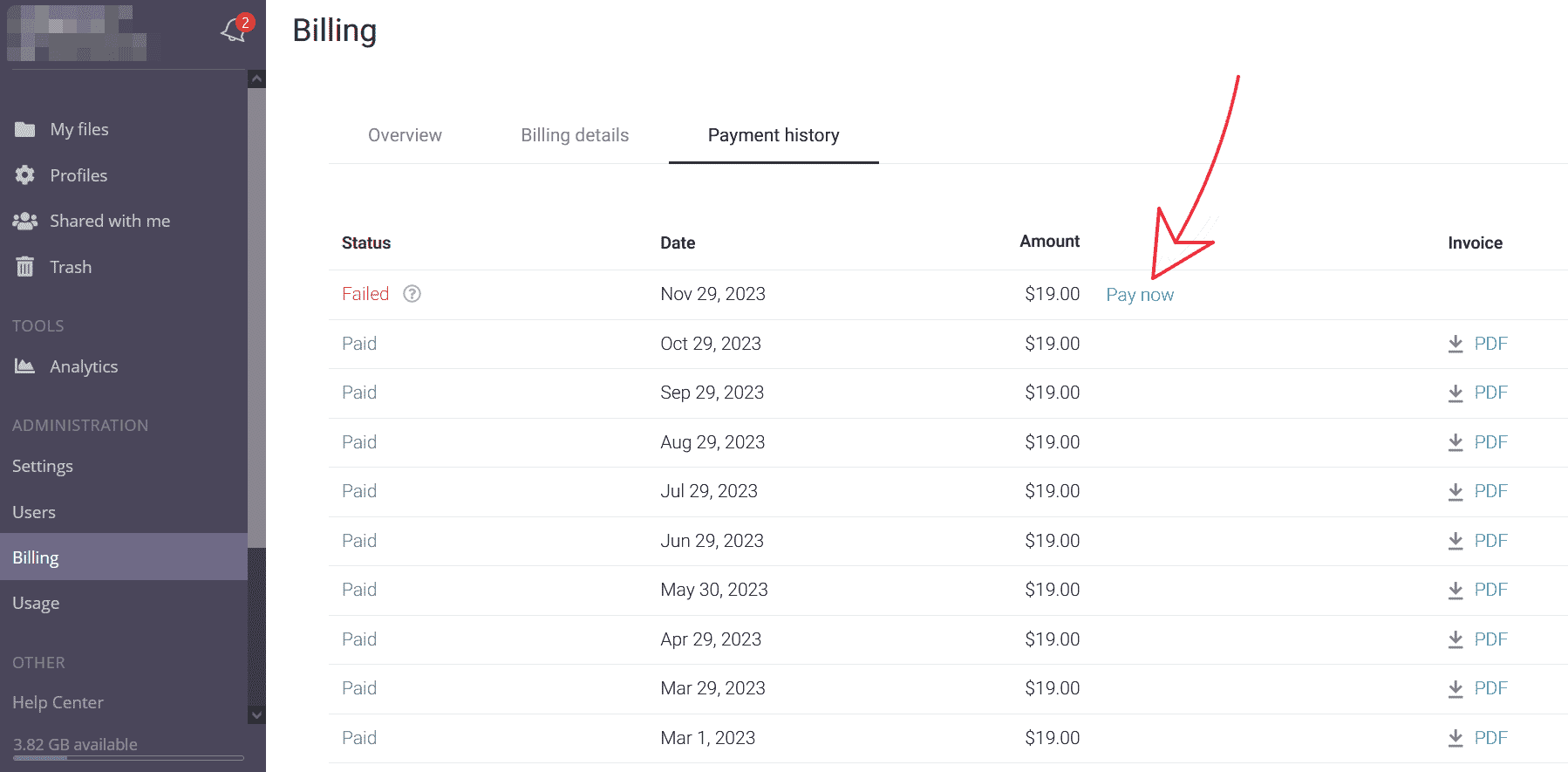
Sirv emails you once the card is charged. Without “Pay now”, Sirv charges a new card at 03:00 UTC the next morning.
-
Until the invoice is paid, Sirv tries the card every night at 03:00 UTC. Owners and Billing Managers get reminders after 7, 14 and 28 days.
-
After 30 days without payment, Sirv freezes the account: images stop showing and you can’t upload. Your files are kept.
-
Pay the invoice and the account works again. Read how to fix a frozen account.
What if my card payment still fails?
Add a second card as a backup, so Sirv has another card to charge when one is declined. Sirv takes Visa, Mastercard, American Express, Discover and Maestro.
Annual plans over $500 a year can also be paid by bank transfer (Sirv Help Center, checked 23 Oct 2026).
Bank transfer invoices are in pounds in the UK, euros in the Eurozone and dollars elsewhere. Click “Pay now” for each, because Sirv doesn’t charge them.
If you never see the payment emails, check your spam folder and add support@sirv.com to your contacts.
To switch to bank transfer, or back to card payments, contact Sirv support.
Still stuck?
Our support team replies within 24 hours. For plans and pricing, talk to sales.
Was this answer helpful?