
Short answer
Nothing changes straight away, and Sirv never charges for going over. Storage can reach double your allowance for 30 days, then you delete files or upgrade. Transfer gets 50% extra at no cost; go past that 2 months in a row and you have 14 days to upgrade. If you don't, the account freezes and images stop showing.
If Sirv has emailed to say your account is over its storage or transfer allowance, your images keep showing while you sort it out.
What do I do now?
-
Open the Usage page to see which limit you’re over: storage or transfer.
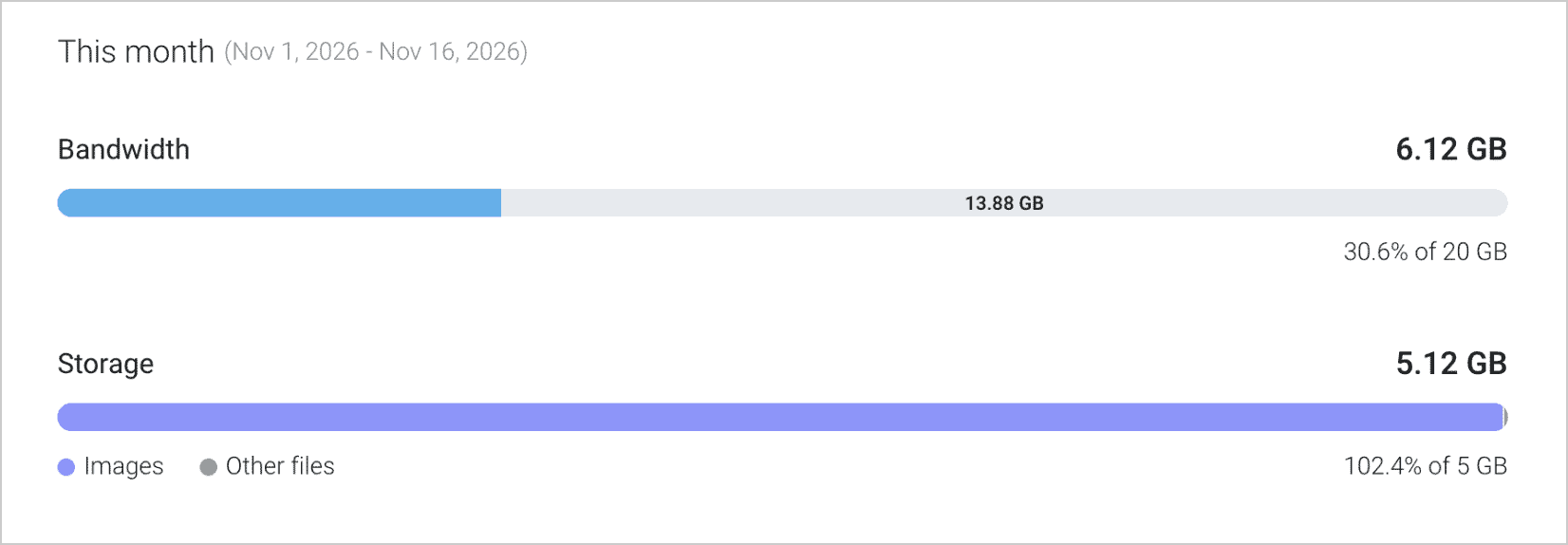
-
If you’re over on storage, you can stay over for 30 days. Before they run out, upgrade or delete files.
-
To find files to delete, open the menu next to My files and choose “Export file list to CSV”.
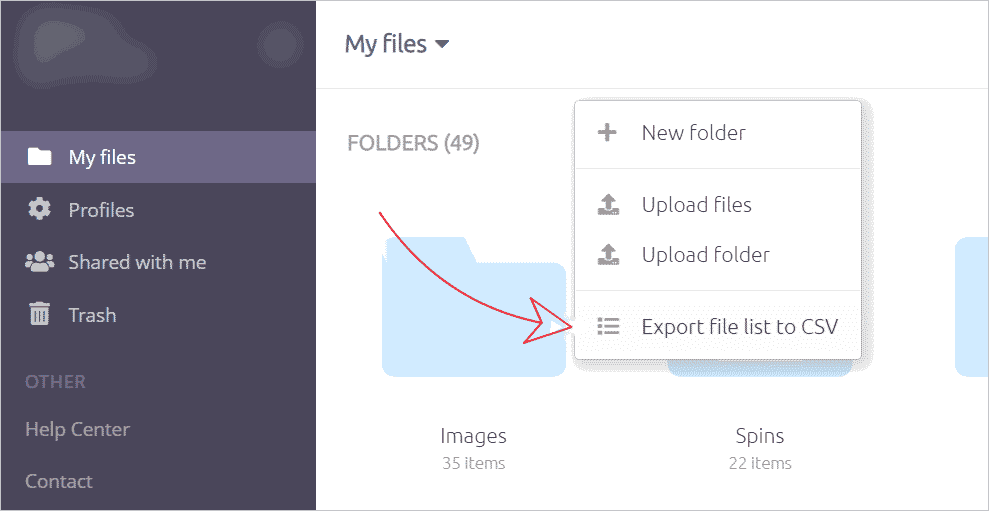
Files with an empty “Last accessed” column have never been viewed, so they’re the safest to delete.
-
If you’re over on transfer, you get 50% more than your plan includes, at no cost. The Free plan doesn’t get this.
-
If you go past that 50% two months in a row, you have 14 days to upgrade.
-
To upgrade, choose a bigger plan on the Plan page.
The Help Center lists every plan’s storage and transfer allowances.
What if the time runs out?
The account freezes: images stop showing, but your files are kept. Upgrade or delete files and it works again.
Read how to fix a frozen account.
If you need more time, ask Sirv support before the account freezes.
Still stuck?
Our support team replies within 24 hours. For plans and pricing, talk to sales.
Was this answer helpful?