
Short answer
A High Transfer plan. Standard Business plans give 4 GB of transfer a month for every 1 GB of storage. High Transfer plans give much more transfer for the same storage, for sites with lots of visitors and a small library. They aren't in your account's plan list yet, so ask Sirv support to suggest one from your usage.
If your site has lots of visitors but not many images, you need more transfer, not more storage.
What do I do now?
-
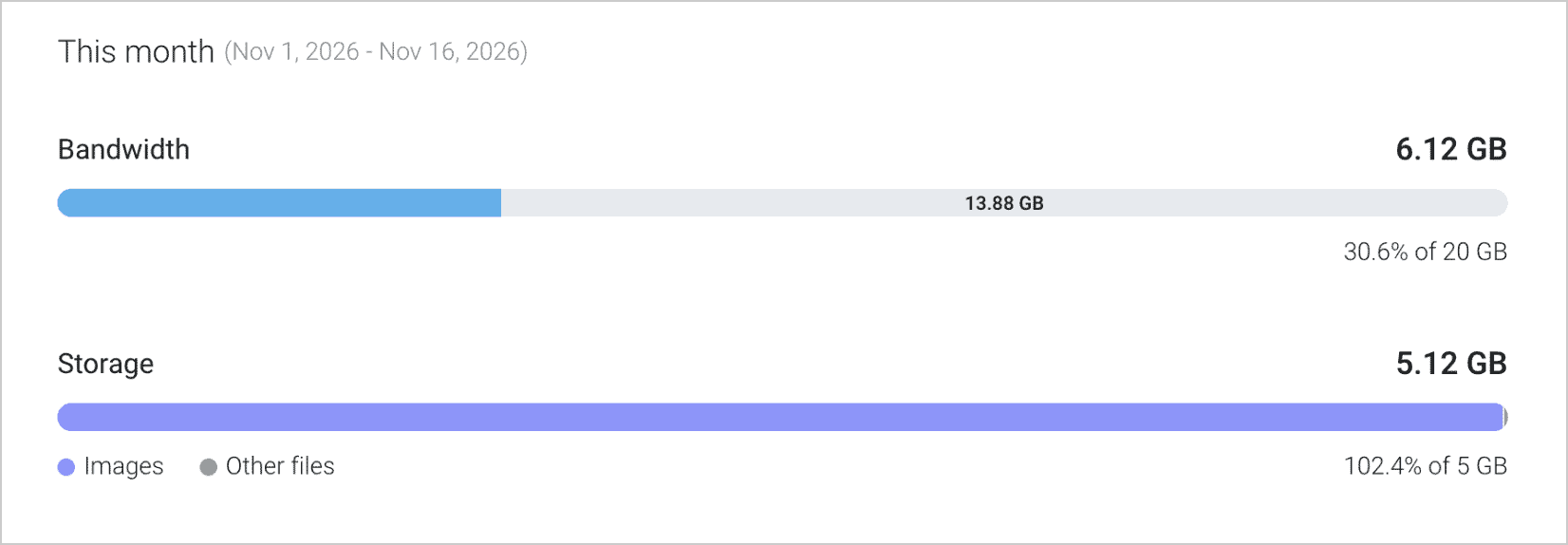
Check your transfer for the last few months on the Usage page.
-
Before you pay for more, read why bandwidth can be so high. Videos, bots and full-size images often use far more transfer than they need.
-
Standard Business plans give 4 times as much transfer a month as storage. A busy site with few images runs out of transfer first.
-
High Transfer plans give 20 times as much transfer as storage. Business 8 High Transfer has the transfer of Business 40, with a fifth of the storage.
-
High Transfer plans aren’t in your account’s plan list yet, so contact Sirv support and ask for one.
-
Support suggests a plan from your usage, tells you the price and switches you over.
The unused days on your old plan become credit toward the new one.
-
If you later get an automatic email asking you to upgrade, reply and ask to stay on High Transfer. That email suggests a standard plan.
Like every Sirv plan, a High Transfer plan includes 50% extra transfer at no cost. The Help Center explains how billing works.
What if no plan fits?
One busy month needs no action. Sirv asks you to upgrade only after 2 months in a row past your transfer plus the 50% extra.
Read what happens when you go over.
The pricing page lists every standard plan. For a mix of storage, transfer, users and domains that no plan has, ask Sirv support about a custom plan.
Still stuck?
Our support team replies within 24 hours. For plans and pricing, talk to sales.
Was this answer helpful?