How to customize the spin loading bar
The loading bar shows over a spin while it is loading. You can change the design by adding some CSS to your page.
The standard Sirv Spin loading message looks like this:

Change the loading text
To change the "Loading..." text, either open your profile or the spin file and enter the text you'd like to show. Different text can be shown for desktop and touch-screen devices:
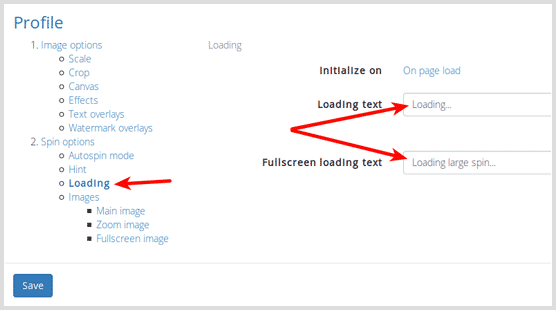
Change the loading design
To change the size, position, color, and design of the hint, add some CSS styles to your HTML page.
Below are all the styles available to be edited. Add padding, margin, font styles and other CSS as you require to create the design you wish:
Here's a spin with a custom loader:
The message was created with this CSS:
Hide the loading bar
To remove the loading message entirely, apply the following CSS to your HTML page.