How to customize the spin hint message
To inform users that an image is an interactive spin, a hint message is displayed over the image.
The standard hint message looks like this:

The instructions below show how to change the "Drag to spin" text and the design of the message.
Change the hint text
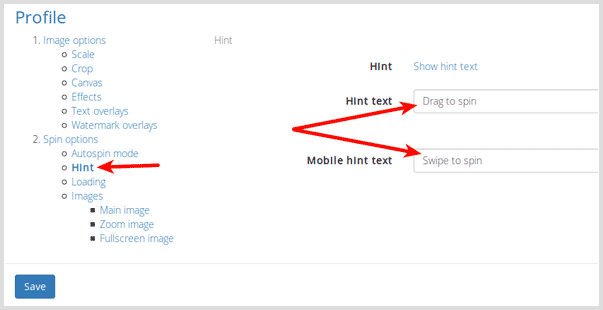
To change the text, either go to the profile or the spin file and enter the text you'd like to show. Different text can be set for desktop and touch-screen devices:
Change the hint design
You can change the location, graphics, and style of the message with CSS.
To move the hint up or down, use the top and bottom properties in the .spin-figure .sirv-spin-hint CSS rules. For example, to align the hint to the bottom edge of images:
Below are all the styles available to be edited. Add padding, margin, font styles and other CSS as you require to create the design you wish:
Here's a spin with a custom design:
The purple message underneath was created with this CSS: