Accept an invitation
It's easy to accept an invitation to join a Sirv account. If you hit a roadblock, this article gives you the solution.
How to accept a Sirv invitation
1. Check your email Look for an invitation email from Sirv in your inbox:
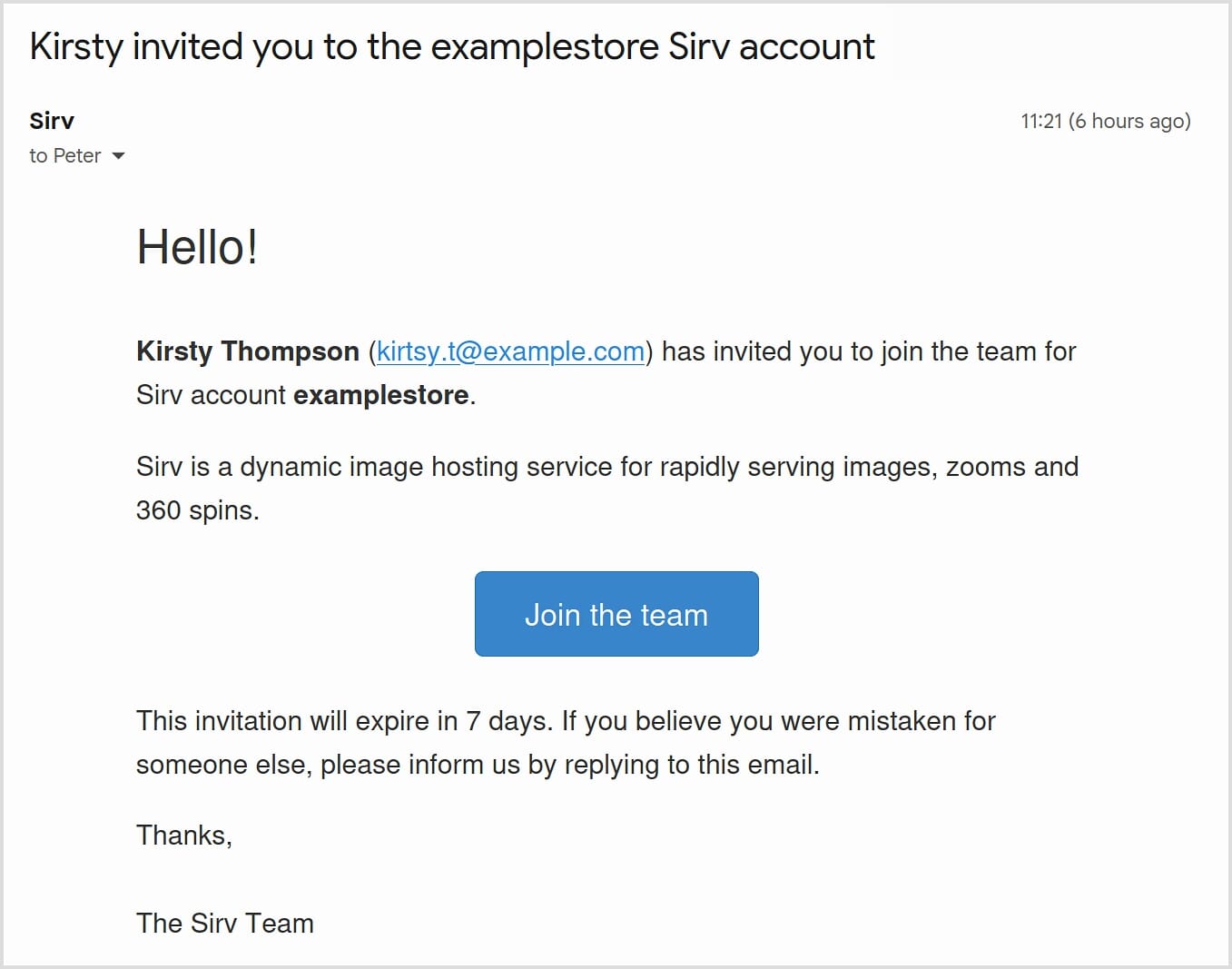
2. Join the team Click the “Join the team” button in the email. This will redirect you to the “Collaborate with account” form. 3. Complete the form Fill out the necessary details and click “Join account”:
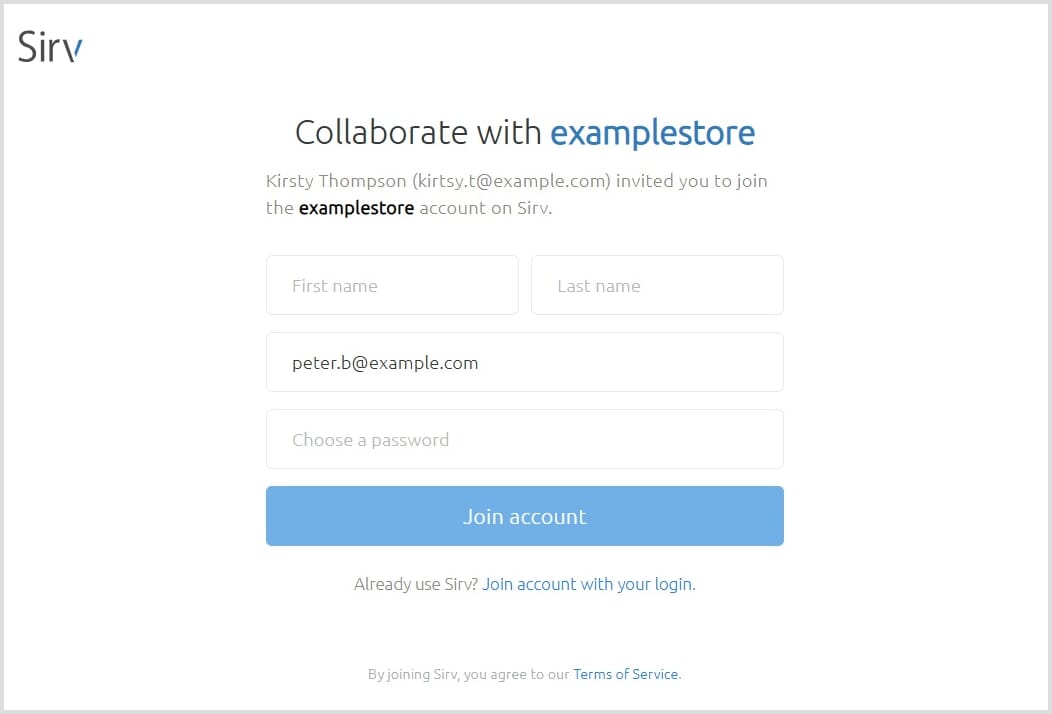
To access the account in the future, go to the Sirv login page and use the email and password you set during registration.
Possible issues and solutions
User is currently logged into Sirv
If you are logged into Sirv when accepting the invitation, you will see a short form asking if you want to join another account:
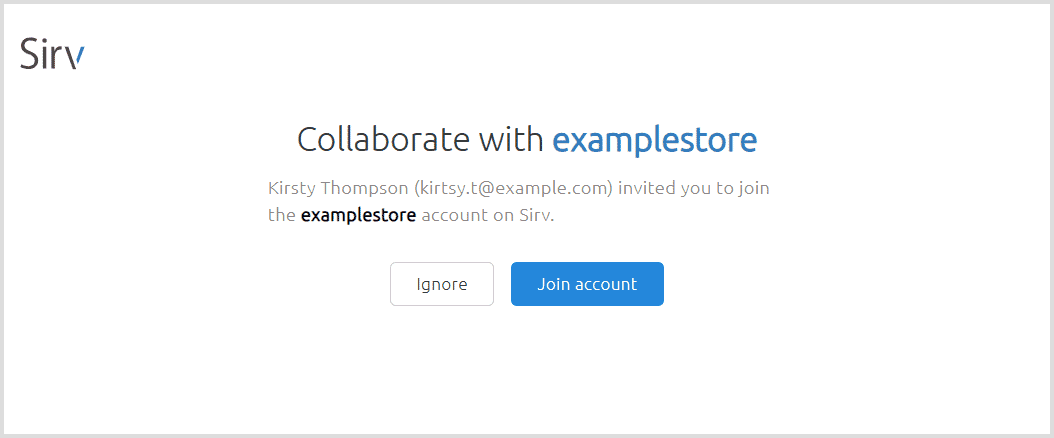
By clicking "Join account", you will join using the email address currently logged into Sirv, rather than the email address where the invitation was originally sent.
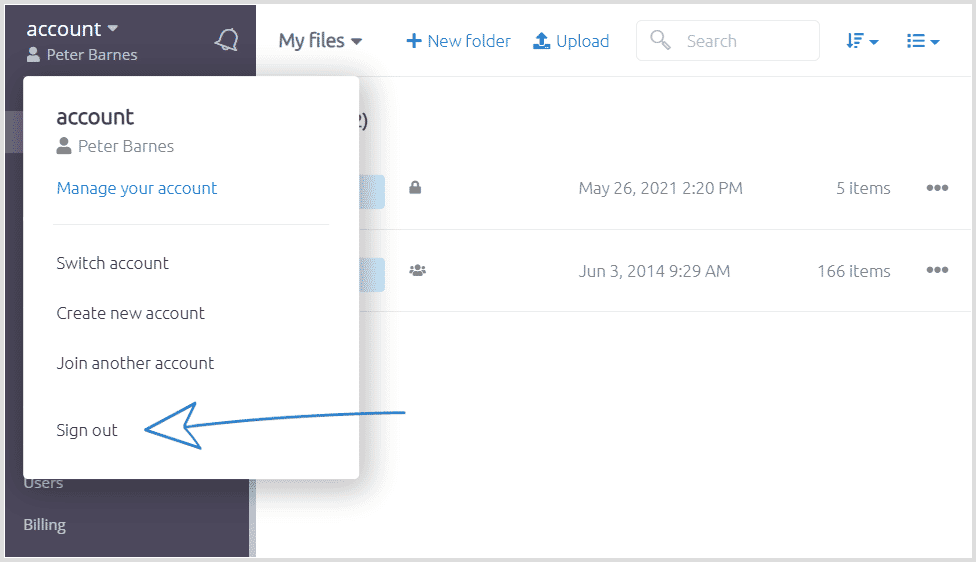
Solution: To join the account with a different email address, sign out of Sirv in your browser before accepting the invitation:
Error: You are already registered
If your email is already registered in Sirv but you are not logged in, and you enter the wrong password or a new password that is not saved in Sirv, you will receive an error message:

Solution: Click the 'join account with your login' link and enter your email and password. If you have forgotten your password, use the "Forgot your password" form to reset it.
Invitation sent to the wrong email
If the invitation was sent to the wrong email, you can specify a different email address when completing the “Collaborate with account” form.
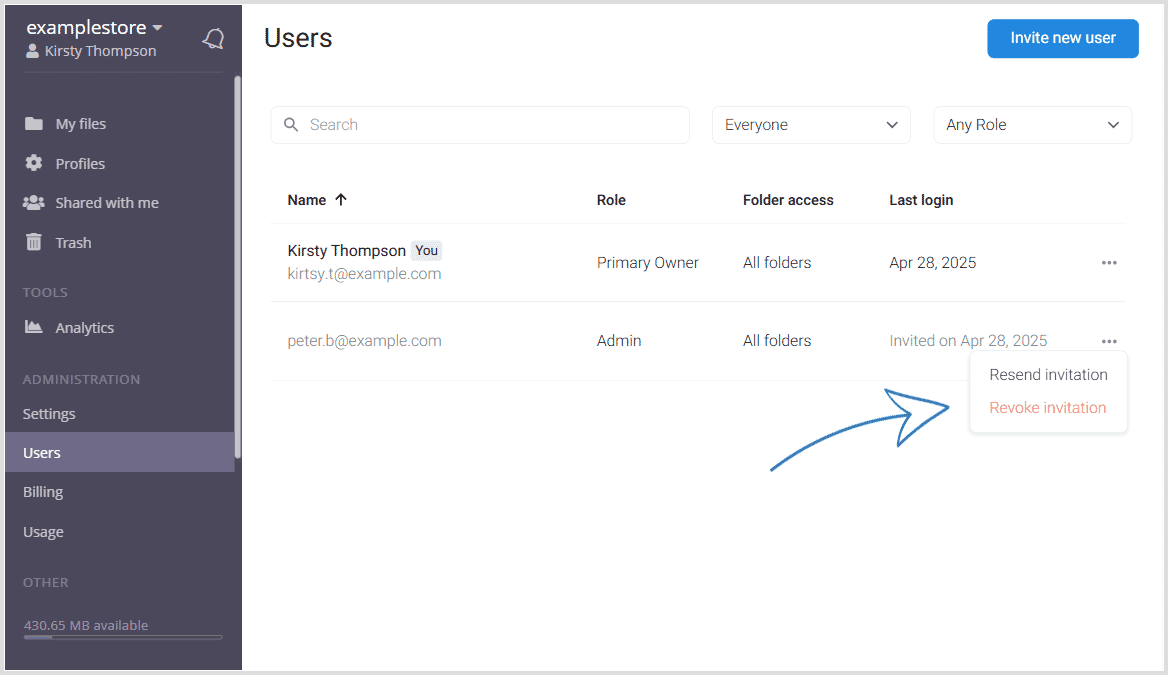
Alternatively, the account Owner or Admin can revoke the invitation in the Users list and send a new invitation to the correct email address:
Invitation expired
Invitations expire after 7 days. If an invitation has expired, the account Owner or Admin can resend it in the Users list.
Get help
For help with the Sirv invitation, please contact our customer success team.