Multilingual hotspots for 360 spins
Multilingual hotspots for 360 spins
Use multi-language text to ensure that visitors from different countries can read each Hotspot message in their local language.
Use .spin files
The easiest way to display spin hotspots for multiple languages is to create a .spin file for each language then use a simple Script to show the relevant language which matches the URL. The localised country can be shown after your domain or as your subdomain, eg:
-
https://en.yourwebsite.com
-
https://fr.yourwebsite.com
Instructions
1. Upload your set of spin images to Sirv. The .spin file will automatically generate.
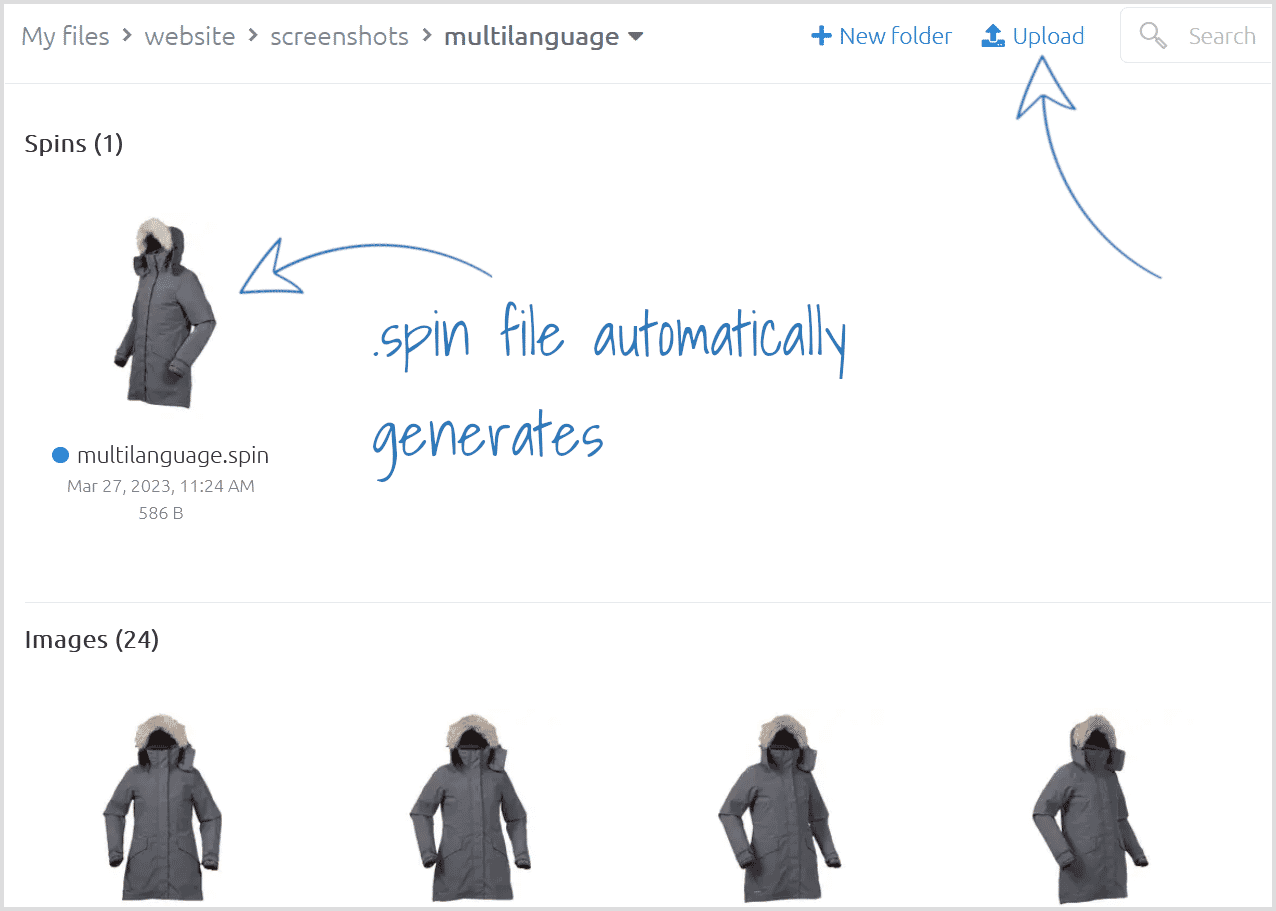
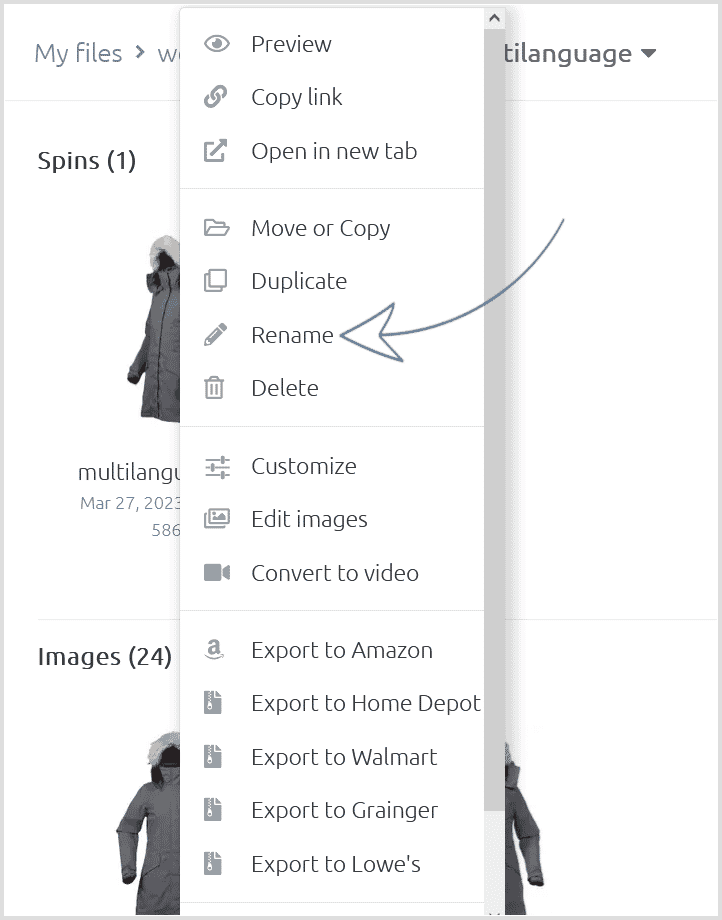
2. Right-click the .spin file and select 'Rename'. Name the file to match your 1st language, spinname-en.spin for example.
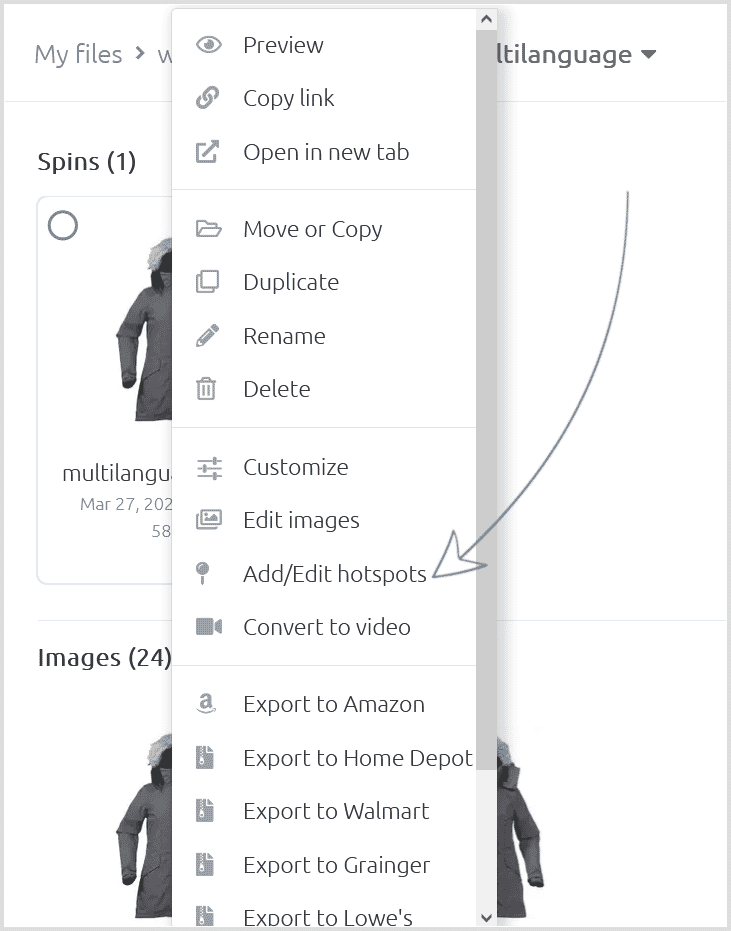
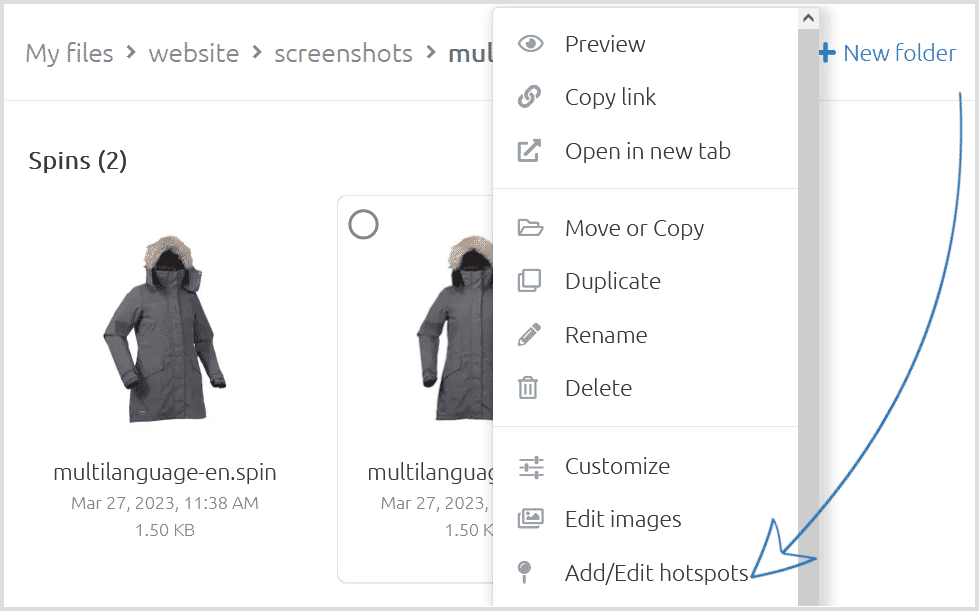
3. Right-click the spinname-en.spin file and select 'Add/Edit hotspots'. (If not already enabled, ask the Sirv support team to enable the hotspot editor in your account.)
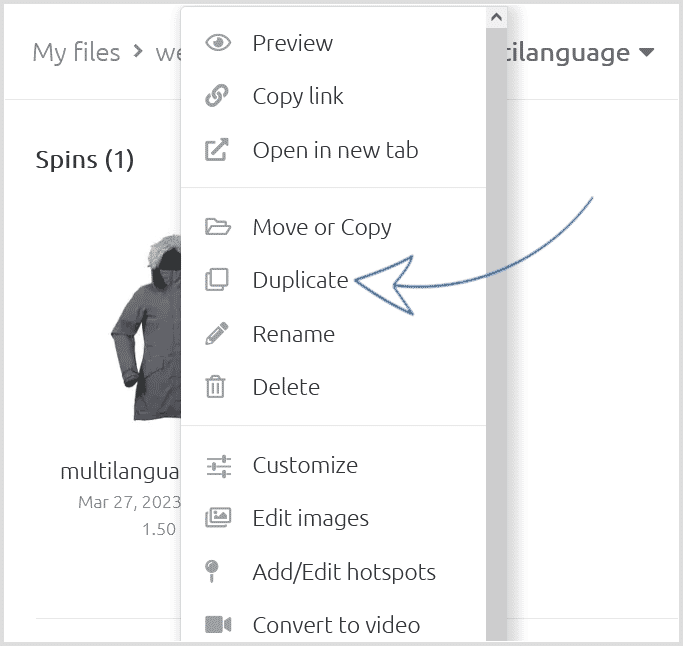
4. Add your hotspots in your 1st language. If it's your first time adding hotspots to a spin, follow our [How to add hotspotssteps. 5. Once completed, right-click the spinname-en.spin file and select 'Duplicate'.
6. Rename the duplicated file to match your 2nd language, spinname-fr.spin for example. 7. Right-click the 2nd language spin file and select 'Add/Edit hotspots'.
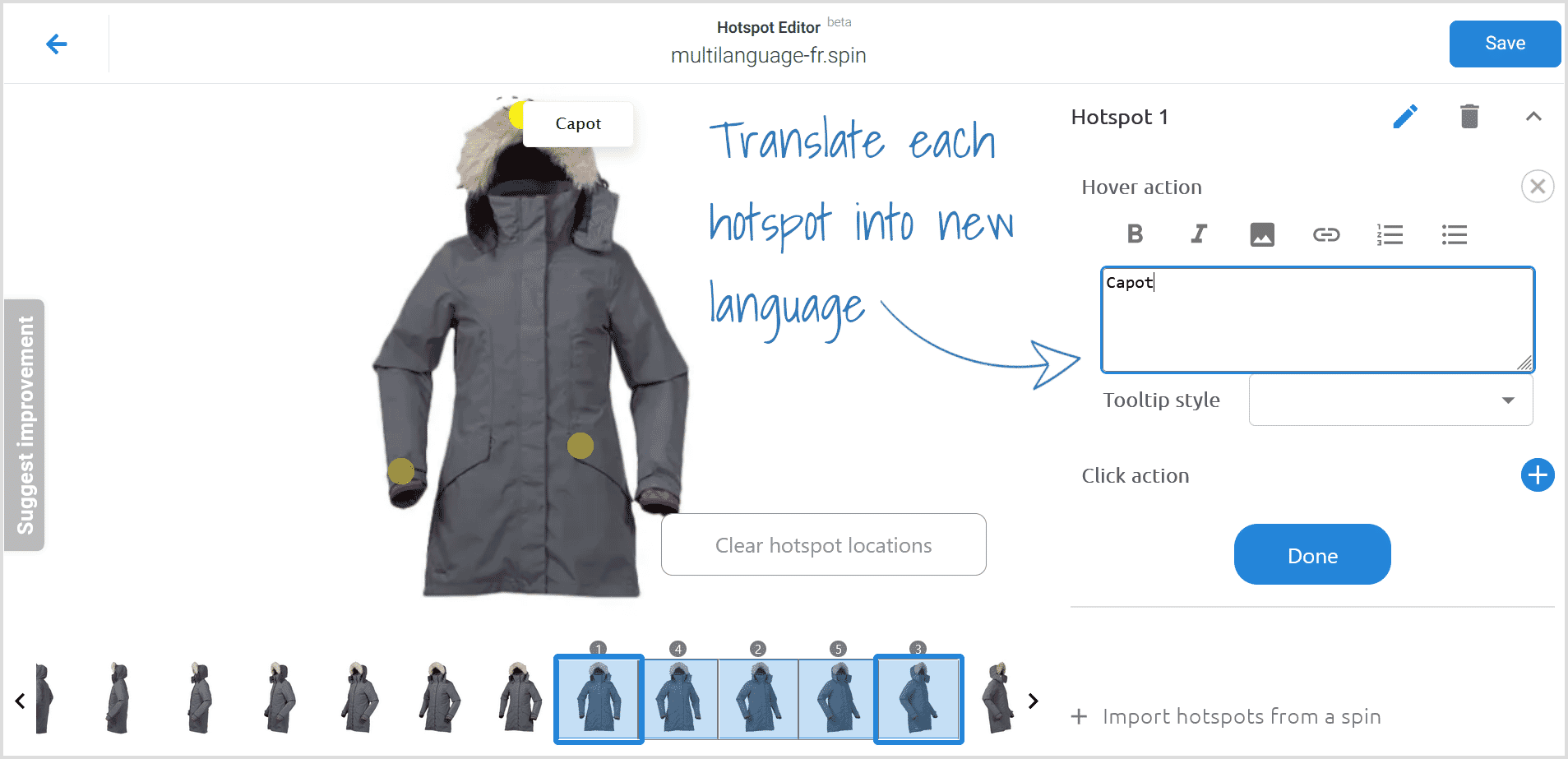
8. Click 'Hotspot 1' and translate your text to your 2nd language, eg French > Then click 'Done'. Once you have translated all the Hotspots, click 'Save'.
9. Repeat Steps 5-8 for each language. 10. Once each language has its own .spin file, embed your spin in your web page like so:
<div className="Sirv" data-src="https://demo.sirv.com/demo/multilanguage/spinname-en.spin"></div>
11. Use a simple script to show en or fr hotspots depending on the URL. The example script below uses English en and French fr, update the SMV_SUPPORTED_LANGUAGES section with all your languages:
<script type="text/javascript">
    // Define supported languages
    var SMV_SUPPORTED_LANGUAGES = ['en', 'fr'];

    // Define default language
    var SMV_DEFAULT_LANGUAGE = 'en';

    // Get current language from the URL
    function smvGetPageLanguage() {
      var reCurLang = new RegExp('\\/(' + SMV_SUPPORTED_LANGUAGES.join('|') + ')\\/', 'i');
      var matches = document.location.pathname.match(reCurLang);
      if (matches) {
        return matches[1];
      }

      return SMV_DEFAULT_LANGUAGE;
    }
  </script>
Use Spin API
If you're a Developer and want to add multi-language hotspots on the fly, use the Spin API.](https://sirv.com/help/articles/hotspots-on-360-spin/#how-to-add-hotspots)