Your Sirv subdomains
Each new Sirv account has a randomly-generated account name, shown on your Settings page. It determines your subdomain and appears in your file URLs. For example:
- Account name: crandlpo
- Sirv domain: https://crandlpo.sirv.com
Customize your account name
We recommend changing your account name to something personal, such as your business name. To change your account name, go to your Settings page and click "Change name":
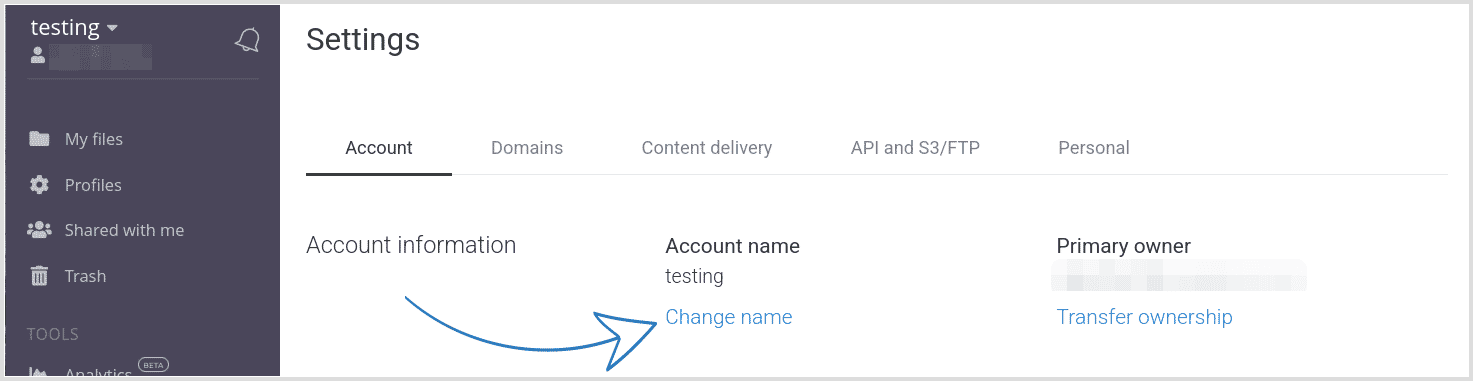
Any images that you've published with your old subdomain will instantly stop working, so be ready to replace any live URLs with your new subdomain.
Name criteria
Account names must be:
- 6-30 characters in length
- Letters a-z, numbers 0-9 or hyphens
Custom domain name
You can also configure a subdomain of your own domain, such as cdn.yourwebsite.com. This is a free service included in all Business and Enterprise plans. Custom domains make your URLs highly personalized. Read the easy steps to configure your custom subdomain.
Extra domains and custom domains
You can also configure extra sirv.com subdomains and custom domains for your Sirv account. Additional domains are $5/month. Learn how to create additional domains.
Create your Sirv account
If you don't have a Sirv account yet, create one now. Use it to host your images and serve them perfectly optimized to any screen size or device. Append options to any image URL to instantly resize, crop or otherwise style the image. Use it to embed deep zoom images, 360 spins, PDFs, galleries and more.